Squarespace gives you a head start on design with templates built for specific use cases -- from online stores and restaurants to portfolios and professional service businesses. Choosing the right template from the beginning matters because it shapes your site's layout, navigation style, and the sections available to you. The wrong starting point can slow you down later. This guide covers the 10 best Squarespace templates worth using, plus a quick section on how to find what template any existing Squarespace site is using -- useful if you spotted a site design you want to replicate.
How to Find What Squarespace Template Any Website Is Using
A common reason people search for Squarespace templates is that they saw a site they liked and want to know what template it was built on. Whether you are doing competitor research, getting inspiration for a client project, or just curious, there are a couple of ways to find out.
The fastest method is to use a Squarespace template detector. Paste the site URL in, and the tool identifies the template name instantly without you having to dig through any code.
If you prefer doing it manually, right-click anywhere on the site and select View Page Source. Search for "squarespace-template" and the template identifier usually appears in the page code. You can also look at the static.squarespace.com URLs in the source -- the folder structure often includes the template name.
One thing worth knowing: in Squarespace 7.1 (the current version), all templates share the same underlying system. What you are really detecting is the starting design point -- the pre-built layout, section arrangement, and styling that came with the template before any customization. The same template can look very different after a site owner has changed fonts, colors, and sections, so treat the detected name as a starting reference rather than an exact match for everything you see on screen.
What to Look for in Squarespace Templates
There are many things that you need to look for when you want to pick one of the Squarespace templates. If you have spotted a template you like on another site, you can check what Squarespace template that website uses before committing. The first consideration is speed. Loading time has a measurable impact on the performance of your website and how much revenue you can generate. For every second it takes your website to load, you will lose around 7% of your revenue. The average website takes about 10 seconds to load, which means that many businesses can lose up to 70% of their revenue.
Speed is also important for ranking. Google factors in page speed when deciding how to rank your site in search results. The faster your website, the better you will rank, and this can make a significant difference to traffic. The first three results on a Google search capture around 90% of the traffic, and organic search can contribute to 70% of your total visitors.
Another thing to look for is responsiveness. This is when a template adapts to display just as well on mobiles as it does on desktop. With half of all website traffic now coming from mobile devices, this is not optional. It is also a key factor in how Google evaluates your site.
Finally, make sure the template fits your actual business needs. If you want to run an eCommerce store, does it support online payments? Do you need a contact form, a team page, a portfolio gallery? Write out what you need before browsing templates and check each candidate against that list.
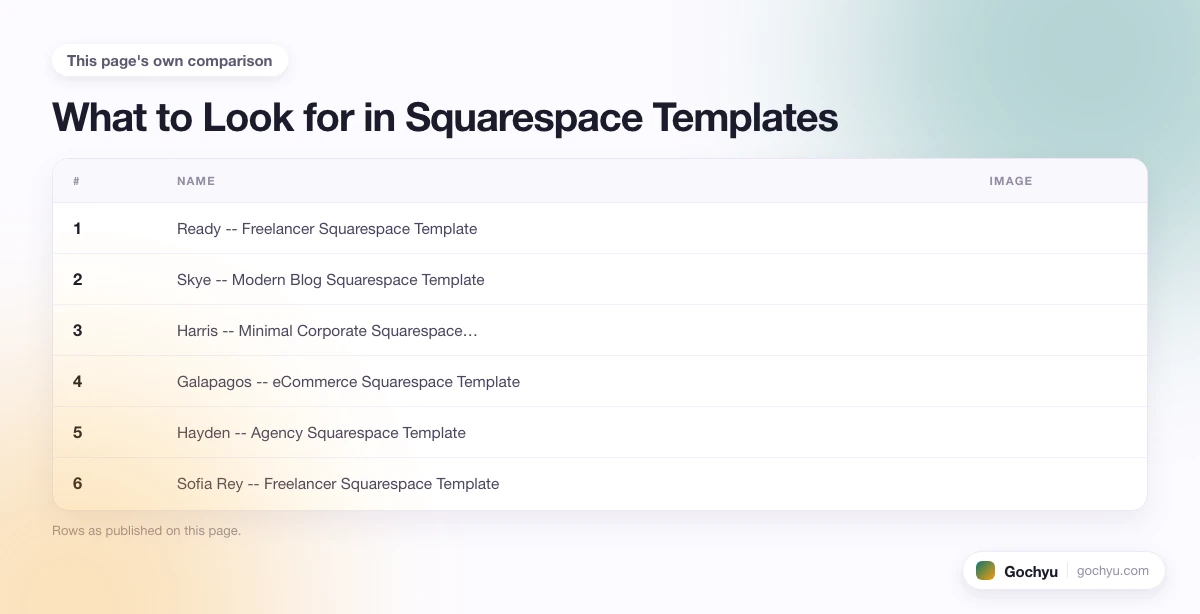
There are several excellent Squarespace templates that you can use. Here are some of the best worth considering.
| # | Name | Image | |
|---|---|---|---|
| 1 |
|
More Info | |
| 2 |
|
More Info | |
| 3 |
|
More Info | |
| 4 |
|
More Info | |
| 5 |
|
More Info | |
| 6 |
|
More Info | |
| 7 |
|
More Info | |
| 8 |

|
More Info | |
| 9 |
|
More Info | |
| 10 |
|
More Info |
* read the rest of the post and open up an offer
Ready -- Freelancer Squarespace Template
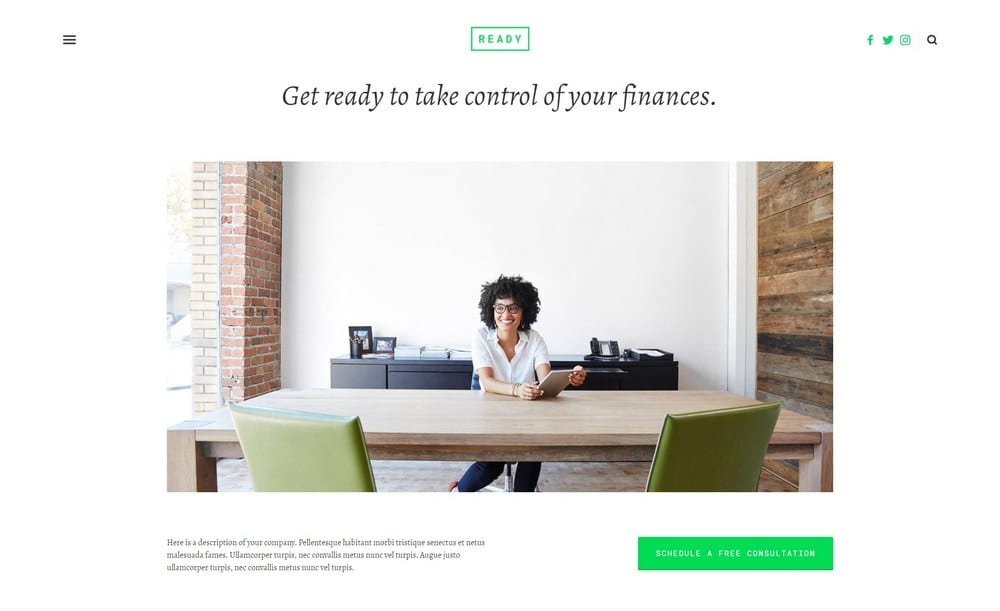
Minimalistic and elegant in its design, Ready is a great template for Squarespace websites for those who are looking to offer professional services like coaching, consulting and freelancing. It is designed for attracting clients to your website and then converting them with ease. The white background with a clear, high-quality image at the front draws the audience's attention and communicates professionalism immediately.
You can use the call to action button to get appointment bookings from visitors. Squarespace has a built-in scheduling system you can connect your website to, and once set up it runs without ongoing maintenance. To help your visitors with navigation, the template has a hidden left-hand side menu that slides out when the customer clicks the menu icon.
Ready is completely mobile-friendly, helping you to attract audiences across devices. This is supported by minimalist coding that keeps the website fast. You can also connect your audience to your social media accounts with icons located in the top right corner.
Ready -- Freelancer Squarespace Template Highlights:
- Designed for professional services like coaching, consulting, and freelancing.
- Built-in appointment booking via Squarespace Scheduling.
- Minimalist design for fast loading times.
- Social media icon links in the top right corner.
Skye -- Modern Blog Squarespace Template
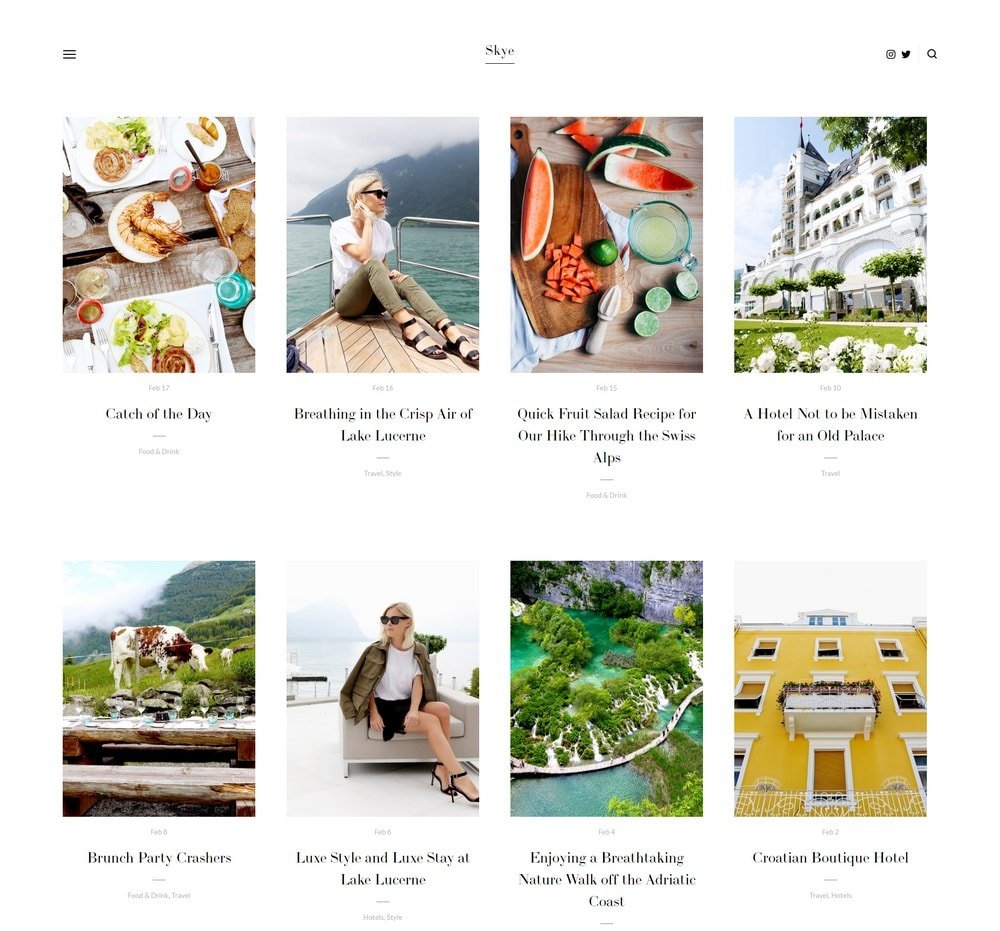
Skye is one of the best Squarespace templates for those looking to run a visually driven blog. It works especially well for travel, food, and lifestyle content where images do most of the storytelling. The minimalist design keeps focus on your photos and writing rather than competing with them.
There are lots of features that support ongoing website maintenance. The template uses a fullscreen design with grid-based content blocks, so arranging your content is straightforward. You spend more time creating and less time fiddling with layout.
Blog posts on Skye are cleanly designed, which improves the reading experience for your audience. Navigation uses a slide-out left-hand menu that stays hidden until needed. Like most templates on this list, Skye is fully responsive and performs well for search rankings.
Skye -- Modern Blog Squarespace Template Highlights:
- Purpose-built for bloggers with a visual-first approach.
- Grid-based content blocks for easy page layout.
- Fully responsive on mobile and tablet.
- Clean blog post design that keeps readers on the page.
Harris -- Minimal Corporate Squarespace Template
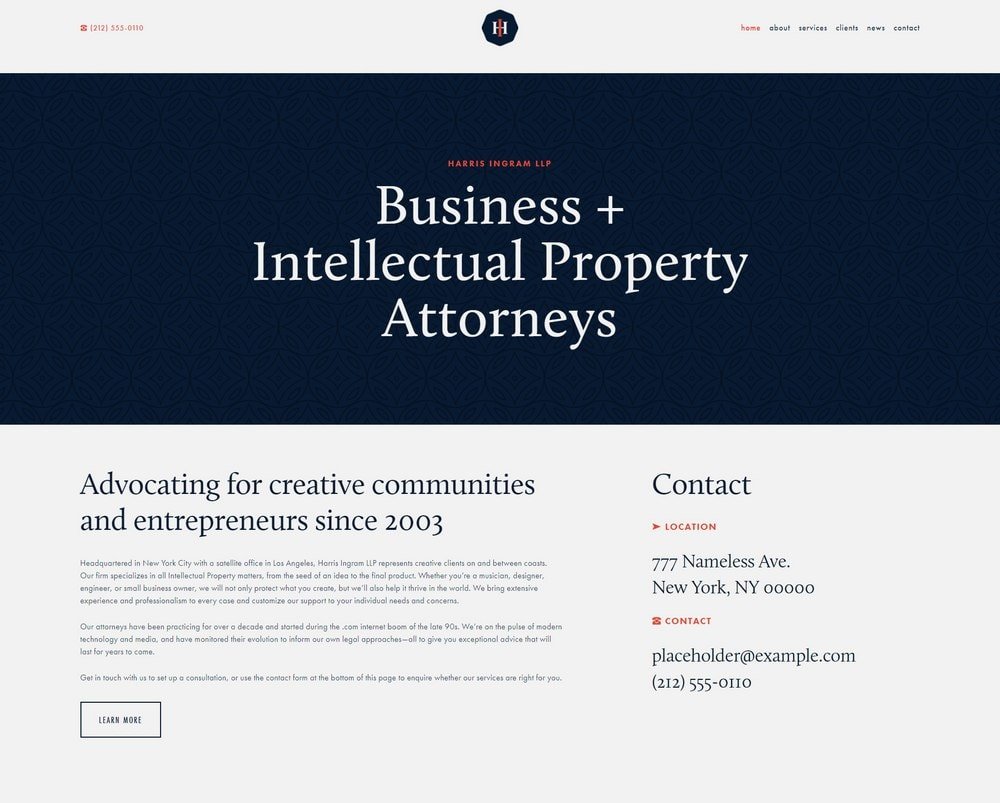
Harris is built for corporate businesses and agencies that want a clean, fast-loading presence without unnecessary visual noise. The homepage is well-structured for presenting your company's services and convincing visitors you can deliver.
The header is prominently placed with customization options that let you create a brand image consistent with your existing identity. Navigation is positioned in the top right corner, where most users expect to find it on a professional site.
Multiple inner page templates are included, covering sections for services, team members, clients, and case studies -- the typical content a corporate or agency site needs.
Harris -- Minimal Corporate Squarespace Template Highlights:
- Minimalist design built for corporate businesses and agencies.
- Clear header section for communicating your brand proposition.
- Top right navigation for intuitive site browsing.
- Includes inner pages for services, team, and client work.
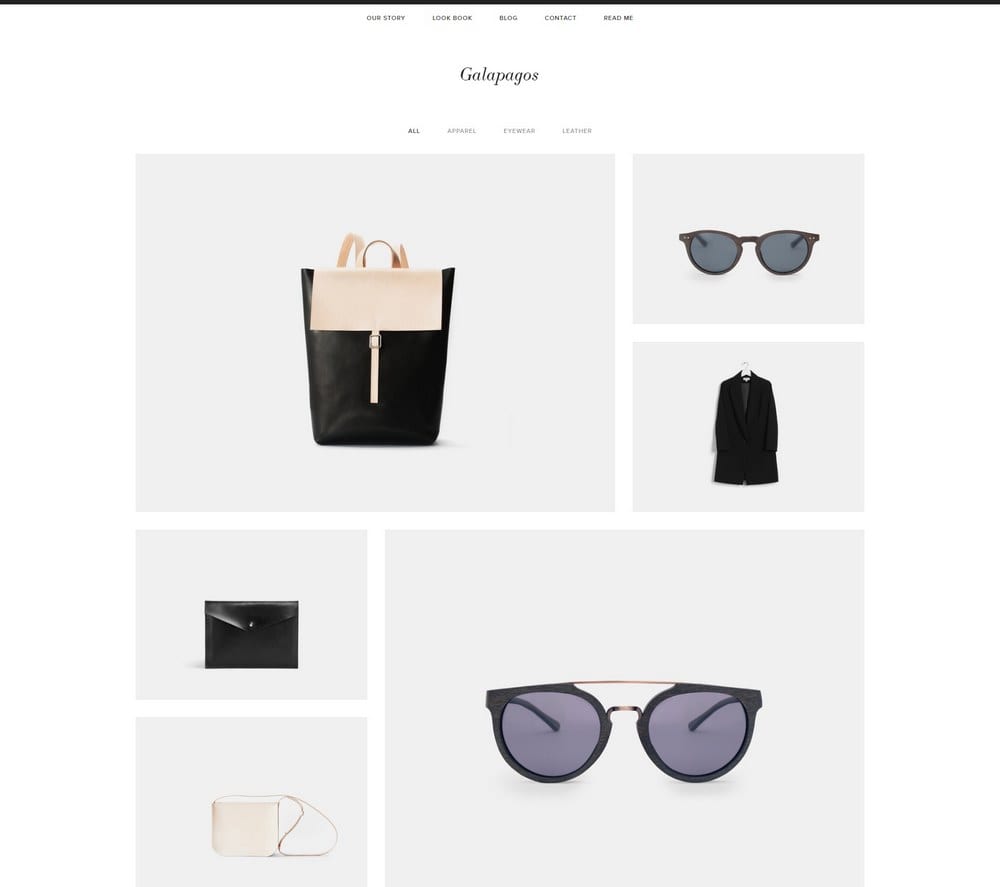
Galapagos -- eCommerce Squarespace Template
Galapagos is a modern eCommerce template that looks clean and trustworthy -- two qualities that matter a lot when you are asking people to hand over payment details. The minimal grid-based layout keeps products front and center on the homepage without distraction.
The template includes features common on high-performing eCommerce sites, including a quick view option that speeds up the browsing-to-checkout journey. Customers can add products to the integrated Squarespace shopping cart faster, which reduces friction. Secure payment processing is built in.
Three distinct menu areas help shoppers navigate: a top-level site menu, a product category menu above the featured products section, and a footer menu for secondary pages.
Galapagos -- eCommerce Squarespace Template Highlights:
- Clean grid layout designed for product-focused homepages.
- Quick view feature reduces clicks between browsing and adding to cart.
- Integrated with Squarespace's secure payment processing.
- Three navigation menus for comprehensive site browsing.
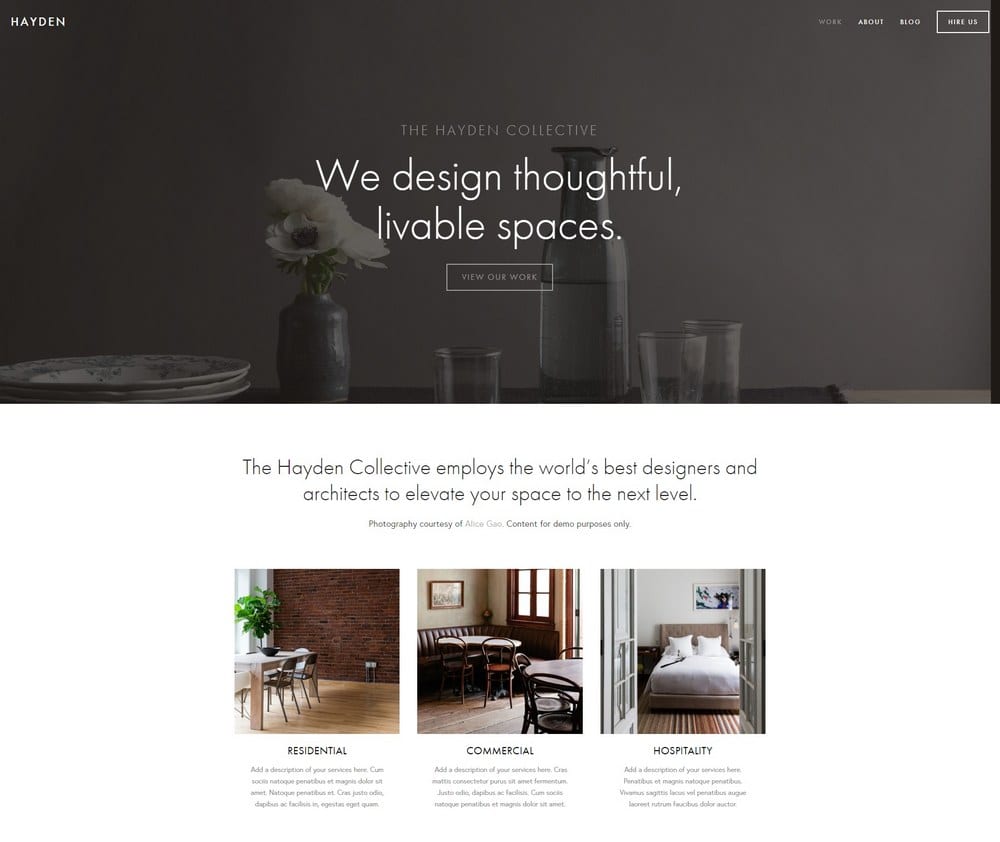
Hayden -- Agency Squarespace Template
Hayden was built for design agencies but works well for any business that wants a bold, modern look. Sections for services, clients, portfolio, and case studies are already laid out, so you are filling in content rather than building structure from scratch. The scheduling integration lets visitors book time with you directly from the site.
The sticky navigation bar at the top right stays visible as visitors scroll, which keeps your menu accessible at all times and reduces bounce rate. Social media links are featured at the bottom center of the page.
Hayden also includes a dedicated blog section. Consistent blogging can bring meaningful traffic gains over time, and having the blog section built into the template means you do not need to retrofit it later.
Hayden -- Agency Squarespace Template Highlights:
- Pre-built sections for services, clients, portfolio, and case studies.
- Sticky navigation bar for easy site browsing at any scroll depth.
- Integrated scheduling for booking calls or appointments.
- Dedicated blog section included in the template layout.
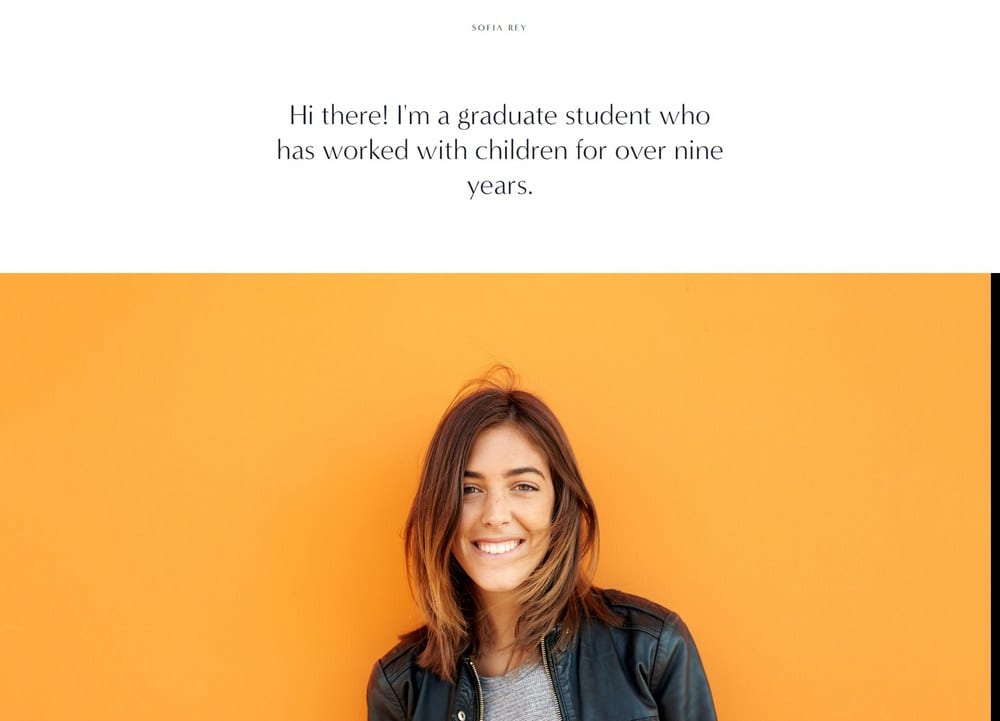
Sofia Rey -- Freelancer Squarespace Template
If you are a freelancer, Sofia Rey gives you everything you need to sell your services online. The template includes dedicated sections for skills, services, client testimonials, and a contact form. This covers the typical journey a prospect takes from landing on your site to reaching out.
There is also a resume section built in, which makes this a strong option for contractors and job seekers who want a professional personal website rather than a standard portfolio page.
Navigation is split between a simple menu on the top left and social media links on the top right. The vibrant yet professional design makes a strong first impression without looking over-designed.
Sofia Rey -- Freelancer Squarespace Template Highlights:
- Sections for skills, services, and client testimonials.
- Built-in resume section for contractors and job seekers.
- Contact form to capture enquiries from prospects.
- Social media links integrated into the top navigation.
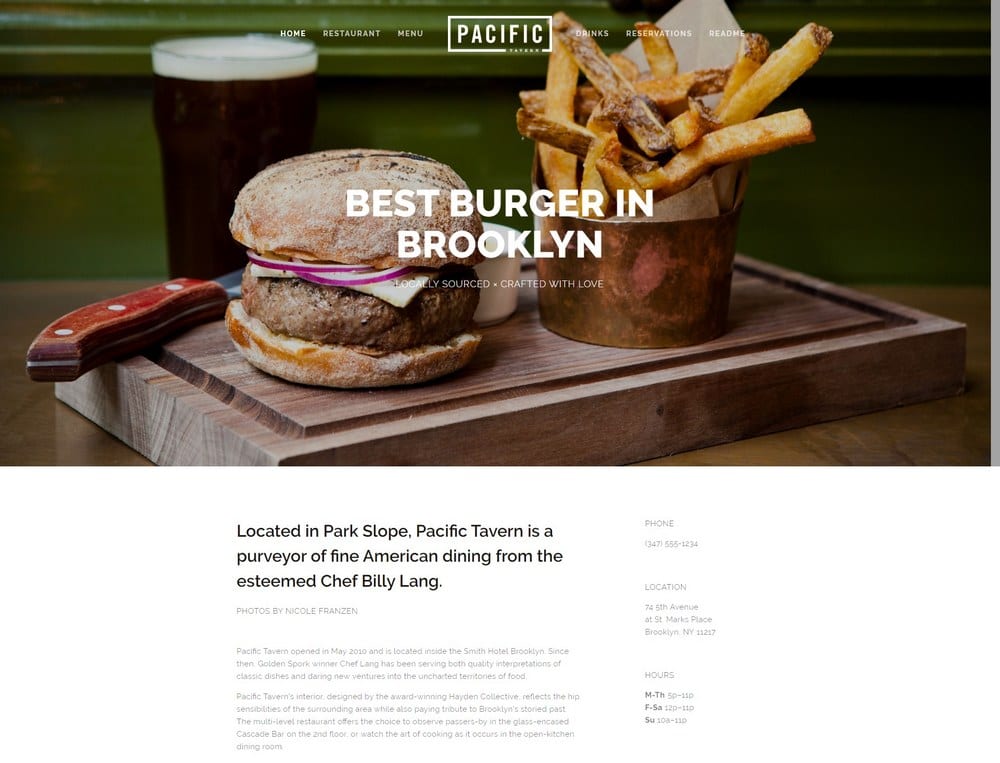
Pacific -- Restaurant Squarespace Template
If restaurants are your focus, see our full guide to the best Squarespace templates for restaurants, which ranks the top picks for menus, reservations and food photography.
Pacific is the go-to Squarespace template for hospitality businesses -- restaurants, hotels, cafes, and similar venues. It includes a fullscreen image slider for displaying food or rooms in high-quality photos, plus call to action sections that let visitors make reservations directly from the homepage.
The menu section is well-designed for displaying food or services in a way that builds anticipation. It functions well for getting visitors to engage before they arrive in person.
Maintenance is simpler than the impressive design suggests. Little website experience is needed to keep it updated, and the template performs well for search visibility with minimal technical SEO effort required.
Pacific -- Restaurant Squarespace Template Highlights:
- Fullscreen image slider built for food and hospitality photography.
- Reservation call to actions built into the homepage layout.
- Simple to maintain with limited website experience.
- Strong search performance potential with basic SEO effort.
Carson -- Portfolio Squarespace Template
Carson is more unconventional than most Squarespace templates. Rather than a standard scrolling layout, the homepage is static, presenting your top pages as entry points. When a visitor hovers over a link, the background image changes to match -- an interactive effect that is striking and memorable.
Each inner page is set up to showcase clients and previous projects in detail. A hidden menu provides navigation to contact, about, and services pages without cluttering the main design.
The template is flexible enough to work across a range of industries, though it is best suited to creative professionals who want their portfolio to make an impression right from the homepage.
Carson -- Portfolio Squarespace Template Highlights:
- Static homepage with a hover-triggered background image effect.
- Inner pages for showcasing client work and projects.
- Hidden navigation menu that keeps the main design clean.
- Works across industries but particularly strong for creatives.
Impact -- Education Squarespace Template
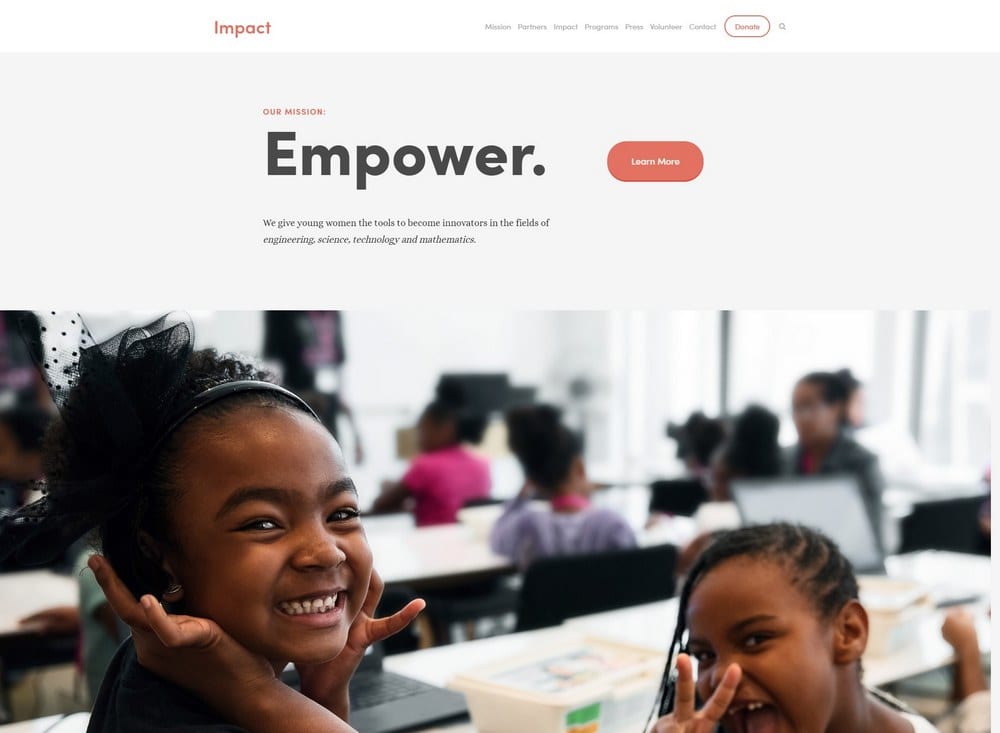
Impact was built for schools, colleges, online learning programs, and charity organizations. The design includes an attention-grabbing header followed by well-organized content sections for lessons, team members, mission statements, and more.
The template loads quickly across browsers and devices, which matters when your audience includes a wide range of technical ability levels. Editing is straightforward, so staff with no web design background can update it.
Strategically placed call to action buttons guide visitors from one section to the next, which is especially useful for organizations that need visitors to sign up, register, or donate.
Impact -- Education Squarespace Template Highlights:
- Designed for schools, online learning platforms, and nonprofits.
- Fast loading across browsers and devices.
- Easy for non-technical staff to maintain and update.
- Built-in call to action buttons for registrations and sign-ups.
Avenue -- Portfolio Squarespace Template
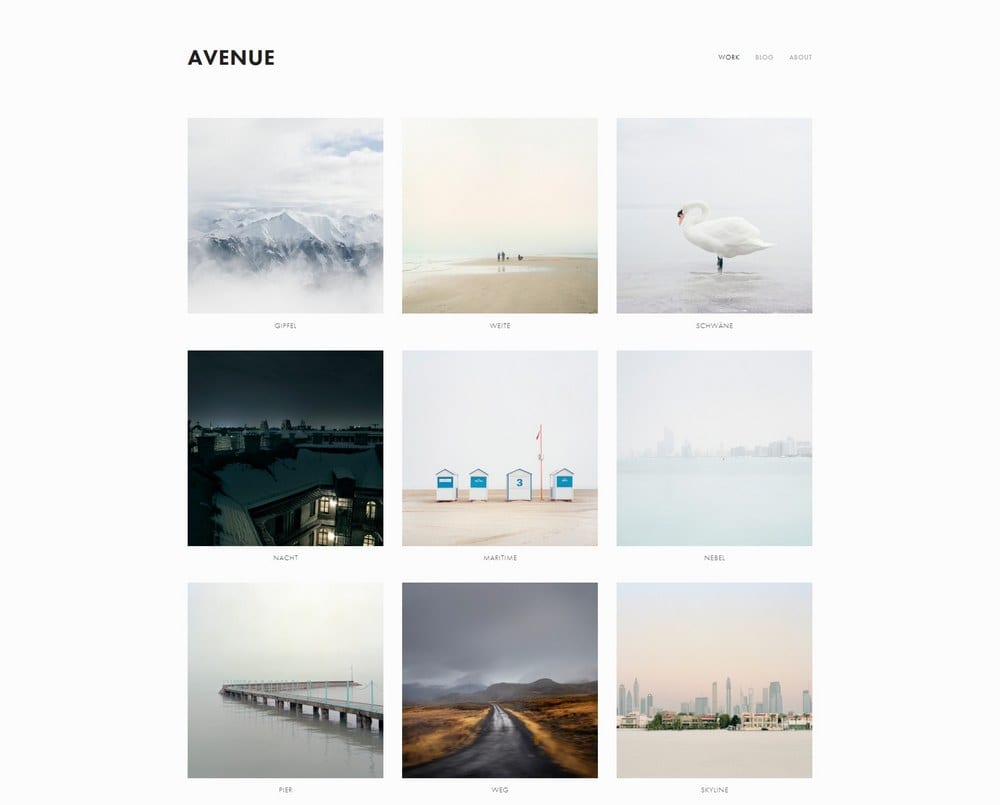
Avenue is a minimalist portfolio template built for designers and illustrators. The grid-based homepage layout lets you display multiple pieces of work at once, making a strong first impression without requiring visitors to scroll through a single-column feed.
Each portfolio item links through to a dedicated page where you can explain the project in more detail and include a call to action for enquiries. The minimal styling keeps the template fast, which supports both user experience and search performance.
Avenue -- Portfolio Squarespace Template Highlights:
- Grid-based homepage for showcasing multiple work samples at once.
- Individual project pages with room for detail and context.
- Minimal design for fast load times and clean presentation.
- Strong option for designers, illustrators, and creative studios.
Final Word: The Best Squarespace Templates
Squarespace gives you a strong range of starting points no matter what kind of site you are building. The templates above cover the most common use cases: freelancers, bloggers, eCommerce stores, agencies, restaurants, and portfolio sites. Pick the one that matches your primary use case, then customize from there. For artists and creative professionals, the best Squarespace templates for artists covers portfolio and eCommerce-focused picks for painters, photographers, illustrators, and musicians specifically.
If you want to find out what template another Squarespace site is using, try the Squarespace template detector -- paste in the URL and get the answer in seconds.
If you run a fashion brand or clothing store, the dedicated guide to best Squarespace templates for clothing includes a feature comparison table and niche-by-niche recommendations for streetwear, boutique, and print-on-demand stores.
For a deeper look at the platform itself, see the complete guide to how to use Squarespace.
If you plan to create more than one site, each on its own Squarespace subscription, the guide to multiple websites on Squarespace covers how billing, contributors, and trial periods work across projects.
If you are still deciding between platforms, the Squarespace vs Wix comparison covers design quality, pricing, and ecommerce features side by side.

