
WooCommerce ships with the basics, then asks you to choose your stack. The right plugins handle payments, shipping, SEO, email, security, backups, performance, and analytics, the eight categories every working store needs. Pick well and you get a fast, conversion-ready site for a couple hundred dollars a year. Pick badly and you wake up to a half-broken checkout and a hosting bill that doubled overnight.
This list covers 15 plugins we keep coming back to across WooCommerce builds in 2026. Most have a free tier strong enough for stores under $5,000 a month, and we flag the cases where the premium version actually changes what you can do. There's no padding here, no two SEO plugins doing the same job, and no listing a payment gateway twice. One pick per problem, with the honest weaknesses included. If you haven't fully committed to WooCommerce yet, our Shopify vs WooCommerce comparison covers the cost and feature tradeoffs before you start stacking extensions.
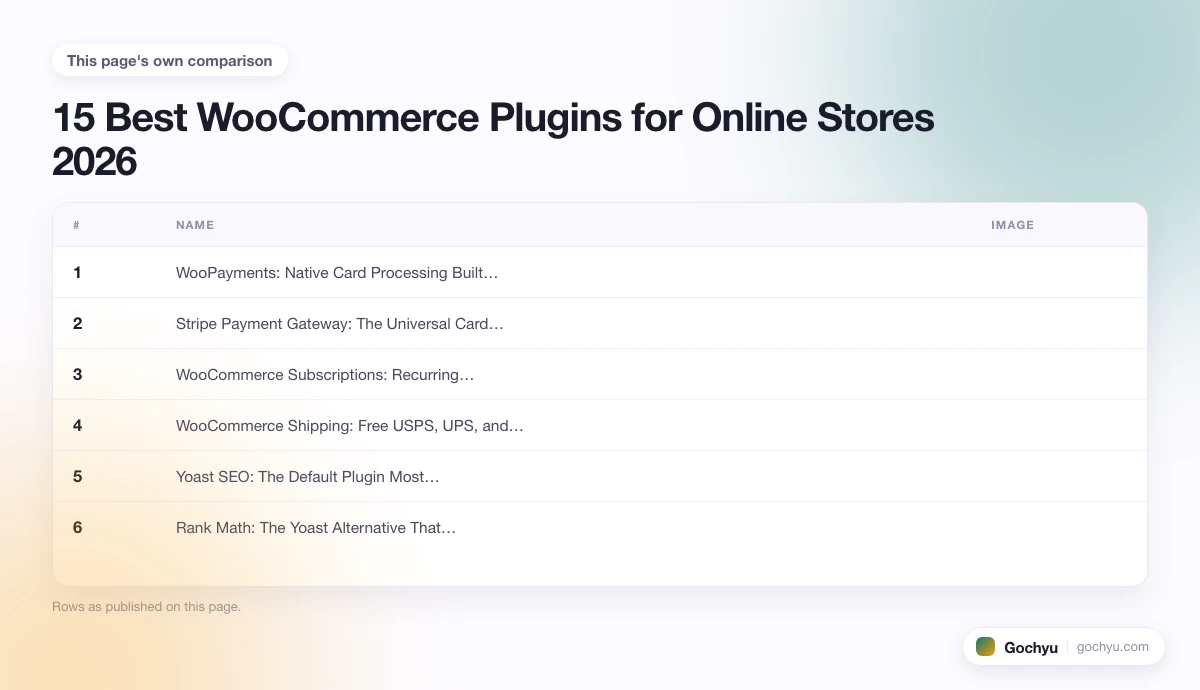
| # | Name | Image | |
|---|---|---|---|
| 1 |

|
More Info | |
| 2 |

|
More Info | |
| 3 |

|
More Info | |
| 4 |

|
More Info | |
| 5 |

|
More Info | |
| 6 |

|
More Info | |
| 7 |

|
More Info | |
| 8 |

|
More Info | |
| 9 |

|
More Info | |
| 10 |

|
More Info | |
| 11 |

|
More Info | |
| 12 |

|
More Info | |
| 13 |

|
More Info | |
| 14 |

|
More Info | |
| 15 |

|
More Info |
* read the rest of the post and open up an offer
What Makes a Good WooCommerce Plugin?
A good WooCommerce plugin earns its slot by doing one thing well, staying out of the database when it's not running, and updating fast enough to keep pace with WooCommerce releases. The plugins that survive on serious stores share four traits: they declare WooCommerce compatibility with each release within a week, they load assets only on pages that need them, they queue heavy work to the background instead of blocking the checkout, and the support team replies inside 48 hours when something breaks. Anything that fails all four becomes a liability the first time you go on holiday and a customer's order silently drops.
Best WooCommerce Plugins - Our List
WooPayments: Native Card Processing Built Into Your Dashboard
WooPayments is Automattic's own card processor, and it has the unfair advantage of being built into the same admin you already use. Refunds, disputes, payouts, multi-currency settings, all of it happens inside WooCommerce instead of a second tab pointed at Stripe.
The setup flow is the cleanest on this list. Onboarding takes about five minutes if your business details are handy, and the activation gives you Apple Pay, Google Pay, Klarna, Afterpay, and Affirm in the same click. Multi-currency is a single toggle, which used to require a $99 paid extension. The disputes inbox sits next to your orders, so chargebacks stop being a thing you forget about for three weeks.
Fees match Stripe almost line for line at 2.9% + 30¢ for US cards, but WooPayments adds 1% for currency conversion that Stripe charges separately. The payout schedule defaults to daily after the first 7-day rolling reserve, which is faster than most direct Stripe integrations get out of the box. Reporting is decent but not as deep as Stripe's own dashboard.
Geographic coverage is the catch. WooPayments is only available in roughly 40 countries, which leaves out most of South America, Africa, and parts of Asia. If your store sells to or operates from one of those regions, you're back on Stripe or PayPal. Also worth knowing: WooPayments does not handle subscriptions on its own, so you still need WooCommerce Subscriptions or a third-party billing plugin for recurring charges.
Why WooPayments Sits at the Top of the Stack
- One-click extra payment methods – Apple Pay, Google Pay, and the three buy-now-pay-later options activate together, no per-gateway plugin install.
- Built-in multi-currency – switch storefront currency from a dropdown without paying for the Currency Switcher extension.
- Disputes inside the orders dashboard – chargebacks get a row in the same admin you check for orders, not a third-party email thread.
Stripe Payment Gateway: The Universal Card Processor for Stores Outside WooPayments Coverage
Stripe is what you reach for when WooPayments isn't available in your country, or when you already have a Stripe account doing other work and want one dashboard for everything. The free official plugin from the Stripe team is more capable than most stores realize, and it costs nothing on top of Stripe's standard 2.9% + 30¢.
Setup is a copy-paste of your publishable and secret keys plus a webhook URL. Apple Pay verification adds five minutes once you upload a verification file to your domain root. The checkout button design is a hard-baked Stripe element that loads from their CDN, which means you cannot fully restyle it but you also do not have to worry about it breaking when WooCommerce updates.
What separates the official plugin from the older third-party Stripe gateways is the steady push toward built-in Stripe features. The plugin supports SCA (3D Secure 2) automatically, Klarna and Afterpay as live payment methods, and Link, Stripe's one-click checkout. If your store sells digital goods or subscriptions outside the US and EU, the Stripe Radar fraud rules are also a quietly useful side benefit.
Honest weakness: the plugin is JavaScript-heavy at checkout. On themes that don't dequeue Stripe.js on non-checkout pages, you can see a 200KB hit on the home page that has no business loading payment libraries. A quick snippet in your theme's functions.php fixes it, but most owners never know to add it. Also, subscriptions still need WooCommerce Subscriptions or Stripe Billing as a separate piece.
What Makes the Official Stripe Plugin a Safe Default
- Free, built by Stripe – no third-party gateway tax, and updates ship the day Stripe changes its API.
- SCA, Apple Pay, Link, and BNPL in one – three or four toggles cover the payment methods most ecommerce plugins charge $99/year for.
- Radar fraud rules included – Stripe's machine-learning fraud screen runs on every charge at no extra cost, which third-party gateways usually paywall.
WooCommerce Subscriptions: Recurring Revenue Without Building a Billing System
WooCommerce Subscriptions is the official extension for selling anything that bills on a schedule, weekly snack boxes, monthly software access, yearly memberships, the lot. It's the single most-installed paid extension in the WooCommerce store, and the reason most subscription businesses on WordPress are on WordPress at all.
Setup turns any product into a subscription product with a billing interval (day, week, month, year), a trial period, and a sign-up fee. The checkout flow looks identical to a one-off purchase, the only difference being a small recurring-billing line item. Customers manage their subscriptions, change payment methods, switch plans, or pause from their account page without writing to support.
The hidden depth is in the failed-payment retry logic. Subscriptions ships with a smart retry system, three attempts over five days, then a customer email, then an admin notification, with backoff timing that mimics how the major credit card networks recommend. Stores using it report 8 to 12% recovery on initial card declines, which is real money on any subscription business.
The cost is the catch. It's $239/year for a single site (lifetime updates and support included), and that's after the free first year for stores using WooPayments. If you only have a handful of subscribers, the bill is hard to justify against a Stripe Billing direct integration ($0 on top of Stripe fees). Past 50 subscribers, the convenience of having everything in one admin pays back.
Why Subscriptions Earns Its Slot Despite the Price
- Customer self-service flows – pause, swap, change payment, cancel, all without a support ticket.
- Failed-payment recovery – the retry system pays for the plugin in recovered charges past about 100 active subscribers.
- Mix with one-off products – a single store can sell a $30 monthly box and a $200 one-off bundle through the same checkout.
WooCommerce Shipping: Free USPS, UPS, and DHL Labels From Your Orders Screen
WooCommerce Shipping (the Automattic-built one, not the older Jetpack-bundled name) lets you buy and print USPS, UPS, and DHL labels straight from the orders screen, with discounted rates baked in. It's free, it has no monthly fee, and it cuts out the trip to ShipStation or Pirate Ship for stores doing under about 100 orders a week.
The flow is right where you'd want it: open an order, click "Create shipping label", pick a service, enter package dimensions, hit print. Rates show real-time, with the USPS Commercial Plus discount applied automatically, so a Priority Mail box that costs $9.65 at the post office prints at about $7.20. UPS and DHL round out the carrier list for international shipments.
Tracking numbers write back to the order automatically, and customers get the tracking email without you doing anything. If you've ever copy-pasted USPS tracking numbers into a notes field for an hour on a Friday afternoon, you'll appreciate this. The plugin also handles return labels, which used to mean a $40/year extension.
Where it falls short is multi-warehouse and rate shopping. If you ship from more than one location, or want a rules engine that picks the cheapest carrier per zone automatically, you're on ShipStation, ShipBob, or one of the table-rate-shipping plugins. WooCommerce Shipping treats every package as coming from your one store address. Also, the carrier negotiated-rate accounts (UPS account number, DHL account number) only work on the premium tier.
What Free WooCommerce Shipping Actually Saves You
- Commercial Plus USPS rates – the same discount that costs $15.99/month at Stamps.com, free and built in.
- Buy-and-print without a separate dashboard – every label transaction lives in the order row, so refunds and reprints are one click.
- Return labels included – generate a prepaid return shipping label and email it to the customer in two clicks, no extra extension.
Yoast SEO: The Default Plugin Most WordPress Stores Already Know
Yoast is the SEO plugin you almost end up with by accident, because every WooCommerce theme tutorial mentions it and every Yoast tutorial uses screenshots from a clean Twenty-Twenty-Whatever theme. There's a reason: it works, it's been refined for over a decade, and the free version covers what 80% of stores actually need from an SEO plugin.
The interface is a stoplight system: green for "this is fine", orange for "you could do better", red for "fix this now". Each product page gets a focus keyphrase, a readability check, an SEO check, and a snippet preview that shows what the search result will look like. The XML sitemap generation runs automatically, and the breadcrumbs work cleanly with WooCommerce's product/category/shop hierarchy.
The WooCommerce add-on (a separate $79/year extension) is where Yoast pulls ahead for ecommerce specifically: product schema markup, breadcrumb tweaks, and a brand/identifier field that maps to Google Merchant Center. The free Yoast plugin handles basic Open Graph, Twitter cards, and the canonical tags WooCommerce sometimes forgets to set, which alone prevents a chunk of duplicate-content headaches on variation products.
Two honest knocks. First, the plugin nags. The admin notice column has been growing for years, and a fresh install greets you with three setup wizards, two promo modals, and an upsell to the premium tier. Second, on stores with 10,000+ products, the meta-description-per-product workflow doesn't scale; you end up needing a bulk-edit extension or moving to Rank Math (next on the list).
Where Yoast Still Wins by Default
- The stoplight UX – non-technical store owners understand "red bar = fix this" in a way that competitor plugins still struggle to match.
- WooCommerce-specific schema (paid) – the $79 add-on lights up Google's rich product results without you touching a line of code.
- The cleanest XML sitemap – auto-includes only indexable pages, splits by post type, and survives WooCommerce updates better than the built-in WC sitemap.
Rank Math: The Yoast Alternative That Bundles More Into the Free Tier
Rank Math is the plugin you switch to when Yoast's free tier starts feeling tight. Where Yoast charges for the WooCommerce schema add-on, the redirect manager, and bulk meta editing, Rank Math throws all three into its free version and asks for nothing on top until you want the AI content tools.
The setup wizard imports your existing Yoast settings cleanly, including focus keyphrases, meta titles, and noindex flags. The dashboard then layers on a few things Yoast doesn't have for free: a 404 monitor, a built-in schema generator with WooCommerce product types, and per-post Search Console integration so you can see clicks and impressions next to each post without leaving WP-admin.
The WooCommerce-specific features are honestly stronger than Yoast's paid equivalent. Product schema includes brand, GTIN, MPN, and availability automatically. Variation products get individual schema per variation. The "best practices" panel for each product page flags missing alt text, thin product descriptions, and missing category pages, the three things WooCommerce stores routinely launch without.
The catch is the interface density. Rank Math throws everything at you on the first install, and the settings screen has 14 tabs, 47 toggles, and an analytics dashboard that may or may not work depending on your hosting. The plugin is also younger than Yoast, which shows in occasional rough edges (a recent update temporarily broke meta-description templates for some users a few months back). Worth knowing if you prefer the conservative pick.
What Rank Math Includes That Yoast Charges For
- Full WooCommerce schema in the free tier – product, variation, review, and breadcrumb markup that Yoast paywalls at $79/year.
- Built-in 404 monitor and redirect manager – catch broken links and 301 them without installing a separate redirect plugin.
- Per-post GSC clicks and impressions – see how each product or category page is performing inside the edit screen.
Mailchimp for WooCommerce: The Free Email Bridge Most Stores Start With
Mailchimp's official WooCommerce plugin is what most stores reach for when they want their first email list, mostly because Mailchimp is the brand non-technical owners have already heard of and the plugin is free up to 500 contacts. It's not the best email tool for ecommerce in absolute terms, but it's the easiest one to get a working welcome email and abandoned-cart sequence out of in under an hour.
The plugin syncs customers, orders, and product catalog to your Mailchimp account in the background. Once that sync completes (give it an overnight for stores with 10,000+ orders), you get audience segments based on real purchase behavior: bought-once customers, repeat buyers, big spenders, lapsed customers. Mailchimp's segmentation editor reads as plain English filters, which makes building a "customers who bought from this category but not in 90 days" segment about a minute of work.
Mailchimp's product recommendation blocks pull from the synced catalog, so a "You might also like" email picks real SKUs from your store with images and prices that update if you change them. The pre-built ecommerce automations (welcome series, abandoned cart, order notifications, post-purchase follow-up) all activate from a templates screen, no Zapier or custom code involved.
Where Mailchimp loses ground for ecommerce is deliverability and pricing at scale. Past 2,000 contacts, the bill starts catching up to Klaviyo, and Klaviyo open and click rates are consistently 15 to 20% higher across the same audience in our experience. Mailchimp also lost a chunk of advanced features (multivariate testing, behavioral triggers based on website browsing) after the Intuit acquisition a few years back. Fine for under 500 contacts, becomes a liability past 5,000.
Why Mailchimp Still Earns the Starter Slot
- Free up to 500 contacts and 1,000 sends/month – enough for a new store to run welcome and abandoned-cart sequences without a monthly bill.
- Drag-and-drop email builder – non-designers can build a clean transactional or marketing email in 20 minutes.
- Catalog sync with product blocks – emails pull live product data, so the price your customer sees matches the price on the site.
Klaviyo for WooCommerce: The Ecommerce Email Tool You Switch to When Revenue Justifies It
Klaviyo is what stores switch to when their email list starts making more money than their ad spend. Where Mailchimp is built for newsletters with ecommerce tacked on, Klaviyo was designed from day one for stores, and it shows in the segmentation flexibility, the flow builder, and the open rates.
The plugin's data sync is the most thorough on this list. It captures every product viewed, added to cart, started checkout, and completed purchase as a discrete event you can build flows from. The browse abandonment email (someone looked at a product, did not add to cart, gets a reminder 4 hours later) lifts conversion 6 to 10% for stores that turn it on, and that single flow alone often justifies the cost.
Klaviyo's segmentation is the real moat. Build a segment for "customers who bought a winter coat in the last 60 days from California and earn over $80,000", and the plugin will identify them, find the matching SMS phone numbers, and let you send a regional promotion. The "predicted CLV" field on each profile pulls in a forecast Klaviyo derives from buying behavior, useful for VIP segments.
The honest cost: pricing scales hard. Free up to 250 contacts and 500 emails/month, then it ladders by contact count and quickly outpaces Mailchimp on larger lists. Past 10,000 contacts you're paying north of $150/month. The flow builder is also genuinely complex; new users typically spend two or three days learning the conditional-split logic before getting a real automation running. The payoff is worth it once revenue clears about $20,000/month, but it's overkill for a brand-new store.
Where Klaviyo Pulls Ahead on a Real Store
- Browse abandonment – the email that fires on view-without-add-to-cart, not just add-to-cart-without-checkout. 6 to 10% conversion lift on its own.
- Predicted CLV and next-order date – per-customer fields you can segment on without building a model yourself.
- Real ecommerce events – every product view, every cart change, every checkout event is a discrete trigger, not a generic "engagement score".
OptinMonster: The Popup Plugin That Stopped Tanking Conversion Rates
OptinMonster is the popup, slide-in, floating bar, and exit-intent plugin most WooCommerce stores end up using once they need to grow an email list faster than passive signup forms allow. Where most popup tools are blunt instruments (a 1990s modal that interrupts every visitor on page load), OptinMonster's defaults assume you don't want to alienate paying customers.
The targeting rules are the difference. Show a popup only on the cart page, only after the user scrolls 60%, only on mobile, only on exit-intent, only to first-time visitors, and only if they haven't already signed up. The visual builder is drag-and-drop, with about 100 templates that look modern instead of 2014. The plugin integrates back into WooCommerce for cart-value-based triggers (show a 10% off popup only if cart is over $50).
The A/B testing is built in, which is the part most stores never use but probably should. Run two variants of a coupon popup against each other, the plugin auto-splits traffic and surfaces the winner after enough conversions. We've seen a single test (changing "Get 10% off" to "10% off ends in 24 hours") lift signup rate from 2.4% to 4.1% on a real store, which doubled the welcome-series revenue.
Honest weakness: it's not cheap, and the free version on WordPress.org is barely a teaser. Real OptinMonster starts at $9/month (billed yearly) and the useful exit-intent and A/B testing live in the $19+ tiers. There are free popup plugins (HollerBox, Popup Maker) that do 70% of what OptinMonster does, just with worse defaults and clunkier targeting. Worth the upgrade once your list-growth ROI clears the subscription cost, which for most stores is around 1,000 monthly visitors.
Why OptinMonster Doesn't Tank Conversion Like Other Popup Plugins
- Exit-intent without page-load interruption – the popup waits until the user starts to leave, so paying customers see nothing during the buying flow.
- Cart-value-aware triggers – fire a free-shipping bar only when cart total is under your threshold.
- Built-in A/B testing – test headline, copy, image, and CTA variants without bolting on a separate experimentation tool.
Wordfence Security: The Firewall That Watches the Login Page for You
Wordfence is the firewall most WordPress stores end up with, and there's a reason it has over 5 million installs. The free version blocks brute-force login attempts, scans for malware, and rate-limits bots that hit your wp-login.php at midnight. For a store handling payment data, those three jobs alone make it the cheapest insurance policy on this list.
The brute-force protection is what saves most stores from the embarrassing PSA email three months in. Without it, a fresh WooCommerce site sees 100 to 500 login attempts per day on average, mostly from botnets cycling through leaked credentials. Wordfence locks an IP after the threshold you set (default 5 failed attempts in 4 minutes), and the optional 2FA on the admin account closes the last attack surface most stores leave wide open.
The malware scanner runs against the WordPress core, theme, and plugin files, looking for known signatures and modified core files. The premium tier ($119/year) adds the real-time firewall rules (free tier is on a 30-day delay) and the country blocking, which is the one feature small stores hand-wave but actually matters if your store doesn't ship internationally and 60% of attack traffic comes from Russia and Vietnam.
The honest knock: Wordfence adds load. The firewall runs as a PHP process on every request, and on under-powered hosting (cheap shared plans) you'll see 100 to 300ms added to TTFB. Most managed WordPress hosts (Kinsta, WP Engine, Cloudways) have their own web application firewall and explicitly recommend not running Wordfence's firewall layer on top. Read your host's docs before activating it everywhere.
What Wordfence Free Actually Catches Out of the Box
- Brute-force login lockouts – the most common WordPress attack vector, blocked from minute one of activation.
- 2FA on admin accounts – authenticator-app login for any WP user, in the free tier.
- Malware signature scanner – weekly scheduled scan against WordPress.org's clean-file hashes, with email alerts on changes.
UpdraftPlus: The Backup Plugin That Saves a Store After the One Bad Update
UpdraftPlus is the plugin you wish you had installed three days ago, after the WooCommerce update collided with a theme function and left your shop page returning a white screen. The free version backs up files, database, themes, and plugins on a schedule and stores the result locally on your server, the premium tier ($70/year) ships them off to Google Drive, Dropbox, S3, or a remote SFTP.
The backup schedule (daily, twice daily, weekly, monthly) sets in 30 seconds, and the one-click restore is what makes it actually useful instead of a checkbox on a compliance audit. You can pick which components to restore, just the database, just the uploads folder, just one plugin's data, which means a botched plugin update is a 4-minute fix instead of a panic call to your host's support team.
The migration use case is the second reason most stores end up with UpdraftPlus. Cloning a staging copy to production, or moving from one host to another, is a backup-then-restore sequence the plugin handles cleanly. The Premium tier's Migrator add-on rewrites URLs and serialized data during the restore, which is the bit that breaks if you try to do this with phpMyAdmin and a search-replace tool.
Two honest weak points. First, the free version stores backups on the same server as your store, which is no backup at all if the disaster is a host outage or a hacked server. The premium tier is mandatory for any real disaster-recovery plan, and the $70/year is the cheapest line item on this list against the cost of losing a database. Second, on very large stores (50GB+ uploads), the backup window runs hours and can timeout on shared hosting; you'll need to schedule it for off-peak and bump PHP execution limits.
Why UpdraftPlus is the One Plugin to Install Before You Forget
- One-click restore by component – just the database, just the plugins, just the uploads. No "restore everything or nothing".
- Remote storage in the paid tier – Google Drive, Dropbox, S3, SFTP, or your own server, kept off-site where the disaster can't follow.
- Clone/migrate add-on – move a staging site to production with serialized-data search-replace handled automatically.
LiteSpeed Cache: The Free Caching Plugin That Wins on Most Hosts
LiteSpeed Cache is the free caching plugin that does most of what WP Rocket charges $59/year for, with the catch that you get the full benefit only if your host runs LiteSpeed or OpenLiteSpeed (Hostinger, NameHero, Cloudways with LSWS, A2 Hosting, and most cPanel hosts today). On those hosts, the plugin uses server-side caching that runs faster than any PHP-level cache can match. Pair it with one of the lean themes from our best WooCommerce themes roundup and a fresh install can land at 95+ PageSpeed without a paid CDN.
Page caching, browser caching, object caching, image lazy loading, critical CSS generation, JavaScript deferral, and database optimization all sit in one settings screen. The auto-config presets (basic, advanced, aggressive) take 30 seconds to apply and get most sites to a 90+ PageSpeed score without further tuning. For stores not on LiteSpeed hosting, the plugin's QUIC.cloud CDN handles the page caching layer, with 200GB/month of bandwidth free.
The image optimization is the quietly underrated piece. Bulk WebP conversion for the entire uploads folder runs at no extra cost (you pay credits to QUIC.cloud past a free monthly quota), and the savings are typically 60 to 80% on file size. On a WooCommerce store with 500 product images, that's a 50MB to 200MB drop in total transfer per session, which materially moves Core Web Vitals.
Two honest issues. First, the plugin's settings are overwhelming on first install, easily 200 toggles across 10 tabs, and bad combinations can break CSS or AJAX on checkout. Start with the basic preset, test the cart flow, then enable one optimization at a time. Second, if your store is on Apache or NGINX hosting (Kinsta, WP Engine, SiteGround), the server-side caching benefits are off, and you're better off with WP Rocket or your host's bundled cache.
What LiteSpeed Cache Delivers When the Host Matches
- Server-level page cache – on LSWS hosting, page TTFB drops to 50 to 100ms vs 400 to 800ms uncached.
- Free WebP image conversion – bulk-convert every product image with one click, no per-image fee on the standard tier.
- Critical CSS automation – generates above-the-fold CSS per page type, which is what most PageSpeed "optimize CSS delivery" warnings really need.
Judge.me Product Reviews: The Reviews Plugin That Actually Asks Customers for Reviews
Judge.me is the reviews plugin that grew up on Shopify and made the jump to WooCommerce with the same disciplined approach: collect reviews automatically, syndicate them to Google Shopping, and stay out of the way. The free tier covers unlimited reviews, photo and video uploads, automated review-request emails, and rich-snippet star ratings on Google.
The review-request email is the part most stores never set up themselves, and it's the entire reason this plugin works. Judge.me sends a one-question email 14 days after delivery (configurable per product category) with star ratings clickable inline, no separate page to load. Average response rate is 8 to 12%, vs the 1 to 2% most stores get from their generic "how are we doing?" emails.
The schema markup is what gets the gold stars to appear next to your product results on Google. Judge.me handles aggregateRating and review markup correctly with WooCommerce's product schema, which is the difference between "product result" and "product result with 4.7 stars and 312 reviews" in the SERP. The plugin also syndicates reviews to Google Shopping if you have a Merchant Center feed, no second tool needed.
The free tier shows a small "Powered by Judge.me" badge on the reviews widget, which most stores can live with. The Awesome tier ($15/month) removes the badge and adds review carousels, Q&A, custom forms, and a dozen other features that mostly matter once you cross about 50 reviews. A competitor called Reviews.io has marginally cleaner aesthetics but costs 4x as much, and Judge.me wins on price and feature parity for almost every store size.
Why Judge.me Beats the Built-In WooCommerce Reviews
- Automated review-request emails – the 14-day post-delivery email that does the asking for you, included in the free tier.
- Photo and video reviews – customers can attach images and 30-second clips, which lifts conversion on product pages 8 to 15%.
- Google Shopping syndication – your review stars feed back to Merchant Center, no second integration to maintain.
WPForms: The Form Builder for Everything That Isn't Checkout
WPForms is the form plugin most stores use for everything WooCommerce doesn't already build for them: wholesale inquiry forms, custom-quote requests, support tickets, newsletter signups outside the cart flow, and the "contact us" page everyone forgets to set up until a customer can't find a phone number. The Lite version handles 90% of those use cases for free.
The builder is drag-and-drop with smart-form defaults: "select a field" dropdowns, conditional logic ("show this question only if shipping country is US"), and form-abandonment tracking that captures the first email someone typed even if they bailed. Spam protection is the included Cloudflare Turnstile or hCaptcha, no separate plugin, no broken reCAPTCHA v2 challenges.
The Pro tier ($199/year for the Plus license) adds the conditional payment fields, file uploads, multi-page forms with progress bars, and direct integrations to Stripe, PayPal, Mailchimp, ActiveCampaign, ConvertKit, HubSpot, and Salesforce. For a store that wants a wholesale application form that triggers an automated discount-code email and adds the lead to a Klaviyo segment, that single $199 buys the whole workflow without Zapier.
Honest weaknesses. The free Lite version is genuinely limited; multi-page forms, conditional logic, and most integrations live in Pro. The pricing is also tier-segmented enough that buying the right plan takes a careful read of the comparison table; the Basic license at $49/year does not include Stripe payments. There are good free competitors (Fluent Forms Lite, Forminator), and they catch up to WPForms Lite feature-for-feature with slightly worse UX.
What WPForms Lite Handles for Free
- Drag-and-drop builder with smart defaults – first contact form goes up in about 4 minutes, no template hunting.
- Cloudflare Turnstile spam protection – modern bot challenge that does not annoy real users like reCAPTCHA v2 image puzzles.
- Form-abandonment tracking – capture half-filled submissions so you can follow up on warm leads who got distracted.
MonsterInsights: GA4 for WooCommerce Without the Setup Headache
MonsterInsights is the Google Analytics 4 plugin that handles the WooCommerce-specific tracking events GA4 expects but does not connect to your store automatically. Add-to-cart, begin-checkout, purchase, refund, view-item, and view-item-list events fire correctly without you touching gtag.js or the GA4 admin once.
The dashboard inside WordPress is what most stores actually use the plugin for. Real-time visitor count, top traffic sources, top products, top landing pages, conversion rate by source, all in a single screen inside WP-admin instead of switching to GA4's complex Looker-Studio-esque interface. For owners who want to glance at performance once a week without learning GA4's reporting model, this alone is worth the install.
The Pro tier ($199/year) is where the WooCommerce report opens up: per-product revenue, per-coupon usage, average order value over time, and cart abandonment rate, all calculated correctly with the events the plugin sets up. Without it, GA4 makes you build these reports manually in Looker Studio, which is a half-day project the first time and a maintenance task forever after.
Honest weaknesses. Like most AwesomeMotive plugins (WPForms, OptinMonster, AIOSEO), the admin is full of upsells, and the email notifications include marketing nudges most stores eventually mute. The free version covers basic GA4 connection but the ecommerce-specific reports are paywalled, so for any real WooCommerce store the Pro tier is implied. Also, GA4's own data freshness lag (24 to 48 hours) means MonsterInsights's dashboard is always a day behind real-time, which is a GA4 limit, not the plugin's fault.
Why MonsterInsights Beats Raw GA4 for Stores
- Automatic enhanced ecommerce events – every WooCommerce cart action maps to the GA4 event GA4's templates expect, no gtag.js editing.
- WordPress-native dashboard – stats live next to your orders, so checking traffic is one click, not a separate browser tab.
- Per-coupon and per-product reports (paid) – the kind of GA4 report that takes a half-day to build manually, prebuilt and updated nightly.
Key Features to Look for in WooCommerce Plugins
Active development and update frequency
Open the plugin's WordPress.org page (or its vendor changelog) and look at "Last updated". Anything older than four months is a yellow flag, anything older than 12 months is a red one. Plugins that lag behind WooCommerce or WordPress releases for two or three cycles eventually break, often in the middle of a holiday weekend.
Performance impact
Test the plugin on a staging copy of your store with a free tool like Query Monitor or New Relic. Plugins that add more than 50ms to page load on a 4-core managed host are doing too much. The worst offenders are "do everything" plugins (multi-purpose security suites, all-in-one SEO plus analytics combos) that load on every page, every request. Pick single-purpose plugins where you can.
WooCommerce compatibility declaration
Look at the plugin's WP-admin page after install. Plugins that have explicitly tested against the current WooCommerce version display a green "Compatible with WooCommerce X.Y" badge, others show a yellow "Not tested" warning. The badge matters because High-Performance Order Storage (HPOS, the newer WooCommerce orders table that replaced the postmeta-based storage) breaks plugins that still read from the old layout.
Support responsiveness
For paid plugins, post a question on the vendor's support forum or test the contact email before buying. Vendors that take more than 48 hours to acknowledge a question are a poor bet for a plugin you'll rely on for years. For free plugins, check the "Support" tab on WordPress.org and read the last 10 threads, look for marked-as-resolved replies from the plugin author within a few days.
How to Choose the Right WooCommerce Plugins for Your Store
Match the plugin count to your store's revenue and complexity. A store under $5,000/month should run a 10-plugin stack: payment gateway, shipping, SEO, security, backup, caching, reviews, forms, analytics, and one email tool. A store between $5,000 and $50,000/month adds subscriptions, premium email, and a popup tool. Past $50,000/month, you're looking at a dedicated review syndication tool, a personalization plugin, and a dedicated affiliate program tool, but you also need a developer on retainer to keep them all playing nicely.
If you're choosing between two plugins that do the same job (Yoast vs Rank Math, Mailchimp vs Klaviyo, OptinMonster vs HollerBox), pick on three criteria in order: which one has WooCommerce-specific features in its free tier, which one's premium tier you can actually afford at your current revenue, and which one has the more recent "last updated" date. The third criterion catches you up to two-thirds of plugins that look mature but quietly stopped getting attention.
Stay one plugin per category. Two SEO plugins won't double your traffic, they'll fight over the sitemap. Two backup plugins won't make you safer, they'll fill your disk with duplicate exports. Two security plugins won't catch more attackers, they'll both add load and at least one will conflict with the other's firewall rules. The right stack is small.
Conclusion: 15 Best WooCommerce Plugins for Online Stores
The 15 plugins above cover the eight categories every working WooCommerce store needs in 2026: payments, subscriptions, shipping, SEO, email and marketing, security and backup, performance, and analytics. Start with the free tiers of WooPayments (or Stripe), WooCommerce Shipping, Rank Math, Mailchimp, Wordfence, UpdraftPlus, LiteSpeed Cache, Judge.me, WPForms, and MonsterInsights, then upgrade the ones tied directly to revenue (email and reviews first, then performance) as your monthly numbers justify it.
If you're still deciding whether WooCommerce is the right platform for what you want to build, our complete WooCommerce guide walks through what the core plugin does, who it's for, and where it falls short before you commit to the stack. Once the plugins are sorted, the storefront is the next thing that moves the needle.

