
The best WooCommerce themes in 2026 are the ones that load fast on cheap hosting, ship clean product and cart templates that need almost no tweaking, and stay out of the way when you bolt on the four or five plugins every real store ends up running. Most WordPress themes claim WooCommerce support, but only a handful are actually built around the way shoppers behave in a WP-driven store.
This list mixes free heavyweights that punch above their price (Storefront, Astra, Botiga, OceanWP, Kadence, Blocksy) with three premium picks (Flatsome, Shoptimizer, Porto) and the two visual-builder giants (Divi). Every pick is judged on the things that matter once you have real products in the catalogue: product page polish, cart and checkout flow, mobile speed, and whether the theme fights you when you want to extend it. If you are still deciding whether WooCommerce is the right fit at all, our guide to what WooCommerce is and how it works covers the platform itself before you start picking a theme on top of it.
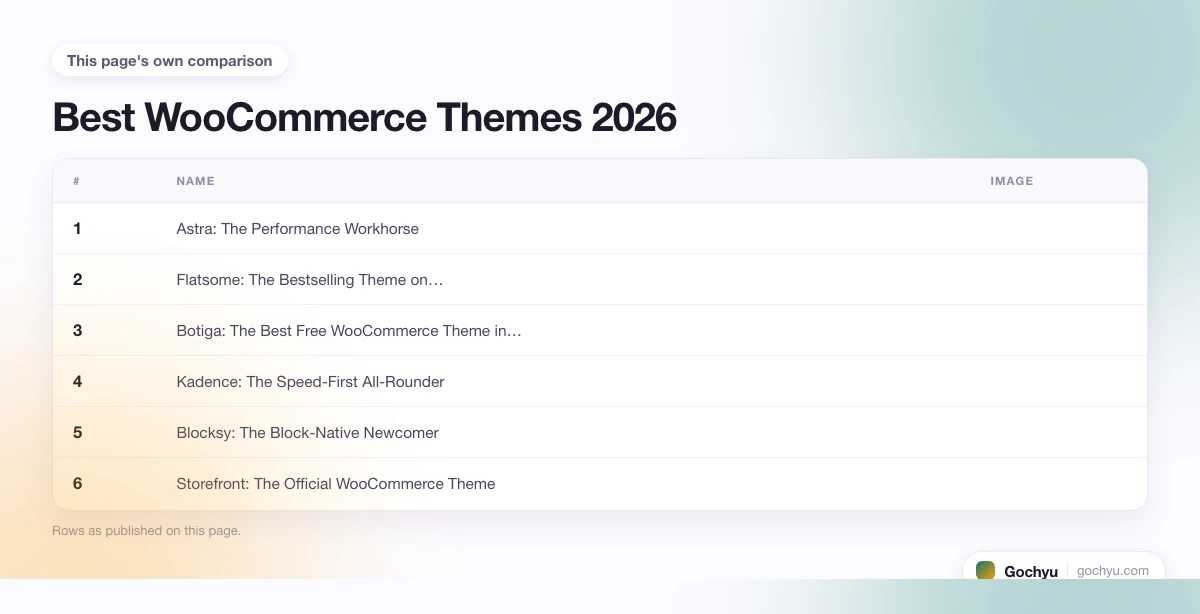
| # | Name | Image | |
|---|---|---|---|
| 1 |

|
More Info | |
| 2 |

|
More Info | |
| 3 |

|
More Info | |
| 4 |

|
More Info | |
| 5 |

|
More Info | |
| 6 |

|
More Info | |
| 7 |

|
More Info | |
| 8 |

|
More Info | |
| 9 |

|
More Info | |
| 10 |

|
More Info |
* read the rest of the post and open up an offer
What Makes a Good WooCommerce Theme?
Four things separate a real WooCommerce theme from a generic WordPress theme that happens to render product pages. First, the WooCommerce templates (single product, cart, checkout, account) should look finished out of the box, not like the default WC stylesheet with the theme's font swapped in. Second, the theme should be fast on cheap shared hosting: a WooCommerce store carries database queries that themes built around 10MB of JavaScript will choke on. Third, the cart and checkout flow should be one continuous experience, ideally with an off-canvas cart, a single-page checkout option, and proper variation handling on the product page. Fourth, the theme should play nicely with the plugins every store ends up running: SEO, caching, an email or marketing plugin, a payment gateway, and at least one variation or upsell plugin. If a theme breaks when you activate a popular caching plugin, it is not a WooCommerce theme, it is a portfolio theme with a Buy button.
Best WooCommerce Themes - Our List
Astra: The Performance Workhorse
Astra is the theme you find under a depressingly large share of fast WooCommerce stores, and the reason is uncomplicated: it loads in under half a second on basic hosting, the free version is enough to ship a real store, and the WooCommerce templates that come with the Pro plan are quietly excellent. The whole project is built around the idea that a theme should add as little weight as possible and let WooCommerce and your page builder do the rest.
The product page on Astra is clean rather than flashy: a sensible image gallery on the left, variation swatches under the price, sticky add-to-cart on mobile if you turn it on, and a description tabs block that does not fight your typography. Off-canvas cart is a Pro feature, but the free version still gives you a serviceable cart drawer if your page builder supports it. The Header and Footer Builder lets you place a mini-cart, an account icon, and a search bar exactly where you want them without touching code.
Under the hood Astra is a CSS-class theme rather than a builder theme, which is what keeps it fast: there is no React shell to hydrate, no bundled jQuery dependency, and conditional asset loading means the WooCommerce stylesheet is only enqueued on shop pages. Astra Pro layers on the WooCommerce module (quick view, infinite scroll, distraction-free checkout, off-canvas filters, sales notifications) at $59 a year, which is the lowest premium tier in the list.
The weak spot is that Astra alone does not look finished. You really do need a starter template (the library has 280-plus) or a page builder like Elementor or Beaver to get from "fresh install" to "shippable store". If you treat Astra as the lightweight base layer and pair it with one builder, it is hard to beat. If you want a theme that hands you a store on day one with no page builder, scroll down to Flatsome or Shoptimizer.
3 Reasons Astra Earns the Top Slot
- Sub-half-second load times: Astra is the lightest serious WooCommerce theme on the market, with a base weight under 50KB and conditional WooCommerce asset loading.
- 280-plus starter sites: the free template library covers fashion, electronics, food, services and B2B, and every site is built around the same lean base so swapping templates does not bloat the install.
- Cheapest premium tier in the list: Astra Pro at $59 a year includes the off-canvas filters, quick view and distraction-free checkout modules that competitors charge twice as much for.
Flatsome: The Bestselling Theme on ThemeForest
Flatsome is the theme behind a real chunk of the bigger independent WooCommerce stores you find on the open web, and it has held the bestseller crown on ThemeForest for years for a reason. The whole thing is built around the UX Builder, a drag-and-drop editor that is unusually fast for a WooCommerce theme builder, and a library of demos that covers fashion, electronics, food, beauty and a credible B2B layout.
The product page is where Flatsome shows off. You get variation swatches in the grid, in-image hotspots, a sticky buy bar, a built-in countdown timer for sales, custom upsell blocks, and a quick view modal that does not load the whole product page in a popup like cheaper themes do. The cart drawer is off-canvas by default, the mini-cart updates without a page reload, and the checkout has a single-page mode that drops form fields based on the country selected.
Under the hood Flatsome ships a Header Builder with multiple breakpoints, a Theme Options panel that has the same hierarchy as the WordPress Customizer (so you do not have to relearn it), and conditional logic for sections (show this block only on the first visit, only on mobile, only when the cart is empty). The performance is decent rather than excellent: the UX Builder shell adds about 200KB on top of the base, but the lazy-loading defaults and the fact that every demo is built around the same shell mean it stays manageable.
The weak spot is that Flatsome is not the prettiest premium theme in 2026. Some of the demos look distinctly 2019 if you do not customise them, and the typography defaults are conservative in a way that an editorial brand might find dated. The flip side is that you can ship a fully working store in a weekend, with no extra plugins for sliders, mega menus, or product carousels.
The Standout Wins
- UX Builder beats Elementor for WooCommerce: purpose-built for product layouts, with native WooCommerce elements that Elementor needs WooBuilder Blocks or a Pro upgrade to match.
- One-time $69 price: no annual subscription, no Pro upgrade nags, and the bundle includes the page builder, the slider, and the WC modules other themes split into separate add-ons.
- Demos for every category: fashion, food, electronics, beauty, B2B, marketplace and dropshipping demos all ship in the same install and import in two clicks.
Botiga: The Best Free WooCommerce Theme in 2026
Botiga, by aThemes, is the free WooCommerce theme that quietly out-designs most paid ones. It is a block-based theme that ships with proper full-site editing support, a clean and modern WooCommerce template set, and a starter library that does not look like every other free theme on WordPress.org.
The product page is the standout. Botiga ships three different gallery layouts (vertical thumbnails, slider, grid), built-in image zoom, in-grid swatches, a sales badge that actually looks designed rather than slapped on, and an off-canvas cart that is rare in a free theme. Variation prices update in place, and the description tabs collapse to an accordion on mobile in a way that does not feel like a workaround.
Under the hood Botiga is genuinely fast: it scores in the high nineties on PageSpeed out of the box and uses conditional loading so the WooCommerce CSS is only added on shop pages. The Botiga Pro upgrade at $69 a year adds wishlist, quick view, sticky add-to-cart, a sales notification widget, custom product badges, and product video support, which is a fair price for what most stores actually need.
The weak spot is the size of the demo library: Botiga has about 15 starter sites compared to Astra's 280, so if you want a niche-specific demo for, say, a tattoo studio or a baby brand, you may have to start from a more generic Botiga demo and recolour it. That said, the demos that do exist are tasteful and modern, which counts for more than raw count if you are picking by visual quality.
3 Reasons Botiga Is the Best Free Pick
- Block editor native: full-site editing support means you tweak headers, footers and shop pages in the same Gutenberg interface, no separate Customizer panel to learn.
- Off-canvas cart in the free version: almost every other free theme makes you pay for this, even Astra reserves it for Pro.
- Genuinely fast at default settings: no need to disable a half-dozen features or install a caching plugin to get good PageSpeed scores.
Kadence: The Speed-First All-Rounder
Kadence (now owned by WP Engine) is the theme most performance-obsessed agencies recommend when a client says "make my WooCommerce store fast". The base theme is under 8KB, the JavaScript footprint is among the lowest of any commercial WP theme, and the WooCommerce-specific extras (in the Pro plan) are genuinely well thought through.
The product page on Kadence is functional rather than dazzling: clean image gallery, swatch support, sticky add-to-cart on mobile, and a built-in product badges system for sale, new and bestseller tags. What sets Kadence apart is the Header Builder, which is the closest a free theme gets to what you would expect from a premium page builder, with multiple rows, transparent header support, mega menus, and a mobile drawer that is properly off-canvas.
Under the hood Kadence runs on standard WordPress hooks and filters, which sounds boring but matters: every page-builder plugin, caching plugin, and WC extension plays nicely with it because it does not try to reinvent the WordPress event lifecycle. Kadence Pro at $129 a year adds the WooCommerce module (mini cart, ajax add-to-cart, quick view, distraction-free checkout, sticky add-to-cart, custom thank-you pages), plus header and footer overrides per product or category.
The weak spot is the design defaults: Kadence is so neutral that an inexperienced site builder can ship something that looks like a Bootstrap template. The starter library helps, and the visual editing in Gutenberg is solid, but you do need to bring an opinion about typography and colour to make Kadence look like a brand rather than a beige rectangle.
Why Kadence Wins on Speed
- Sub-10KB base weight: Kadence is lighter than every other theme on this list except Astra, which matters on mobile and on cheap shared hosting.
- Header Builder is best-in-class: the only free theme builder that gives you transparent headers, multi-row layouts, and proper mega menu support without paying for a plugin.
- Friendly to caching plugins: Kadence does not hijack WordPress hooks, so WP Rocket, LiteSpeed Cache and FlyingPress all work out of the box without a "compatibility mode" toggle.
Blocksy: The Block-Native Newcomer
Blocksy is the theme that took the "fastest WordPress theme" benchmarks seriously in 2026 and built around them. It is block-based from the ground up, ships with a Header and Footer Builder that compares well with Kadence, and has a small but tasteful starter library that includes several credible WooCommerce demos.
The product page on Blocksy supports image zoom, variation swatches, off-canvas cart in the free version, an ajax add-to-cart, and a quick view that works without the Pro upgrade. The category page filters are off-canvas on mobile by default, which is a small touch that most themes get wrong. Conditional logic in the Customizer lets you change the header on shop pages, hide the sidebar on the cart, or swap the footer on checkout without writing a single line of PHP.
Under the hood Blocksy uses conditional CSS loading, lazy-loads non-critical JavaScript, and ships SVG icons inline rather than as a font, which keeps the request count down. PageSpeed scores in the high nineties are routine. Blocksy Pro at $69 a year adds white label, deeper WooCommerce options (back-in-stock notifications, account dashboard customisation, custom checkout fields), and a content blocks system that lets you build reusable hero sections, mega menus, and promo bars.
The weak spot is the smaller community: Blocksy is newer than Astra, Kadence or OceanWP, so the third-party tutorials and YouTube walk-throughs are thinner on the ground. If you are the type who learns a theme from documentation rather than blog posts, Blocksy's own docs are excellent. If you rely on community tutorials, you may find Astra easier in the early weeks.
What Makes Blocksy Different
- Off-canvas cart and quick view in the free version: the most generous free WooCommerce feature set on the list, alongside Botiga.
- Content blocks system: reusable sections that can be conditionally placed across the store, with no page builder dependency.
- Modern admin UI: the Customizer in Blocksy is the cleanest of any theme here, with conditional logic and live preview that feels more like a modern SaaS than a WordPress dashboard.
Storefront: The Official WooCommerce Theme
Storefront is the theme that Automattic, the company behind WooCommerce, built and maintains. It is the safest default for a brand-new store because every WooCommerce update is tested against Storefront first, and every premium WooCommerce extension lists Storefront as the reference theme in its docs.
The product page is utilitarian: a single image with thumbnails below, variation dropdowns rather than swatches, description tabs, and a related products grid at the bottom. The cart and checkout follow the WooCommerce defaults exactly, which is what you want if you plan to bolt on the official WooCommerce subscriptions, memberships or bookings extensions. There is no off-canvas cart in the base theme and no quick view, which feels minimalist in the worst way until you remember that Storefront's job is to be the cleanest possible canvas.
Under the hood Storefront is dependency-light and updated alongside WooCommerce itself, so it never breaks on a core release. Automattic also sells a small set of Storefront child themes (Galleria, Boutique, Homestore) and a paid Storefront Powerpack at around $69 that adds extra layouts and parallax sections, although honestly most stores skip these and use a page builder.
The weak spot is appearance: a vanilla Storefront install looks like the WooCommerce demo store from 2017, and you will need either a child theme or a page builder to make it look modern. The upside is that this is exactly why agencies and developers like it: Storefront is a starting line, not a destination, and every modification you make is one you understand.
When Storefront Is the Right Pick
- You plan to use official WooCommerce extensions heavily: Subscriptions, Bookings, Memberships, Product Bundles all behave exactly as documented on Storefront.
- You want zero risk of theme-related breakage: every WC core release is regression-tested against Storefront before shipping.
- You are building from scratch with a developer: Storefront's clean, hookable child theme structure is the easiest base to extend without inheriting the design opinions of a premium theme.
Shoptimizer: The Conversion-Tuned Specialist
Shoptimizer, by CommerceGurus, is the theme built around a single question: how do you maximise the conversion rate of a WooCommerce store? Every default in the theme is a conversion choice that other themes treat as a configurable extra: sticky add-to-cart on the product page, an off-canvas cart that updates without a page reload, a single-page checkout with built-in upsells, and a trust badge bar above the buy button.
The product page is opinionated in the best way. Variation swatches sit directly under the price, a "free shipping over $X" progress bar nudges average order value, a recently-viewed strip pulls from session storage so it loads instantly, and the description sits in collapsed tabs by default so the buy box is always above the fold on mobile. The cart drawer has cross-sells baked in, the checkout drops fields based on the customer's country, and the order confirmation page can be replaced with a custom upsell layout without an extra plugin.
Under the hood Shoptimizer is built for speed in a more aggressive way than Astra or Kadence: it ships a critical CSS file, inlines about 9KB of above-the-fold styles, and lazy-loads everything below the fold. The PageSpeed scores out of the box are in the high nineties on mobile, which is rare for a feature-heavy WooCommerce theme. The trade-off is that Shoptimizer expects you to use its opinionated layout. Heavy customisation fights the theme, and you cannot easily disable the conversion features that make it Shoptimizer in the first place.
The weak spot is the price and the audience. At $79 a year for one site, Shoptimizer is the priciest single-site theme on the list, and it is built for stores that take conversion optimisation seriously. A hobby store with 20 SKUs will not see the lift that justifies the price; a real store doing $20K a month in revenue probably will pay back the cost in the first week.
Why Shoptimizer Pays Back
- Conversion patterns baked in, not bolted on: sticky add-to-cart, off-canvas cart, single-page checkout, AOV progress bar all out of the box, no plugins.
- Critical CSS inlining: ships with above-the-fold styles inline, so the first paint happens before the rest of the stylesheet downloads.
- Built by a team that runs WooCommerce sites: CommerceGurus also runs its own stores, and the theme's defaults read like a checklist of "things we learned the hard way".
OceanWP: The Demo Library King
OceanWP is the multipurpose theme that punches hardest in the WooCommerce category, with one of the deepest demo libraries on the WordPress.org side of the market and a free version that ships more WooCommerce features than most paid themes.
The product page on OceanWP supports image zoom, variation swatches, sticky add-to-cart, off-canvas cart and a quick view modal in the free version. The category pages include floating bar filters, an off-canvas filter panel on mobile, and a "shop the look" section that pulls product carousels into editorial content. The Customizer settings are exhaustive: there are individual toggles for product image hover behaviour, sale badge style, and cart icon position that most themes do not expose at all.
Under the hood OceanWP is heavier than Astra or Kadence: the base footprint sits around 50KB and the JavaScript bundle is larger because of all the WooCommerce extras. The PageSpeed scores are still in the eighties to low nineties on default settings, and a caching plugin pushes them above ninety reliably. OceanWP Pro starts at $43 a year for one site, which buys the Pro premium extensions bundle (Sticky Header, Cart Style, Footer Callout, Pricing Tables, Posts Slider), with a multi-site lifetime plan available at higher tiers.
The weak spot is the design vocabulary: OceanWP demos lean toward the "agency template" look, and if a brand needs a strong editorial voice, OceanWP will not get out of your way the way Astra or Kadence will. For high-volume catalogue stores where filterability and demo coverage matter more than visual personality, OceanWP is hard to beat.
OceanWP at a Glance
- Free version covers most stores: sticky add-to-cart, quick view, off-canvas cart, image zoom, all included before you pay anything.
- Cheapest Pro upgrade in the list: $43 a year for the full Pro bundle is the best price-to-feature ratio after Astra Pro.
- One of the largest demo libraries: the WordPress.org listing shows 200-plus demos across every niche, importable in two clicks.
Divi: The Visual Builder Heavyweight
Divi, by Elegant Themes, is the visual builder that grew into a theme, and for WooCommerce it remains the most flexible if you want to design every product, category and checkout layout yourself without touching code. The Divi Builder is genuinely WYSIWYG, the WooCommerce module set covers everything from product images and meta to upsells and breadcrumbs, and the theme builder lets you build a custom layout for every product category if you want to.
The product page is whatever you decide it should be. Out of the box you get a standard WooCommerce single product layout, but the real value is the theme builder: build a fashion product layout with full-bleed photography and a sticky description column, then build a separate layout for electronics with comparison tables and spec sheets, and assign each layout to its category in one screen. The cart and checkout pages get the same treatment, including a multi-step checkout option that drops shipping fields based on the chosen method.
Under the hood Divi is heavier than the lightweight themes on this list, but the team has spent the last three years cutting weight, and the static CSS option (introduced in Divi 4.10) shipped a real performance boost. PageSpeed scores in the high eighties are routine on a default install, and with a caching plugin Divi can hit the nineties on simpler layouts. The annual plan at $89 a year (or a $249 lifetime option) gets you unlimited site usage, the full demo library, and access to every Elegant Themes plugin (Bloom for email opt-ins, Monarch for social).
The weak spot is the visual-builder dependency: if you ever stop paying for Divi or want to migrate the store to a different theme, you inherit a database full of Divi shortcodes that are hard to extract. For a single-store brand that wants a designer-quality build without a designer, Divi is a great deal. For an agency planning to hand stores off to a different theme later, the lock-in is real.
Where Divi Wins
- True WYSIWYG WooCommerce design: build a different product page layout per category, per product type, or per price tier without writing PHP.
- Lifetime licence option: the $249 one-time payment is the only lifetime plan in the list, and it includes every Elegant Themes plugin.
- Massive demo and child theme library: 200-plus Divi child themes from the official library, and a much larger third-party marketplace.
Porto: The Catalogue and B2B Specialist
Porto, by P-Themes, is the theme that high-SKU stores and B2B operations gravitate to. It is the WooCommerce theme with the deepest catalogue toolkit on this list: ajax product filters that handle 10,000+ products without timing out, a quote-request mode that turns the buy button into a "request quote" form, and tiered pricing rules that work without an extra plugin.
The product page on Porto is engineered for catalogue browsing rather than editorial storytelling. Variation swatches, in-grid quick view, a "compare" toggle, a wishlist, and a stock indicator are all present and configurable per category. The collection page filters include price ranges, brand, rating, and attribute filters, all ajax-loaded so the browser does not reload between filter changes. The mega menu builder is the best in the list for stores with deep categories: you can place product carousels, tabs, and banners inside menu panels.
Under the hood Porto ships with 100-plus demos (the marketplace, B2B, electronics, fashion, food and dropshipping demos are all credible), an Elementor-based page builder, and its own modular options panel for stores that prefer a Customizer-style workflow. The performance is good rather than excellent: a default Porto install hits the high eighties on PageSpeed, and serious work is needed to get it past ninety on mobile. For a feature-loaded theme this is acceptable; for an editorial brand it would be a deal-breaker.
The weak spot is the learning curve. Porto exposes more configuration than a first-time store owner needs, and the documentation is dense rather than friendly. For a store with a developer or a serious agency build, it is a powerhouse. For a solo founder with 30 products and a content arm, Astra or Botiga will get them to launch faster.
Why Porto Suits Big Catalogues
- Ajax filters that scale: tested at 10,000-plus products, with proper indexing so filter changes load in under a second.
- Built-in B2B and quote-request features: tiered pricing, "request quote" mode, customer group pricing, all in the base theme.
- Best mega menu builder in the list: product carousels and visual blocks inside menu panels, no extra plugin required.
Free vs Premium WooCommerce Themes: Which Should You Pick?
The honest answer in 2026 is that free WooCommerce themes are good enough for most stores under $5,000 a month in revenue. Storefront, Astra, Botiga, Kadence, Blocksy and OceanWP all ship working stores with no paid upgrade. Each one has a Pro tier that adds the same handful of features (off-canvas cart on the few that lack it, quick view, sticky add-to-cart, sales notifications, custom badges), and the Pro upgrade typically costs $43 to $129 a year for one site, less than three months of an extra plugin subscription.
Premium themes earn their price in two scenarios. The first is when the bundled features replace plugins you would otherwise pay for: Flatsome's UX Builder replaces Elementor Pro, Shoptimizer's conversion stack replaces three or four conversion plugins, Porto's filtering replaces a paid filter plugin and a B2B extension. The second is when you need the design vocabulary of a paid theme: Divi's WYSIWYG flexibility, Flatsome's modern fashion demos, Shoptimizer's conversion-tuned default layouts. If the unbundled cost of those plugins or the time to design a custom layout is higher than the theme price, the premium pick pays back inside a quarter. If you want a baseline of what those bundled features replace, our roundup of the best WooCommerce plugins walks through 15 picks most stores install separately.
Key Features to Look for in a WooCommerce Theme
Speed on Default Settings
A WooCommerce theme that needs a "performance" toggle, three caching plugins and a CDN to hit a 90 PageSpeed score is not a fast theme. The themes on this list that score above 90 on mobile out of the box (Astra, Kadence, Blocksy, Botiga, Shoptimizer) all use conditional asset loading so the WooCommerce CSS only loads on shop pages, lazy-load non-critical JavaScript, and avoid the heavy jQuery and React shells that bloat builder themes. If you are evaluating a theme not on this list, run the live demo through PageSpeed Insights before you buy. The default scores are what your store will inherit, not the marketing-page promises.
Off-Canvas Cart and Single-Page Checkout
The cart drawer that slides in from the side, updates without a page reload, and shows cross-sells inside the same drawer is the single most converting cart pattern of the last five years. Every theme on this list ships it in either the free or Pro tier. Single-page checkout (no separate "review order" step) is the next biggest conversion lift, and Shoptimizer, Flatsome and Porto all ship it natively. If a theme makes you install a separate cart drawer plugin and a separate single-page checkout plugin, you are paying for it twice and accepting two new compatibility risks.
Variation Swatches in the Product Grid
Shoppers expect to see colour or size options before they click into a product. Themes that put swatches directly on the collection card (Flatsome, Botiga, OceanWP, Shoptimizer, Porto, Blocksy) cut dead-end taps on mobile and let visitors browse by colour as quickly as by category. If a theme only shows swatches inside the product page, it is one step behind the rest of the market, even for free themes.
Plugin Compatibility
The plugins every real WooCommerce store ends up running are a caching plugin (WP Rocket, LiteSpeed Cache, or FlyingPress), an SEO plugin (Rank Math or Yoast), a forms plugin (WPForms or Fluent Forms), an email plugin (FluentSMTP or Post SMTP), at least one upsell or wishlist plugin, and a backup tool. If a theme breaks when you activate any of those, it is not WooCommerce-ready. Every theme on this list has been tested against the major caching, SEO and form plugins; many of them maintain a compatibility list in their documentation.
How the Theme Handles Updates
WooCommerce ships a major version every 4-6 months and a security release every 6-8 weeks. A theme that lags behind those releases by more than a week is one you will eventually catch with a broken cart or a deprecated function notice in the logs. The themes on this list that update fastest in practice are Storefront (because Automattic ships it), Astra, Kadence and Blocksy. Premium themes from independent studios tend to lag a week or two on minor releases, which is usually fine, but worth checking on the changelog before you commit.
How to Choose the Right WooCommerce Theme for Your Store
Match the theme to the store, not the popularity ranking. A brand-new store with a small capsule of products and a tight budget should start on Storefront, Astra or Botiga and upgrade later. A speed-obsessed store at any scale wants Astra, Kadence or Shoptimizer. A high-volume catalogue store (1,000-plus products, ajax filters, B2B pricing) needs Porto or Flatsome. A brand with a strong visual identity that wants to design every layout itself fits Divi. A conversion-first store with a small catalogue and a marketing budget pays back Shoptimizer faster than any other pick on the list.
One more practical filter: if you already know a WooCommerce store whose design you want to match, use the WordPress theme detector to find the exact theme name in seconds. Our guide on how to detect what WordPress theme a site is using then walks through five methods to verify and go deeper. That is often the fastest path from "I want my site to feel like that one" to a confident theme pick.
Conclusion: Best WooCommerce Themes
The right WooCommerce theme is the one that stays fast on cheap hosting, ships a product page you do not have to rebuild, and does not fight the plugins your store needs. The ten themes above cover the price range from free (Storefront, Astra, Botiga, Kadence, Blocksy, OceanWP) through mid-tier (Flatsome at $69, Porto at $69, Shoptimizer at $79) up to visual-builder territory (Divi at $89 a year or $249 for life), and each one wins in a specific lane rather than trying to be everything.
If you are still mapping out the broader stack, our guide to what WooCommerce is and how it works covers the platform itself, what is free and what is not, and the trade-offs against hosted alternatives. Once you have picked a theme and a stack, the next move is to ship it: WooCommerce makes that easy, the theme is what makes it look like a store rather than a WordPress install with a Shop link.

