
If you're asking "is Shopify a CRM" or "is Shopify a CMS," the answer to both is: partially. Shopify is an e-commerce platform that borrows features from both categories without being a dedicated version of either. It has enough content management tools to handle product pages, blogs, and static content, and enough customer data features to manage buyer profiles and segments. Whether those built-in capabilities are sufficient depends entirely on what your business actually needs.
Is Shopify a CRM?
Shopify is not a dedicated CRM, but it includes a set of customer management features that cover the basics. Every order automatically creates a customer profile with contact details, purchase history, and lifetime spend. You can segment customers into groups based on location, order count, or product purchased, and use those segments for email campaigns or discount targeting.
What Shopify's built-in CRM does well:
- Customer profiles: Auto-generated on every purchase, including full order history, contact information, and shopping behavior data.
- Customer segmentation: Group customers by location, purchase history, total spend, or product tags for targeted outreach.
- Marketing tools: Abandoned cart recovery, email campaigns, and discount codes all operate from within Shopify admin.
Where it falls short: Shopify's CRM has no pipeline management, no deal tracking, no support ticketing, and limited marketing automation. For anything beyond basic customer data and email segmentation, most growing stores connect a dedicated CRM. See our guide on does Shopify have marketing automation for a closer look at what's built in versus what you'll need an app for.
Is Shopify a CMS?
Shopify functions as a content management system for e-commerce content, including product pages, collections, blog posts, and static pages. You can create and publish content without touching code, manage multiple contributors, and organize pages through a structured admin interface. In that sense, yes, Shopify is a CMS. If you want to find out what CMS any website is using, our CMS detector can identify the platform in seconds.
However, comparing Shopify to a dedicated content management system like WordPress makes the gaps clear. Shopify's CMS capabilities are purpose-built for product-led content. You can't build complex page templates, create custom post types, or extend content structures without working within the constraints of Shopify's theme architecture and Liquid templating language. For a broader overview of what content management systems are and how they differ, see our guide on what is a CMS and how to detect which one a website uses.
Shopify as a content management system works well for:
- Product descriptions and variant content
- Collection pages and navigation structures
- Blog articles and basic editorial content
- Static pages like About, FAQ, or Contact
It is less suited for content-heavy publishing, editorial workflows, or sites where the primary goal is content delivery rather than commerce.
Is Shopify a Content Management System Compared to WordPress?
When merchants ask "is Shopify a content management system," the comparison usually comes down to Shopify versus WordPress. WordPress is a true content management system first. It was built for publishing and later extended for e-commerce through plugins like WooCommerce. Shopify was built for commerce first, with content management added to support that goal. For a full breakdown of how these two platforms stack up on every dimension, see our Shopify vs WooCommerce comparison.
The practical difference: if you need to publish 50+ blog posts per month, build custom content templates, or manage complex editorial workflows with multiple author roles, WordPress is the stronger content management system. If your content primarily serves your product catalog and you want commerce functionality built in from the start, Shopify as a content management system is sufficient and simpler to maintain.
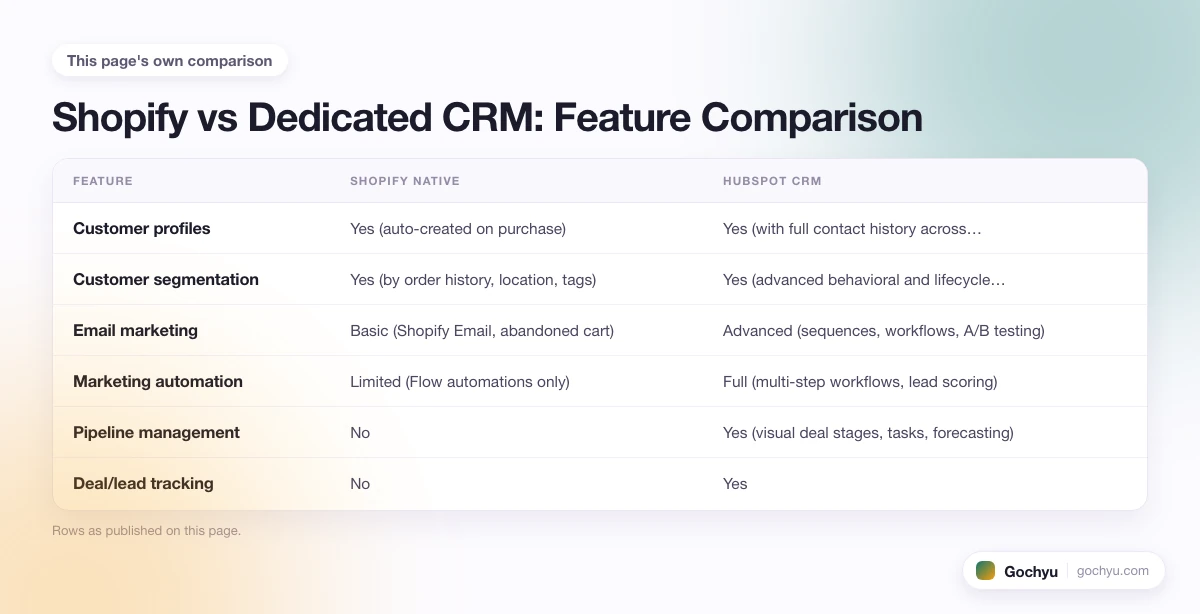
Shopify vs Dedicated CRM: Feature Comparison
To understand where Shopify's CRM ends and where a dedicated tool takes over, it helps to compare them side by side. The table below compares Shopify's native capabilities against what HubSpot CRM adds when integrated:
| Feature | Shopify Native | HubSpot CRM |
|---|---|---|
| Customer profiles | Yes (auto-created on purchase) | Yes (with full contact history across channels) |
| Customer segmentation | Yes (by order history, location, tags) | Yes (advanced behavioral and lifecycle segmentation) |
| Email marketing | Basic (Shopify Email, abandoned cart) | Advanced (sequences, workflows, A/B testing) |
| Marketing automation | Limited (Flow automations only) | Full (multi-step workflows, lead scoring) |
| Pipeline management | No | Yes (visual deal stages, tasks, forecasting) |
| Deal/lead tracking | No | Yes |
| Support ticketing | No | Yes (via Service Hub add-on) |
| Reporting and analytics | Basic store and order reports | Deep CRM analytics, attribution, revenue reporting |
| Contact activity timeline | Purchase history only | Full cross-channel activity (email opens, site visits, calls) |
| Free tier available | Included with Shopify | Yes (HubSpot CRM is free to start) |
The key takeaway: Shopify's CRM is transactional. It tracks what customers buy. HubSpot and similar tools track the full relationship, from first visit to repeat purchase, across every touchpoint.
What Shopify Is Best Used For vs What It Needs Help With
Shopify works well on its own in a narrow set of circumstances, and needs reinforcement in others. Here is a clear breakdown:
Use Shopify alone when:
- You're running a straightforward DTC store with a simple product range
- Your marketing is primarily ad-driven with email as a secondary channel
- Your customer service volume is low and handled through basic email
- Blog and content needs are minimal, mostly supporting product pages
- Annual revenue is under $500K and team size is small
Add a dedicated CRM when:
- You need lead nurturing across a longer sales cycle (common in B2B or high-ticket DTC)
- You want multi-step email and SMS automation beyond cart recovery
- Your support team handles a high volume of tickets and needs organized queues
- You need detailed sales forecasting or pipeline visibility
- Customer lifetime value tracking requires deeper behavioral data than Shopify provides
Add a dedicated CMS when:
- Editorial content is a primary traffic and revenue channel, not just a supplement to products
- You need complex custom content types, author workflows, or multi-site publishing
- SEO content production runs at scale (50+ posts per month)
- You need granular control over page templates and content structures beyond what Liquid allows
What Kind of System Is Shopify, Really?
Shopify is an e-commerce platform that blends elements of a CMS and a CRM into a single, commerce-focused tool. The design priority is selling: product management, checkout, payment processing, order fulfillment, and inventory. The CMS and CRM features exist to support that goal, not as standalone disciplines.
This distinction matters when you're evaluating whether Shopify is enough on its own. For a store doing under $1M in revenue with basic marketing needs, Shopify's built-in capabilities are usually sufficient. For stores with complex customer journeys, advanced automation requirements, or heavy editorial content needs, the platform is best treated as the commerce layer, with dedicated tools handling CRM and publishing separately.
Extending Shopify's CRM Capabilities
When Shopify's native CRM falls short, the app ecosystem fills the gap. The most commonly integrated CRM platforms include:
- HubSpot: Syncs customer data from Shopify and adds full pipeline management, marketing automation, and detailed contact records. Best for stores with longer sales cycles or B2B components.
- Zendesk: Brings customer service and support ticket management into Shopify's order context. Useful for stores with high support volume or complex return processes.
- Salesforce: Enterprise-grade CRM with deep Shopify integration for large stores that need sophisticated segmentation, sales reporting, and marketing orchestration.
Shopify as a CRM and CMS: Pros and Cons
Pros
- Unified admin: Customer data, content, and commerce all live in one place, so there's no need to switch between systems for day-to-day store management.
- Good enough for most small stores: Shopify's built-in CRM features handle the needs of most stores under $500K/year without additional investment.
- Flexible integration layer: When you outgrow the native features, hundreds of CRM and CMS integrations are available directly from the Shopify App Store.
Cons
- Limited CRM depth: No pipeline management, deal tracking, or advanced automation without third-party apps.
- CMS flexibility gaps: Publishing complex content structures or custom layouts requires theme development, not just admin configuration.
- Integration costs add up: Adding a full CRM and a more powerful CMS to Shopify increases monthly costs substantially.
For a deeper look, see our complete guide to What Is Shopify And How Does It Work?.
Conclusion: Is Shopify a CRM or CMS?
Shopify is an e-commerce platform that includes basic CRM and CMS capabilities. It's a content management system in the sense that you can create, manage, and publish content through a structured interface, but it's less flexible than dedicated platforms. It functions as a CRM in the sense that it tracks customers and enables segmentation, but it lacks the pipeline depth of a true CRM. For most Shopify merchants, the built-in tools are a good starting point. As the business grows and requirements get more specific, integrating dedicated tools for CRM or content management is the natural next step.
* read the rest of the post and open up an offer

