Yes, Shopify has built-in SEO tools that handle several important technical tasks automatically. Every Shopify store gets an auto-generated XML sitemap, canonical URLs on all pages, HTTPS via SSL on every plan, and basic product schema markup in most Shopify 2.0 themes. You can also customize meta titles and meta descriptions for your homepage, product pages, collection pages, and blog posts from the Shopify admin. That said, there are real gaps: robots.txt editing is locked to Shopify Plus, URL structure is fixed with mandatory prefixes, and there is no built-in keyword research tool. Whether Shopify's SEO defaults are enough depends on what you're selling and how competitive your niche is.
What Shopify's Built-In SEO Actually Includes
Shopify bundles seven meaningful SEO features into every store, regardless of your plan:
- Customizable meta titles and descriptions: You can write custom meta titles and meta descriptions for your homepage, product pages, collection pages, and blog posts. Shopify shows you a character count and a search preview so you can see how the snippet will appear in Google before saving.
- Auto-generated XML sitemap: Shopify creates and maintains a sitemap at yourstore.com/sitemap.xml automatically. It updates any time you add or remove a product, publish a blog post, or create a new collection. You do not need to create it manually.
- Canonical URLs: Shopify adds canonical tags to every page to prevent duplicate content problems. This matters because products can often be reached through multiple URLs (filtered collection pages, search results, etc.). Canonical tags tell Google which version to index and rank.
- HTTPS and SSL on all plans: Every Shopify store gets a free SSL certificate, and all pages load over HTTPS by default. Google uses HTTPS as a ranking signal, so this is handled for you at no extra cost.
- Structured data and schema markup: Most Shopify 2.0 themes include product schema (JSON-LD) automatically. This tells Google the product name, price, availability, and sometimes review rating, making that data eligible to appear as rich snippets in search results.
- Automatic 301 redirects on URL changes: When you change a product handle or page slug in Shopify, it prompts you to create a 301 redirect from the old URL to the new one. This preserves the page's authority and prevents visitors from hitting a dead link.
- Auto-generated robots.txt: Shopify creates a robots.txt file that blocks crawlers from admin pages, cart, checkout, and internal search result pages. This is the correct default behavior for an online store.
What Shopify's Built-In SEO Does Well
The areas where Shopify's defaults genuinely perform well tend to be the ones that matter most for a new or mid-size store.
The auto-sitemap is properly structured and gets updated immediately when you make content changes, which means Google can discover new products quickly. Many store owners on other platforms spend time manually managing sitemaps or using plugins to keep them current; Shopify removes that task entirely.
Canonical tags work consistently across Shopify's URL system, which has always been an area where custom-built stores run into problems. Shopify's handling here is reliable out of the box.
SSL and site speed are both strong. Shopify hosts all stores on its own CDN (content delivery network), which means images and assets load fast for visitors in different countries. Google's Core Web Vitals scores on Shopify themes have improved significantly since Shopify 2.0 launched, and most themes pass the basic thresholds without any additional work.
Product schema in Shopify 2.0 themes is a real advantage over many competitors. Having price, availability, and product name marked up in JSON-LD from day one gives Shopify stores a head start on earning rich snippets in search results, especially for product-specific keyword searches.
Where Shopify's Built-In SEO Falls Short
Knowing the gaps helps you decide whether they matter for your store, and in most cases they are manageable:
- robots.txt customization is restricted: On Shopify Basic, Shopify Advanced, and the standard Shopify plan, you cannot edit the robots.txt file. Only Shopify Plus merchants get access to robots.txt.liquid, which allows full customization. For most stores, the default robots.txt is perfectly fine. The only common reason to edit it is to block specific third-party crawlers or to manage how certain crawl-budget-heavy pages are treated.
- URL structure is fixed: All Shopify product URLs follow the format /products/product-handle, all collections use /collections/collection-handle, and all blog posts use /blogs/blog-name/post-handle. You cannot change these prefixes or flatten the URL structure. On platforms like WordPress, you can set any URL structure you want. This is Shopify's most significant SEO limitation for merchants who want full control. One side effect: if your store sells internationally and you use non-Latin product handles (Arabic, Chinese, Hebrew), Shopify percent-encodes those slugs automatically. Use a URL decode tool to convert them back to readable text when auditing your URL structure.
- Blog URL format adds an extra folder level: Shopify blog post URLs look like yourstore.com/blogs/news/post-slug. The extra /blogs/news/ segment is longer than a typical WordPress blog URL (/post-slug or /blog/post-slug). This is not a meaningful ranking factor by itself, but it means Shopify blog URLs are structurally deeper than some merchants prefer.
- Third-party app content may not be fully crawled: Some Shopify apps render content via JavaScript after the page loads. Google can crawl JavaScript, but there is sometimes a delay, and complex apps can create content that is difficult to index reliably. This is not a Shopify problem specifically, but it is worth checking with Google's URL Inspection tool if you rely on app-generated content for SEO.
- No built-in keyword research: Shopify does not include a keyword research tool. To find what keywords your target customers search for, you need external tools: Google Search Console (free), Semrush, Ahrefs, or similar. This is a gap, though not one that is unusual for an e-commerce platform.
- Image alt text is manual: Shopify does not auto-generate alt text for uploaded images. Every product image you add starts with no alt text. You need to add it manually for each image in the product admin. Missing alt text is one of the most common SEO issues across Shopify stores.
How to Get More From Shopify's Built-In SEO
The biggest SEO gains on Shopify do not come from apps or settings. They come from content work you do yourself:
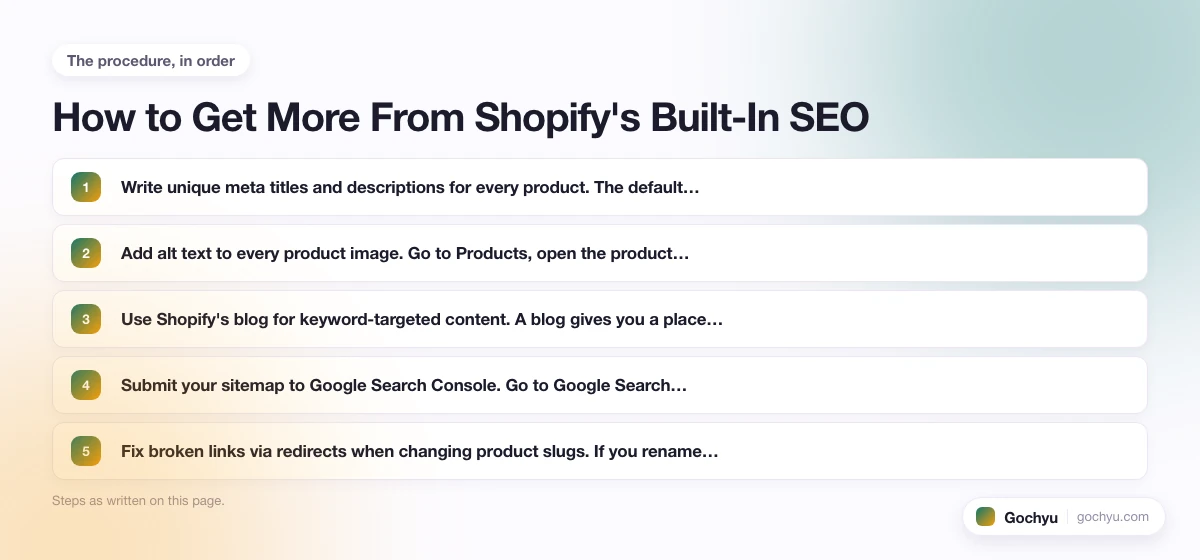
- Write unique meta titles and descriptions for every product. The default Shopify meta title for a product is just the product name, which is rarely the best choice for SEO. Write a title that includes the main keyword a customer would search for. Keep it under 60 characters. For guidance on how to structure Shopify meta tags, see the Shopify meta tags guide.
- Add alt text to every product image. Go to Products, open the product, click the image, and fill in the alt text field. Good alt text describes what the image shows and, where natural, includes the product name. "Blue ceramic pour-over coffee dripper with bamboo stand" is better than "coffee product" or leaving it blank.
- Use Shopify's blog for keyword-targeted content. A blog gives you a place to target informational keywords that product pages cannot rank for. If you sell running shoes, a product page can rank for "buy Brooks Ghost running shoes," but a blog post can rank for "how to choose running shoes for flat feet." Informational content builds authority that lifts your product page rankings over time.
- Submit your sitemap to Google Search Console. Go to Google Search Console, add your store as a property, then go to Sitemaps and enter yourstore.com/sitemap.xml. This tells Google where your sitemap lives and lets you monitor crawling and indexing issues. For a full walkthrough of Shopify's SEO setup from start to finish, the Shopify SEO guide covers each step in detail, including how to target the right keywords for your Shopify store.
- Fix broken links via redirects when changing product slugs. If you rename a product or change a collection handle, Shopify will prompt you to set up a 301 redirect. Always say yes. Broken links waste crawl budget and send customers to error pages.
Which Shopify SEO Apps Actually Help
Most Shopify SEO problems are content and configuration issues that you can fix without spending money on an app. That said, a few apps add genuine value, especially as your store scales:
- Plug In SEO (free tier available): Audits your store for common SEO issues including missing meta descriptions, broken links, missing alt text, and slow page speed. A good starting point for spotting problems you might have missed.
- SEO Manager (~$20/month): Lets you bulk-edit meta titles and descriptions across hundreds of products, adds JSON-LD schema where your theme does not include it, and manages redirects. Worth it if you have a large catalog and want to avoid editing products one at a time.
- Smart SEO (~$5-29/month): Automates JSON-LD schema generation and provides alt text suggestions for product images. The lower-tier plan is affordable enough to make sense for smaller stores that want schema without manually coding it.
- Judge.me (free + paid tiers): A product review app that adds review schema to your product pages. Review schema enables the star-rating rich snippet in Google search results, which can increase click-through rates. Shopify's built-in schema does not include review data, so a dedicated review app is the only way to get this.
Honest note: paid SEO apps are most valuable for stores with large catalogs (hundreds or thousands of products) where bulk editing saves real time. If you have fewer than 50 products, you can likely achieve the same results manually. For a comparison of the top options, the Shopify SEO apps guide covers each app's strengths and pricing in detail.
Shopify SEO vs WordPress SEO: The Honest Comparison
Shopify and WordPress take different approaches to SEO, and neither is universally better.
WordPress, with a plugin like Yoast SEO or Rank Math, gives you more granular control. You can edit robots.txt directly, set any URL structure you want, add custom schema types, and configure almost every technical SEO element. WooCommerce plus Yoast is genuinely more flexible than Shopify for merchants who care about technical SEO details.
Shopify, on the other hand, sets strong defaults and removes the configuration burden. Most of what a Shopify store needs technically is handled automatically: sitemap, canonical tags, SSL, schema on 2.0 themes. Merchants who do not want to spend time configuring SEO plugins will find Shopify's defaults adequate.
The real difference is who is managing the store. A developer or experienced SEO who wants to optimize every element will prefer WordPress's flexibility. A merchant who wants to focus on products and not on technical SEO will find Shopify's automatic handling more practical. Rankings in competitive niches require strong content and backlinks regardless of platform, so the choice of platform matters less than most people expect.
Is Shopify's Built-In SEO Enough?
For most Shopify stores, the built-in SEO is a solid foundation. The automatic sitemap, canonical tags, SSL, CDN-backed page speed, and product schema in Shopify 2.0 themes cover the technical basics without any setup on your part. The real gaps are robots.txt customization (Plus only), fixed URL structure, and no built-in keyword research tool, but none of these prevent a well-run store from ranking.
What actually holds most Shopify stores back from ranking is not a missing app or a settings limitation. It is thin product descriptions that do not give Google anything to work with, product images with no alt text, and no blog content targeting informational keywords. Fix those three things first. Add clear meta titles and descriptions, submit your sitemap to Google Search Console, and keep redirects in place when you change URLs. For most merchants, that work matters more than any paid SEO app or platform feature. If you do want an SEO app to handle image optimization, structured data, and meta tags automatically, see our review of Avada SEO Suite for Shopify, which covers features, pricing, and how it compares to alternatives.
* read the rest of the post and open up an offer