
You can tell what platform a website is built on in about ten seconds with a detector tool, or in a minute or two by reading the page source. Most sites carry a clear fingerprint somewhere in their HTML, headers, or asset URLs, and the fingerprint is what gives a detector the answer. This guide covers the fast method, the manual method, and a cheat sheet of the signals each major platform leaves behind so you can spot any of them yourself.
Whether you are doing competitive research, planning a migration, scoping a redesign quote, or deciding whether to buy a site, the steps below work on any public website. You do not need login access, only the URL.
The Fast Way: Use a Platform Detector
The quickest answer comes from a tool built for the job. Paste the site's URL into our Theme Detector on the homepage and it will return the platform name (and the theme or template when one is detectable) in seconds. The same tool works on every major platform, so you don't have to guess which one to check first.
If you specifically want the platform without the theme, our CMS detector is the same idea narrowed to platform identification. Either tool reads the page once and returns the result, which is enough for most research jobs. The manual method below is the right tool when you want to verify the answer or understand why a particular site was flagged.
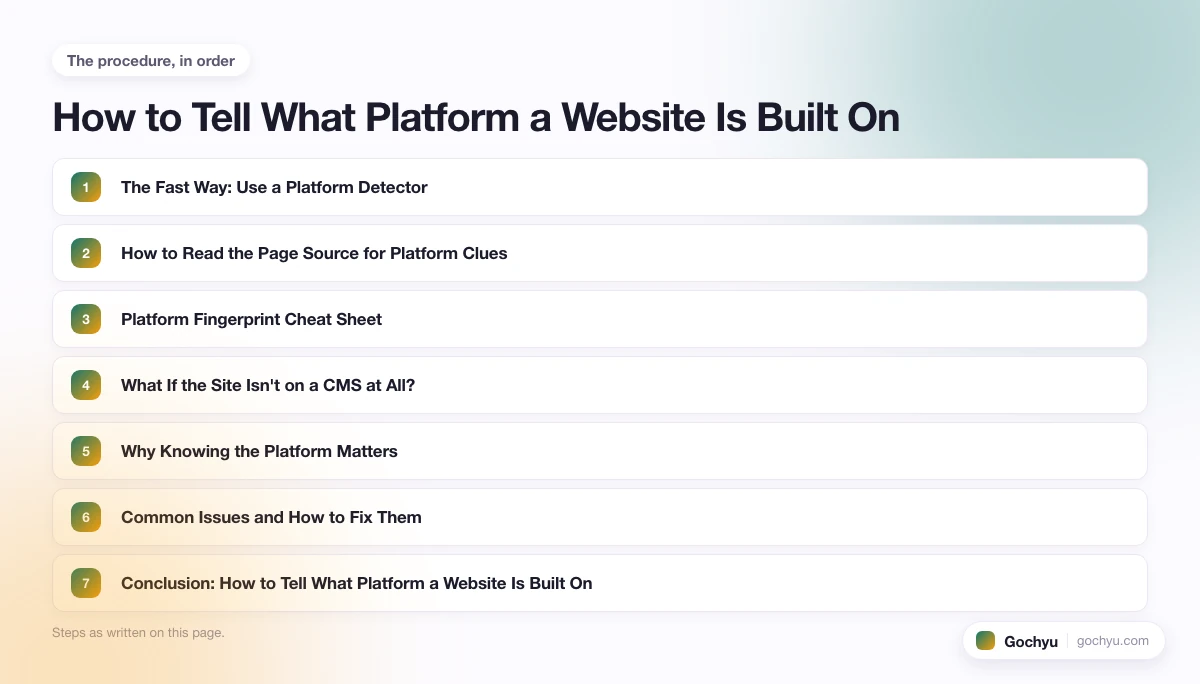
How to Read the Page Source for Platform Clues
Every platform leaves traces somewhere in the HTML, the HTTP headers, the asset URLs, or the JavaScript globals on the page. Open the site, right-click anywhere, and choose "View Page Source" (Ctrl+U on Windows, Cmd+Option+U on Mac). Then search the source with Ctrl+F or Cmd+F.
Start with the generator meta tag near the top of the source: <meta name="generator">. WordPress, Drupal, Joomla, Ghost, and several others stamp their name into this tag automatically. If it's there, you have your answer in five seconds. Site owners can strip the tag, so a missing generator doesn't rule the platform out.
Next, check the asset URLs. Open the network panel of your browser dev tools, or scroll the source for src= and href= attributes. The CDN domain is often a giveaway: cdn.shopify.com means Shopify, static.wixstatic.com means Wix, static1.squarespace.com means Squarespace, and asset paths starting with /wp-content/ mean WordPress. The asset URL fingerprint survives even when site owners hide other clues, which is why it's the single most reliable manual check. If an asset path contains percent-encoded characters (like %2F or %D8 sequences from Arabic or Hebrew URLs), paste it into a URL decoder to read the original path in plain text.
Finally, search the source for known JavaScript globals. Shopify exposes a Shopify.theme object. Drupal exposes Drupal.settings. Wix exposes _wixCIDX. Next.js writes a __NEXT_DATA__ script tag. These globals are part of how each platform renders, so they are hard to remove without breaking the site.
If you are doing this research as part of design work, knowing your own screen setup helps too. Our free screen resolution checker shows your current display resolution and available viewport in seconds, so you can see how the site you are analyzing would look on your own display.
Platform Fingerprint Cheat Sheet
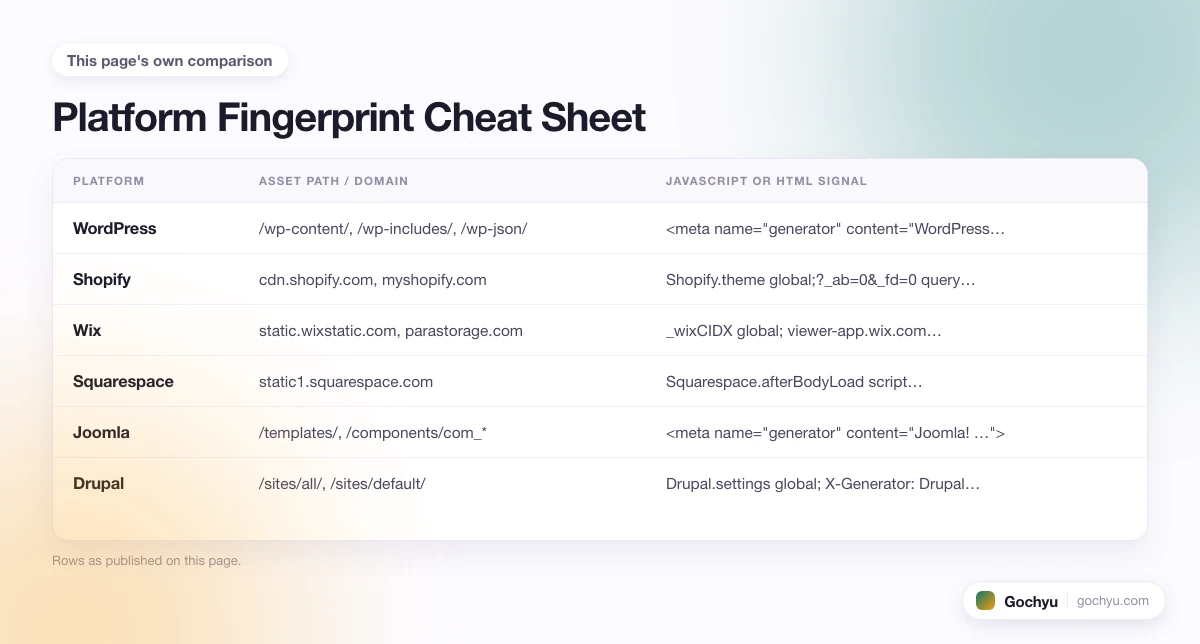
The table below lists the strongest signal for each major platform and where to look for it. One match is usually enough; two matches is conclusive.
| Platform | Asset path / domain | JavaScript or HTML signal |
|---|---|---|
| WordPress | /wp-content/, /wp-includes/, /wp-json/ | <meta name="generator" content="WordPress …"> |
| Shopify | cdn.shopify.com, myshopify.com | Shopify.theme global; ?_ab=0&_fd=0 query strings |
| Wix | static.wixstatic.com, parastorage.com | _wixCIDX global; viewer-app.wix.com references |
| Squarespace | static1.squarespace.com | Squarespace.afterBodyLoad script; template-{name} body class on 7.0 |
| Joomla | /templates/, /components/com_* | <meta name="generator" content="Joomla! …"> |
| Drupal | /sites/all/, /sites/default/ | Drupal.settings global; X-Generator: Drupal HTTP header |
| Webflow | website-files.com | data-wf-domain, data-wf-page attributes on <html> |
| Ghost | ghost.io CDN (hosted), /content/images/ (self-hosted) | <meta name="generator" content="Ghost …"> |
| Magento / Adobe Commerce | /skin/frontend/ (M1), /static/version (M2) | Mage.Cookies global; data-mage-init attributes |
| PrestaShop | /themes/{theme}/, /modules/ | prestashop global; <meta name="generator" content="PrestaShop"> |
| BigCommerce | cdn11.bigcommerce.com | BCData global; stencilUtils reference |
| Next.js (custom build) | /_next/static/ | __NEXT_DATA__ script tag |
| Gatsby (custom build) | /static/ with hashed filenames | ___gatsby mount node; gatsby-link classes |
| Plain React / Vue (custom) | Hashed bundle filenames (main.abc123.js) | Single id="root" or id="app" div; minimal HTML before scripts |
For platform-specific walk-throughs, see our companion guides on how to detect what Shopify theme a store uses, how to find what WordPress theme a site is using, how to check what Squarespace template a website uses, and how to find what Wix template a website uses. To quickly confirm whether any specific site is on Wix, try our free Wix detector. To find what template a Joomla site uses, try our Joomla template detector.
What If the Site Isn't on a CMS at All?
A growing share of the web is built with custom code, static-site generators, or headless setups where the front-end is a JavaScript framework and the content is served from an API. Those sites don't run a traditional CMS, so a detector that only looks for CMS fingerprints will return "unknown" or guess wrong.
The clues for these stacks live in different places. Next.js sites always include a __NEXT_DATA__ script tag near the bottom of the HTML. Gatsby sites mount on a ___gatsby div and use hashed asset filenames in /static/. Plain React or Vue sites typically have a near-empty HTML body with a single div id="root" or div id="app" and everything else hydrated by JavaScript. Hugo and Jekyll sites (static generators) often leave a generator meta tag in but otherwise look like plain HTML. If the source has none of those signals and no CMS fingerprint, the site is most likely custom-coded.
For deeper background on how CMS platforms differ from custom builds and which one might fit a project, see our guide on what a CMS is and how to detect which one a website uses.
Why Knowing the Platform Matters
Platform identification is rarely an end in itself. It usually feeds the next decision.
Competitive research. Knowing a competitor runs on Shopify tells you their customisation ceiling, their cost structure, and the apps that drove their checkout. Knowing they run on WordPress with WooCommerce tells you a very different story about cost and flexibility.
Migration planning. If you are quoting a migration job (or scoping one for yourself), the source platform decides which export tools work, which content survives the move, and how much manual rebuild you can expect. Spotting that a site is on Joomla instead of WordPress can change a quote by an order of magnitude.
Hiring and vendor selection. When you are evaluating a developer or agency, checking what platforms their portfolio sites actually run on tells you what they really work in (versus what they claim to work in). A "we build on every platform" agency whose entire portfolio is WordPress is not what it sounds like.
Cost estimates. Different platforms have very different total costs of ownership. A Shopify site has fixed monthly fees and per-transaction commerce costs; a WordPress site has variable hosting and plugin licensing; a Webflow site has its own pricing model. Identifying the platform is the first step in estimating what a similar site would cost to run.
Common Issues and How to Fix Them
The detector says "unknown" or returns the wrong platform. The site is probably either heavily customised, headless, or hidden behind a security plugin that strips identifying fingerprints. Switch to the manual method: check the asset URLs first, since asset CDNs are the hardest fingerprint to mask.
The generator meta tag says one thing but the asset URLs say another. Trust the asset URLs. The generator tag is easy to fake or replace (some security plugins overwrite it for "obscurity"); asset URLs are part of how the platform actually serves content and rarely lie.
The source looks like generic HTML with no obvious fingerprint. The site is most likely custom-coded or built on a static generator. Look for hashed asset filenames (e.g. main.a1b2c3.js), a __NEXT_DATA__ or ___gatsby marker, or a near-empty body with a single root div. Those are the signs of a JavaScript-framework build.
The site is behind Cloudflare and you can't see useful headers. Cloudflare can hide platform-specific HTTP headers, but it doesn't change the HTML. The fingerprint will still be in the page source, just not in the headers.
Conclusion: How to Tell What Platform a Website Is Built On
Most websites carry a clear fingerprint in their HTML, asset URLs, or JavaScript globals, and that fingerprint is exactly what a platform detector reads. A detector returns the answer in seconds; the manual method confirms it whenever you want a second opinion or the detector returns "unknown".
The two questions worth asking on every site are: which asset CDN does it use, and what does its generator meta tag say? If both point at the same platform, you have your answer. If they disagree, trust the asset CDN.
For platform-specific theme and template identification (the next step after you know the platform), see our pillar guide on how to find what theme a website is using. For Drupal sites specifically, the Drupal theme detector identifies the active theme and version in one step.
* read the rest of the post and open up an offer

