
Pinning down which template a Wix site started from is trickier than it sounds, and the honest answer is that for most Wix sites you can't recover the template name at all. Wix renders sites through a build pipeline that strips out the template metadata, so the gallery name doesn't sit in the page source the way a Shopify theme name or a WordPress theme folder does. This guide covers what's actually possible, what isn't, and how to get the answer you want when the template name is out of reach.
Whether you're researching a competitor, copying a look you like, or scouting a design for a client, the steps below work on any public Wix site. You don't need login access, only the public URL.
Why Wix Template Names Are Hard to Detect
Most platforms leave a clear fingerprint in the page source. Shopify exposes a theme name in a JavaScript object. WordPress puts the theme folder in CSS and asset URLs. Squarespace 7.0 stamps a template name into the body class. Wix doesn't do any of that. Wix's rendering layer (originally called Thunderbolt) assembles each page from compiled components and ships HTML that talks about pages and sections, not about which gallery template the site started from.
That means a wix template detector built the same way as a Shopify or WordPress detector has nothing to read. The template name a Wix owner picked in the gallery is design-time metadata that doesn't survive the build. Knowing this upfront stops you from searching for a clue that was never going to be there.
First, Confirm the Site Is Built on Wix
The one thing detection can do reliably is confirm the platform. Paste the site's URL into our Wix detector and you'll get a clear yes or no in seconds, plus the platform name if the site is built on something else. This is the right first step because Wix has a lot of look-alikes, and confirming it before you start hunting for templates saves time.
To check manually, open the site, right-click anywhere, and choose "View Page Source" (Ctrl+U on Windows, Cmd+Option+U on Mac). Search the source for wixstatic.com or _wixCIDX. If either appears, the site is Wix. If neither does, it isn't. That's a more reliable platform check than the design alone, because heavily customised Wix sites often don't look like default Wix.
Identify Which Wix Editor Built the Site
Wix has shipped three different editors over the years, and the editor narrows down what's possible. Wix ADI (Artificial Design Intelligence) generates a site from a short questionnaire without you picking a template at all, so there's literally no template to find. Wix Editor is the classic drag-and-drop builder where every site starts from a named gallery template, even though that name isn't readable in the source after the site is published. Wix Studio is the newer professional editor aimed at agencies, built around responsive grids and reusable components rather than fixed templates.
You can usually narrow down the editor from the source code. Classic Editor sites reference thunderbolt heavily and often include a tpaServices block. Studio sites lean on responsive grid markers and component IDs that look like comp-l with a long suffix. ADI sites carry references to an onboarding flow and have far fewer custom IDs because the structure is generated. Once you know which editor built the site, you know whether a gallery name even applies (Editor only) or whether you should stop looking (ADI and Studio).
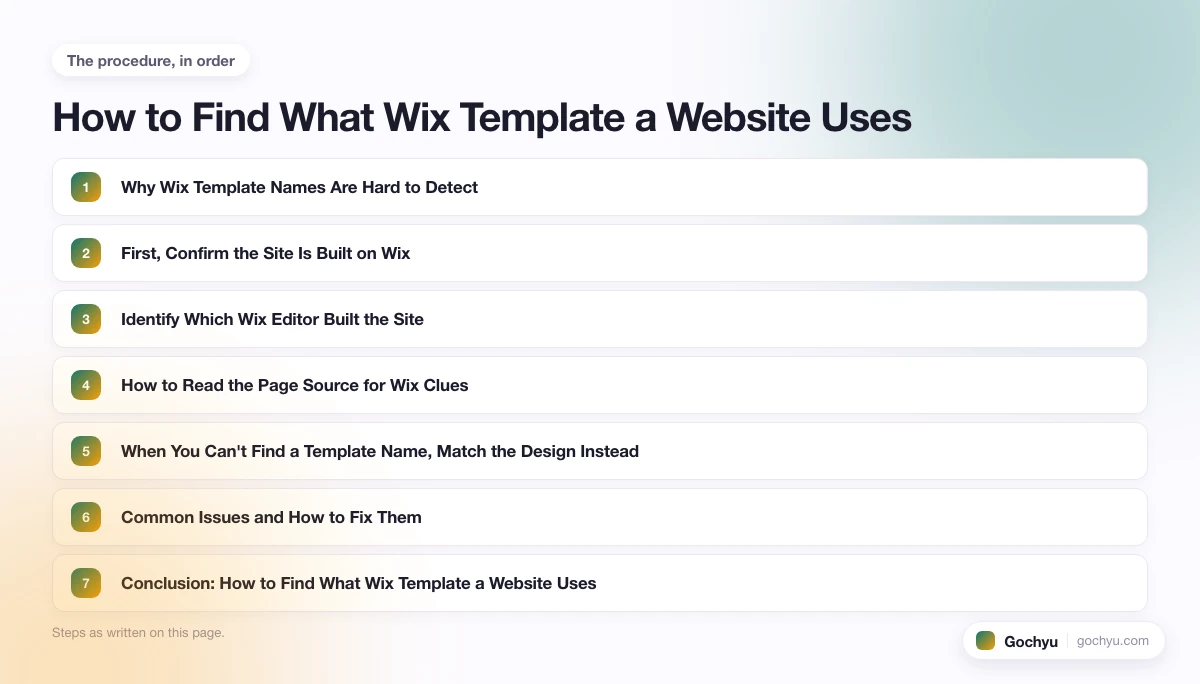
How to Read the Page Source for Wix Clues
Beyond the platform check and the editor signature, the page source still holds useful clues for design research even when the template name is absent.
Search the source for static.wixstatic.com first. Asset URLs there reveal the images, fonts, and component packs the site uses. The viewer-app.wix.com and parastorage.com domains carry the runtime, so seeing them confirms Wix and the editor generation.
Search for "siteHeader" and "masterPage". Those structural keys appear in the configuration block Wix injects, and the values around them describe the page layout. They won't give you a gallery name, but they'll tell you whether the site uses one section per page or a shared master, which is the structural choice you'd want to copy.
Search for inline style declarations and Wix design tokens such as --corvid- prefixes or font family declarations like "font_0" through "font_10". Those map to Wix's theme system and let you reverse-engineer the font and colour palette without guessing.
When You Can't Find a Template Name, Match the Design Instead
For most Wix sites the practical answer is to stop hunting for the template name and start matching the visible design. Wix gives owners deep editing control, so two sites that started from completely different templates can end up looking similar, and two sites from the same template can look nothing alike. The template name, even when it exists, describes only the starting point.
To match a Wix design you like, capture four things from the live site: the fonts (visible in the source via font_0 through font_10), the colour palette (in the inline style block at the top of the source), the section layout pattern (header, hero, sections, footer arrangement), and the component types used (gallery, slideshow, form, etc.). All four are reproducible inside any Wix editor with a few minutes of work.
If you don't have a particular site in mind and just want a strong starting point, skip detection entirely and browse the gallery. Wix groups templates by use case (online stores, restaurants, portfolios, beauty, fitness), and starting from a close-fit template is faster than reverse-engineering someone else's design. Our pick of the best Wix templates is a curated list of the strongest options across the most-asked categories.
Common Issues and How to Fix Them
The detector says "not Wix" but the site looks like Wix. Double-check the URL and make sure you're testing the live public site, not a staging link or a parked domain. Some sites sit behind Cloudflare or another proxy that masks platform signals; in that case, the page-source method (searching for static.wixstatic.com or _wixCIDX) is more reliable than the detector alone.
You found Wix markers but no template anywhere. That's the normal case. Wix sites confirm Wix in the source but don't surface the gallery template name. Switch to matching the design (fonts, palette, layout) rather than naming the template.
The site shows Wix Studio markers and you wanted a classic Editor template. Studio doesn't use the same gallery as Editor, so a "Wix template" in the classic gallery sense doesn't apply. The Studio equivalent is the starter site, not a template, and starter sites are picked inside Studio rather than from the public gallery.
Two Wix sites look identical but you can't tell which template either started from. Treat that as confirmation that the template name is no longer load-bearing for that design. The customisation has done all the work, so the template name (even if you could find it) wouldn't get you closer to the result.
Conclusion: How to Find What Wix Template a Website Uses
The honest answer for most Wix sites is that the template name isn't recoverable from the page source. Wix's rendering pipeline strips that metadata before the site goes live, which is why a wix template detector built the same way as a Shopify or WordPress detector has nothing to return. What detection can do is confirm the platform, narrow down the editor, and surface design tokens you can use to recreate the look.
The realistic workflow is shorter than it sounds: confirm Wix with a detector, identify the editor from source markers, then match the visible design rather than hunt for a name that isn't there.
Once you have a sense of the design you want, browsing the full list of Wix blog templates is a good next step. All templates in Wix's gallery are free, so comparing options costs nothing beyond time. If you are building a site for a charity or NGO, the Wix templates for nonprofits roundup covers 8 cause-specific options reviewed for donation features and volunteer sign-ups. If you plan to monetize through affiliate commissions, see our guide to the best Wix templates for affiliate marketing - it maps specific templates to affiliate niches and covers the apps you need to track links. For an overview of the best Wix templates across all site types including magazine, business, and real estate, see the complete Wix templates guide.
For the same approach applied to Squarespace, WordPress, and Shopify (where template detection is more straightforward), see our pillar guide on how to find what theme a website is using.
* read the rest of the post and open up an offer

