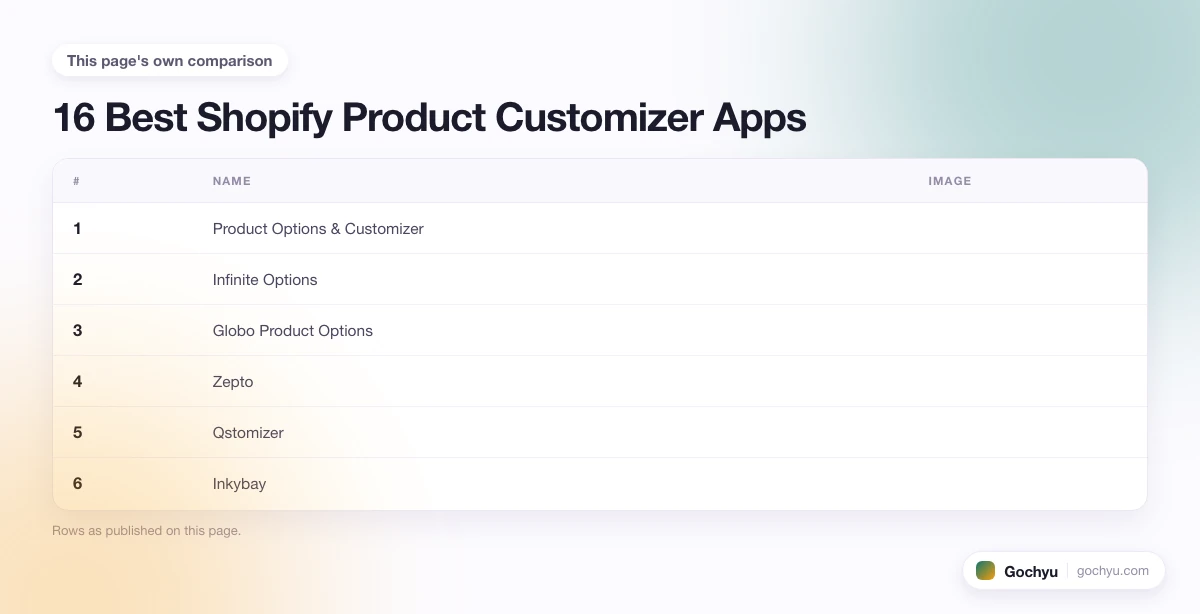
The best Shopify product customizer apps in 2026 are Product Options and Customizer (by Shoppad), Infinite Options, Zakeke, Globo Product Options, and Zepto. Each one handles a different customization scenario, from simple text engraving to full design studios with 3D rendering. Which one is right for your store depends entirely on what customers need to do when they personalize your product.
This guide covers 16 Shopify product customizer apps, organized by what they do best, so you can match the tool to your specific product type and workflow. You will also find a buying guide section at the end covering how to choose between them based on your production method and customer experience goals.
| # | Name | Image | |
|---|---|---|---|
| 1 |

|
More Info | |
| 2 |
|
More Info | |
| 3 |

|
More Info | |
| 4 |
|
More Info | |
| 5 |

|
More Info | |
| 6 |
|
More Info | |
| 7 |

|
More Info | |
| 8 |

|
More Info | |
| 9 |

|
More Info | |
| 10 |

|
More Info | |
| 11 |

|
More Info | |
| 12 |

|
More Info | |
| 13 |

|
More Info | |
| 14 |

|
More Info | |
| 15 |
|
More Info | |
| 16 |

|
More Info |
* read the rest of the post and open up an offer
What Does a Shopify Product Customizer App Actually Do?
A Shopify product customizer app adds a layer between the standard product page and the add-to-cart button where customers configure their product. Depending on the app, this could be as simple as a text field for a name or monogram, or as complex as a full design studio where customers upload artwork, reposition graphics, select materials, and preview a 3D render of the finished product.
The app captures the customization data and passes it to the order, so your production team sees exactly what the customer designed. More advanced apps integrate directly with print-on-demand fulfillment services, generating print-ready files automatically. The core value: customers get exactly what they want, and you receive production-ready instructions without manual back-and-forth. If you are still figuring out how to add product options in Shopify natively before turning to apps, see our guide on how to add product options on Shopify.
Best Shopify Product Customizer Apps For You:
Product Options & Customizer
Product Options and Customizer by Shoppad is the Shopify product customizer app that most merchants mean when they search for "Shopify Product Customizer" by name. It has been in the Shopify App Store for over a decade and is one of the most widely installed options for stores selling personalized products. The app lets merchants add text fields, dropdown menus, color swatches, file uploads, and number inputs directly to product pages, without needing to create variants for each combination.
Where it stands out is order management: every customization is captured and printed directly on the packing slip and order confirmation, so your team never has to chase down what a customer actually wanted. Real-time previews are supported for image and text customizations, and the app handles conditional logic so you can show or hide options based on previous selections. It works across all Shopify themes and does not require code editing to install.
Product Options & Customizer Highlights:
- Text inputs, dropdowns, file uploads, color swatches, and number fields on any product page
- Conditional logic to show or hide options based on customer selections
- Customization details printed directly on packing slips and order confirmations
- Real-time previews for text and image customizations
- Works on all Shopify themes without code editing
Infinite Options
Infinite Options by ShopPad (the same developer behind Product Options and Customizer) takes a different approach: instead of a visual design studio, it focuses purely on adding unlimited product options and customization fields to any product. The app is built for stores that need to offer dozens of variants or custom input types that Shopify's native 100-variant limit cannot handle.
Merchants use it to add text fields for personalization, color swatches, image swatches, checkboxes, date pickers, and file uploads. Conditional logic lets you show certain options only when a specific prior selection is made. The app also supports price add-ons per option, so customers who choose a premium material or engraving upgrade see the adjusted price in real time before adding to cart.
Infinite Options Highlights:
- Unlimited product options beyond Shopify's native 100-variant limit
- Text fields, color swatches, image swatches, date pickers, checkboxes, and file uploads
- Conditional logic to show or hide options based on prior selections
- Price add-ons per option with real-time price updates
- Works across all product types without creating separate variant records
Globo Product Options
Globo Product Options is a well-regarded Shopify product customizer app for merchants who need a wide range of input types at a lower price point than some of the design-studio apps. It handles text inputs, color selections, file uploads, image swatches, and more, with real-time pricing updates based on what the customer selects.
The setup is straightforward: you define option sets and assign them to products or collections. The app supports conditional logic so customers only see relevant options at each step. Globo also has solid multi-language support, making it a practical choice for stores targeting international markets that need the customization interface translated alongside the rest of the storefront.
Globo Product Options Highlights:
- Wide range of input types: text, color pickers, file uploads, image swatches, and dropdowns
- Real-time pricing updates based on selected options
- Conditional logic to control which options appear
- Multi-language support for international storefronts
- Assign option sets to individual products or entire collections
Zepto
Zepto Product Personalizer sits between a basic options app and a full design studio. The standout feature is its live preview: customers see their customization applied directly to the product image as they type or make selections, which significantly reduces second-guessing and cart abandonment on personalized products.
The app supports unlimited product options including text inputs, numeric inputs, checkboxes, dropdowns, and file uploads. Conditional logic controls which options appear based on previous selections, and price add-ons adjust the total in real time. Zepto also supports a "build your own product" experience for multi-component custom items where customers assemble several parts into one finished product.
Zepto Highlights:
- Unlimited product options with live in-store preview on the product image
- Conditional logic to show and hide options based on customer selections
- Price increases based on specific selections, updated in real time
- Build-your-own-product experience for multi-component custom products
- Supports text, numeric, checkbox, dropdown, and file upload input types
Qstomizer
Qstomizer is a full design studio app built for stores selling printable custom products: t-shirts, mugs, posters, signage, stickers, and similar items. Customers work in an embedded design editor directly on the product page, where they can add text, upload images, apply clipart from a built-in library of over 15,000 stock images, and use AI background removal tools.
Merchants get print-ready files from each order, with multiple print area shapes and multi-side support for items like shirts, bags, or boxes. Qstomizer also includes a bulk variant selector, inventory controls, and 200-plus pre-made product templates that speed up initial setup. The mobile version is included at no extra cost, which matters given that a large share of custom product orders come through phones.
Qstomizer Highlights:
- 200-plus pre-made product templates ready to use out of the box
- Supports image and PDF, PSD, CDR, EPS, AI document imports plus QR codes
- Multiple print area shapes and multi-side product design
- AI background removal, Google fonts, and a power image editor built in
- Bulk variant selector, inventory control, and full mobile design support
Inkybay
Inkybay is purpose-built for stores that sell custom printed products across multiple production methods: DTF, screen printing, DTG, sublimation, embroidery, and more. The visual configurator gives customers a live preview as they add text, upload images, and select colors, with dynamic pricing that adjusts automatically based on the complexity and size of their design.
A standout feature for print shops is the custom size option with dynamic price generation, which works well for signs, stickers, and DTF transfers where price scales with dimensions. Advanced product options support quantity discounts on customized products, which is unusual in this category. Inkybay generates production-ready files for each order, reducing manual prep time between order receipt and production start.
Inkybay Highlights:
- Visual configurator with live preview for custom product design
- Dynamic price generation based on design color, size, and option selection
- Supports DTF, screen print, DTG, sublimation, embroidery, and more
- Custom size option with dynamic pricing for signs, stickers, and DTF
- Quantity discount features for customized products
Customify
Customify is a mid-tier product customizer app that covers the most common personalization scenarios without requiring the setup overhead of a full design studio. The app supports text inputs, numeric inputs, checkboxes, dropdowns, and color pickers, with real-time pricing and conditional logic across all input types.
The drag-and-drop design editor works for apparel, accessories, and home decor. Customers can save their designs and return to purchase them later, which is useful for stores where customers take time deciding on personalized gifts. Customify integrates with printing and fulfillment services for order processing, and the support team is available for setup assistance when merchants run into configuration issues.
Customify Highlights:
- Drag-and-drop design editor for apparel, accessories, and home decor
- Supports custom text, images, and artwork with conditional logic
- Real-time pricing updates and customers can save designs for later
- Integrates with printing and fulfillment services for order processing
- Multiple product type support including apparel, accessories, and home decor
Customily Product Personalizer
Customily Product Personalizer is built specifically for stores that sell on print-on-demand platforms like Printful, Printify, and similar services. The app connects your Shopify store directly to your POD fulfillment provider, automating the flow from customer customization to production-ready file generation without manual intervention.
Customers personalize products using a design editor that supports text, images, and graphics. What makes Customily different from general customizer apps is the depth of its POD integrations: it passes production data directly to fulfillment services in the correct format, which eliminates a manual step that otherwise adds time and error risk to every single order. The app also includes a user-facing interface that non-technical marketers can update without relying on developer help.
Customily Product Personalizer Highlights:
- Direct integration with Printful, Printify, and other POD fulfillment services
- Automated production file generation from customer customizations
- Design editor supporting text, images, and graphics with live preview
- Eliminates manual file prep between customer order and production start
- Non-technical interface for managing personalization campaigns
CPB
CPB (Custom Product Builder) is a Shopify customizer app focused on stores that sell configurable products where customers assemble components. Think furniture with selectable materials and finishes, apparel with mix-and-match elements, or gift sets where buyers choose what goes inside. The drag-and-drop interface gives customers a visual canvas to build their product from a library of customizable elements, textures, and designs.
CPB supports monogramming, photo uploads, and color and material selections. The app automates order processing by capturing the full configuration at checkout, so your team receives a clear production brief for every order. The Shopify integration is native, meaning the customization experience stays within the storefront without redirecting customers to an external tool.
CPB Highlights:
- Drag-and-drop customization interface for configurable product builds
- Large library of customizable elements, textures, and design options
- Supports monogramming, photo uploads, and color and material selections
- Automated order processing with full configuration captured at checkout
- Native Shopify integration, no external redirects for the customer
Easify
Easify Product Options is designed for merchants who want a full range of customization input types without the complexity of a full design studio. The app provides text inputs, dropdowns, file uploads, image swatches, and color pickers, along with conditional logic, custom pricing options, and quantity limits per option. All of this works without needing to touch any code in the theme.
The app's flexibility makes it adaptable across different product types and business requirements. Whether you need to set quantity limits on a specific customization option, create conditional logic flows, or add per-option pricing, Easify handles these configurations through a settings interface rather than code. Order management is automated: customization data flows directly to the order and fulfillment records.
Easify Highlights:
- Full range of input types: text, dropdowns, file uploads, image swatches, color pickers
- Conditional logic, quantity limits, and per-option pricing built in
- No code required for setup or theme customization
- Automated order management with customization data on every order record
- Adaptable across different product types and business configurations
Kickflip
Kickflip is a visual product configurator built for stores where the product has multiple interchangeable parts that customers assemble into a final design. Footwear, apparel, bags, and accessories with customizable panels or components are the sweet spot. Customers move through a step-by-step builder selecting colors, materials, and text or image placements, with a live product preview updating at each step.
The app supports text engraving, image uploads, and color and pattern selections across multiple product zones. The experience is designed to be engaging rather than form-like, which is a meaningful difference for high-ticket custom products where the design process itself is part of the value. Kickflip integrates with major e-commerce platforms including Shopify.
Kickflip Highlights:
- Step-by-step visual configurator for multi-part customizable products
- Live product preview updating at each configuration step
- Supports text engraving, image uploads, and color and pattern selections
- Designed for high-engagement custom product experiences
- Works across footwear, apparel, bags, and accessories with multiple zones
Zakeke
Zakeke is one of the most full-featured Shopify product customizer apps on the market, with a 3D and AR visualization capability that separates it from most competitors. Customers can see a realistic 3D render of their customized product, and with AR enabled, they can preview it placed in their actual environment using their phone camera before purchasing.
The design interface supports text (with monogramming and initials options), photo uploads, and selection from a range of colors, patterns, and materials. Layer controls, resize, rotate, and positioning tools give customers enough design freedom to create genuinely personal products. Zakeke integrates with major print-on-demand and product customization services, and it supports multi-language storefronts for international stores.
Zakeke Highlights:
- Realistic 3D preview and AR visualization of customized products
- Full design tools: layers, resize, rotate, and positioning controls
- Supports text, artwork, clipart, and customer photo uploads
- Integrates with major print-on-demand and product customization services
- Multi-language support for international storefronts
MT Product Options
MT Product Options is a capable Shopify product customizer app for stores that need a mix of standard option inputs and more advanced design tools in a single app. The input range includes text fields, image uploads, color swatches, and dropdown menus, alongside a design layer with resize, rotate, and positioning controls for image-based customizations.
Where MT Product Options stands out is 3D preview: customers can see a rendered preview of their customized product before checkout, which reduces uncertainty on higher-value personalized items. Conditional logic and custom pricing per option are both included. The app handles both simple personalization (name on a mug) and more complex design scenarios (multi-zone product with uploaded artwork).
MT Product Options Highlights:
- Text fields, image uploads, color swatches, and dropdowns across all product types
- Design layer with resize, rotate, and positioning controls for image customization
- 3D preview rendering of customized products before checkout
- Conditional logic and per-option pricing built in
- Handles simple personalization and complex multi-zone design scenarios
Fancy Product Designer
Fancy Product Designer is a design-studio-style Shopify product customizer app with a wide range of typography and layout controls. Customers can add text in multiple fonts and styles, upload images or clipart, design from scratch, or modify a provided template. The app is well-suited to stores selling custom gifts, branded merchandise, or personalized print products where customers expect creative control over the final look.
Advanced design tools include layers, resize, rotate, and positioning controls, alongside realistic 3D preview and rendering. Fancy Product Designer integrates with print-on-demand and product customization services, making it viable for stores that use external fulfillment. The app's strong typography features make it a particularly good fit for text-forward customization like posters, cards, and signage.
Fancy Product Designer Highlights:
- Custom text, images, and clipart with advanced typography controls
- Design-from-scratch or template-based starting points for customers
- Layers, resize, rotate, and positioning controls for precise design work
- 3D preview and rendering of customized products
- Integrates with print-on-demand and product customization services
SetuBridge Product Designer
SetuBridge Product Designer is a full design studio app that gives customers control over text, images, clipart, patterns, and product colors within an embedded editor on the product page. Merchants receive print-ready PNG files with each order, and the studio works across multiple product sides so customers can design the front, back, and sleeves of a garment in one session.
Ready-to-use clipart, font, color, and pattern collections are built in, and merchants can add their own assets on top. The studio works on mobile devices without requiring a separate configuration, which matters given that a large share of personalized product purchases now happen on phones. Enable and disable specific customization tools (text, image upload, clipart) on a per-product basis to keep the experience focused on what is relevant for each item.
SetuBridge Product Designer Highlights:
- Customers personalize products with text, images, cliparts, patterns, and colors
- Print-ready PNG files delivered with every order
- Multi-side design area for apparel, bags, and other multi-surface products
- Built-in clipart, font, color, and pattern collections plus custom asset uploads
- Enable or disable specific customization tools per product
Spiff
Spiff is a premium Shopify product customizer app focused on AR and 3D visualization for high-value or complex custom products. The AR feature lets customers scan their environment with a mobile camera and see what the customized product would look like in their actual space before purchasing, which is particularly effective for home goods, furniture, and larger custom items.
The app supports text, images, graphics, and 3D design configurations. A social sharing feature lets customers share their customized designs before buying, which can generate organic interest in a store's personalized product range. Spiff also supports in-store kiosks and tablet setups for physical retail locations that offer custom product ordering alongside their online store.
Spiff Highlights:
- AR visualization: customers preview customized products in their real environment
- 3D design support for complex or high-value custom product configurations
- Built-in social sharing for customers to showcase their designs
- Integrates with popular design tools and graphics software
- In-store kiosk and tablet support for physical retail customization
Which Shopify Product Customizer App Is Best for Print-on-Demand Stores?
Print-on-demand stores have specific requirements that not every customizer app meets: the app needs to generate print-ready files, handle bleed and resolution requirements, and pass production data to a fulfillment service. For most print-on-demand Shopify stores, Inkybay, Qstomizer, Zakeke, and Fancy Product Designer are the strongest options. All four support multiple print methods (DTG, screen print, sublimation, embroidery), generate production-ready files, and offer the design studio experience customers expect for customized products.
For simpler personalization, like adding a name to an existing product without full design control, Zepto or Product Options and Customizer handles this more efficiently with less setup overhead.
How to Choose the Right Shopify Product Customizer App
Match the App to Your Product Type
A jeweler engraving initials has completely different requirements from a t-shirt printer offering full design uploads. Before selecting an app, define exactly what customization your customers need to do: text input only, color and material selection, image upload, or full graphic design. Then find the app built specifically for that workflow rather than one that tries to do everything at once.
Simple Options vs. Full Design Studio
Apps like Infinite Options, Globo, and Easify are built for adding structured options (text fields, dropdowns, swatches) to existing products. They load fast and are easy to configure. Design studio apps like Zakeke, Qstomizer, Inkybay, and Spiff give customers a canvas to create something from scratch. The right category depends on whether your customers are selecting from predefined options or building a unique design. If you want to understand the underlying difference between options and variants before choosing an app, see our breakdown of Shopify product variants vs. options.
Real-Time Preview Capabilities
Customers should see their customizations as they make them. Apps with high-quality live previews, and especially 3D or AR rendering, significantly reduce return rates and increase conversion on custom products. Zakeke and Spiff lead on this dimension; simpler apps like Globo and Infinite Options offer basic previews suitable for variant-based customization.
Integration With Your Fulfillment Process
If you use a print-on-demand service or custom manufacturing partner, check whether the app integrates directly with that service and passes production data automatically. Manual file export and re-upload adds time and error risk to every order. Customily is the strongest choice if your entire operation runs through a POD platform.
Performance and Mobile Experience
Heavy design studio apps can slow product pages on mobile. Test your chosen app on a real mobile device before launching. A slow, confusing customization experience on mobile will hurt conversion regardless of how good the desktop version feels.
Pricing Against Revenue Potential
Custom product margins are typically higher than standard products, which justifies a higher monthly app cost. Most apps offer free trials. The conversion rate difference a well-chosen customizer makes is often measurable within the first 30 days, so use trial periods with your actual products rather than test products before committing to a plan.
Final Thoughts: Choosing Your Shopify Product Customizer App
The customization experience is part of the product. When a customer is excited about personalizing something, the last thing you want is a confusing interface that kills that enthusiasm before they reach checkout. A good Shopify product customizer app keeps that energy going, makes the process clear, and gives customers confidence that what they are designing is exactly what they will receive.
The apps on this list cover the full range: from simple text and image uploads (Infinite Options, Globo, Easify) to full product design studios with 3D preview and AR visualization (Zakeke, Spiff). Start with the app literally called Product Options and Customizer by Shoppad if you are searching for a Shopify Product Customizer by name. If your store is print-on-demand focused, start with Inkybay or Customily. For 3D and AR, go with Zakeke or Spiff. Test with real products before committing, and check the conversion rate impact over the first 30 days. For a broader look at building your Shopify app stack from scratch, see our guide on the best Shopify apps for new stores. Keep in mind that no customizer app adds input fields automatically to every theme - some themes display them better than others. See our breakdown of the best Shopify themes for custom products to find one that pairs well with your chosen app.
| # | Name | Image | |
|---|---|---|---|
| 1 |
|
More Info | |
| 2 |
|
More Info | |
| 3 |
|
More Info | |
| 4 |
|
More Info | |
| 5 |
|
More Info | |
| 6 |
|
More Info | |
| 7 |
|
More Info | |
| 8 |
|
More Info | |
| 9 |
|
More Info | |
| 10 |
|
More Info | |
| 11 |
|
More Info | |
| 12 |
|
More Info | |
| 13 |
|
More Info | |
| 14 |
|
More Info | |
| 15 |
|
More Info | |
| 16 |
|
More Info |
* read the rest of the post and open up an offer

