The best Squarespace template for artists is Wells -- it displays portfolio work, embeds video, and sells art directly from the site with no coding required. For artists who take commissions or sell prints, every template on this list includes Squarespace eCommerce without needing third-party plugins.
Why Is Squarespace a Good Choice for Artists?
Squarespace gives artists a visually credible website without requiring development skills. Templates are designed around images and media, not text, which means your artwork stays the focus. Built-in SEO tools, fast load times, and mobile responsiveness come standard, so you're not sacrificing discoverability for aesthetics.
Your website needs to do more than display work -- it needs to sell it, tell your story, and bring in visitors from search. Squarespace handles all three. The templates below are the strongest options for artists specifically, covering portfolios, freelance services, blogs, and direct art sales. If you're weighing Wix as an alternative platform, see our roundup of the best Wix blog templates for a different set of design options.
What Should You Look for in a Squarespace Template as an Artist?
The right template for an artist prioritises image quality, minimal visual noise around your work, and clear paths to contact or purchase. Avoid templates with heavy text-focused layouts -- your art should be the first thing a visitor notices, not a block of copy. Look for grid-based galleries, fullscreen hero images, and eCommerce capability if you sell work online.
SEO and mobile performance matter equally. A template that loads slowly or breaks on mobile costs you search ranking and loses visitors before they see a single piece. Every template below passes both tests.
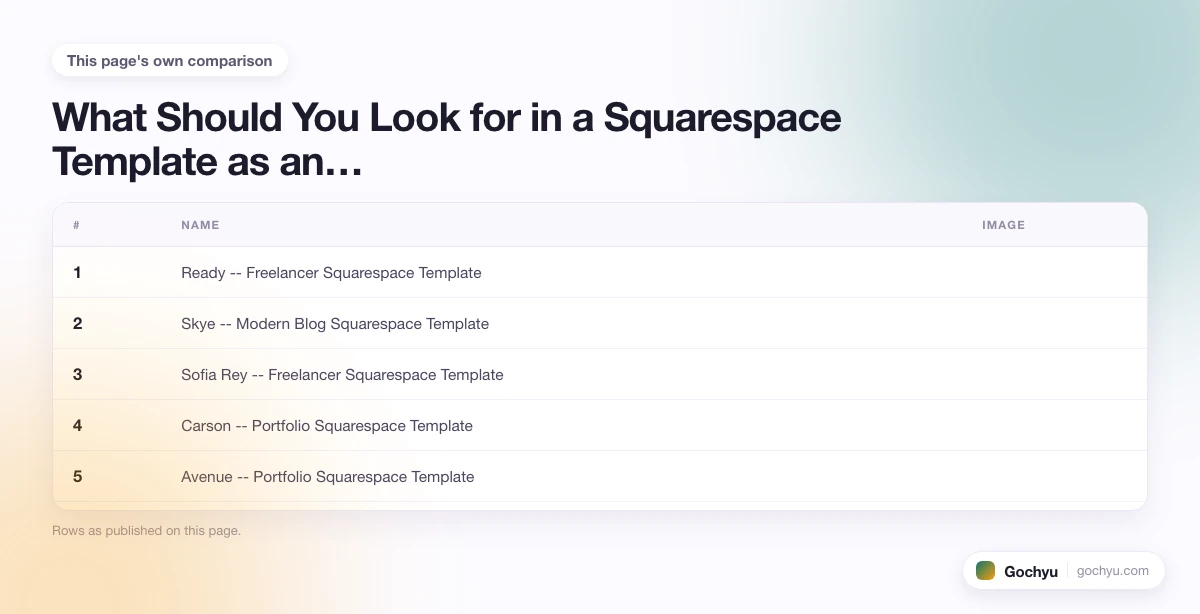
So, what are the best Squarespace templates for artists? Here are ten to consider.
| # | Name | Image | |
|---|---|---|---|
| 1 |

|
More Info | |
| 2 |
|
More Info | |
| 3 |
|
More Info | |
| 4 |
|
More Info | |
| 5 |
|
More Info | |
| 6 |
|
More Info | |
| 7 |
|
More Info | |
| 8 |

|
More Info | |
| 9 |
|
More Info | |
| 10 |
|
More Info |
* read the rest of the post and open up an offer
Ready -- Freelancer Squarespace Template
Ready is a minimalist, professional template built for freelancers and consultants -- but its clean white background and full-bleed hero image make it equally effective for artists. The homepage leads with one strong image that commands attention before a visitor reads a single word. A call-to-action button sits above the fold, directing visitors to book an appointment, enquire about a piece, or sign up for your mailing list.
Navigation is hidden in a slide-out menu on the left, keeping the interface uncluttered. The template connects to social media profiles, loads fast due to minimal code, and is fully mobile-responsive -- all of which contribute to better search engine rankings.
Ready -- Highlights:
- Minimalist design that keeps the focus on your artwork, not the template.
- Built-in appointment scheduling integration for studio tours or client meetings.
- Slide-out navigation keeps the visual space clean.
- Social media links to maintain audience connection.
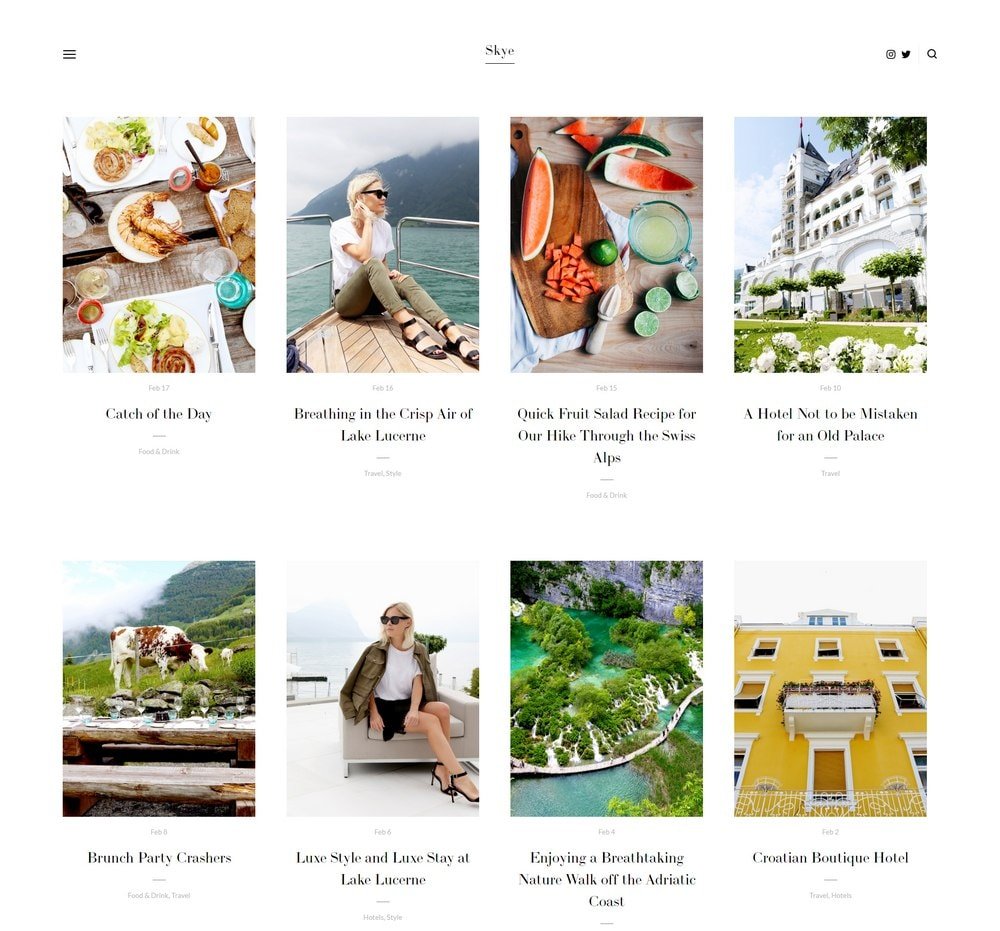
Skye -- Modern Blog Squarespace Template
Skye is ideal for artists who want to build an audience through content -- exhibition write-ups, process posts, and behind-the-scenes photography. The fullscreen grid layout makes every image feel intentional, and the minimalist design keeps readers focused on the visual content. It's widely used in travel and creative industries, and it translates directly to artist portfolios and journals.
Blog posts display with a high-quality image header, and the slide-out menu keeps navigation clean. The template is mobile-responsive and fast-loading, both of which improve search rankings and reduce bounce rate on mobile devices.
Skye -- Highlights:
- Fullscreen grid layout built for image-heavy content.
- Perfect for artists who blog about their process, exhibitions, or inspirations.
- Fully mobile-responsive with fast load times.
- Clean slide-out navigation.
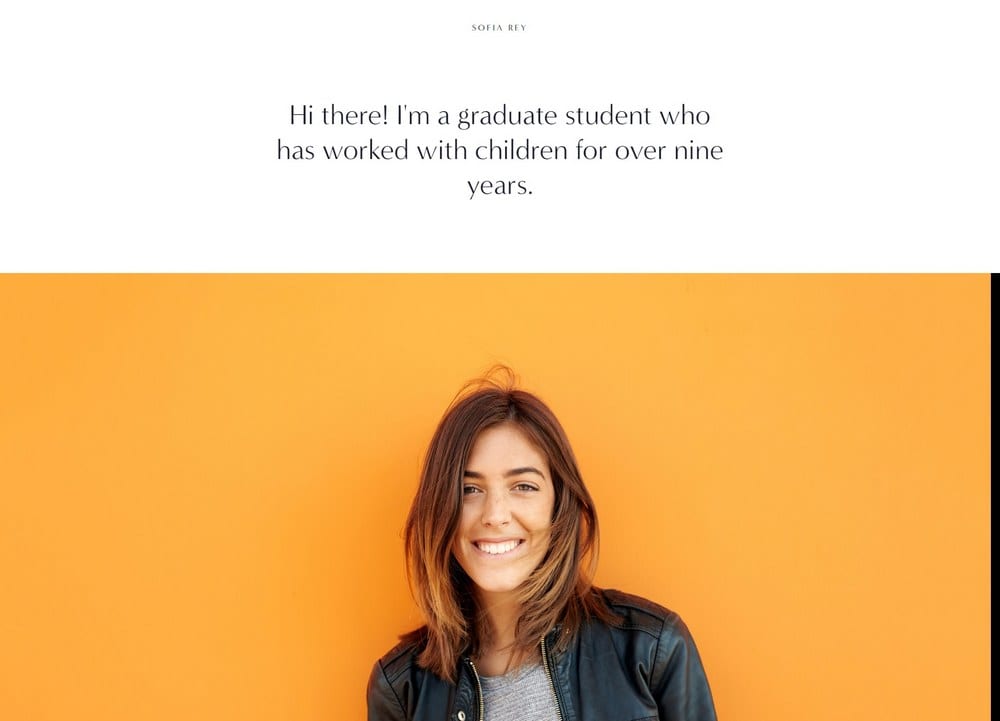
Sofia Rey -- Freelancer Squarespace Template
Sofia Rey is built for artists working as freelancers who need more than a gallery -- they need a full personal brand platform. The template includes dedicated sections for services, client reviews, skills, and a contact form. A resume-style section lets you list exhibitions, awards, training, and press mentions, which is valuable for artists building credibility with galleries or commission clients.
Social media links sit in the top-right corner of the navigation, making it easy for visitors to follow your work across platforms. The sleek, professional design signals quality without overwhelming your artwork. Artists who take commissions or offer studio visits can pair Sofia Rey with Squarespace Scheduling to handle appointment bookings directly from the site.
Sofia Rey -- Highlights:
- Full personal brand layout including services, reviews, and resume sections.
- Showcase exhibition history and press coverage to build credibility.
- Contact form built in for commission enquiries.
- Social media links integrated into navigation.
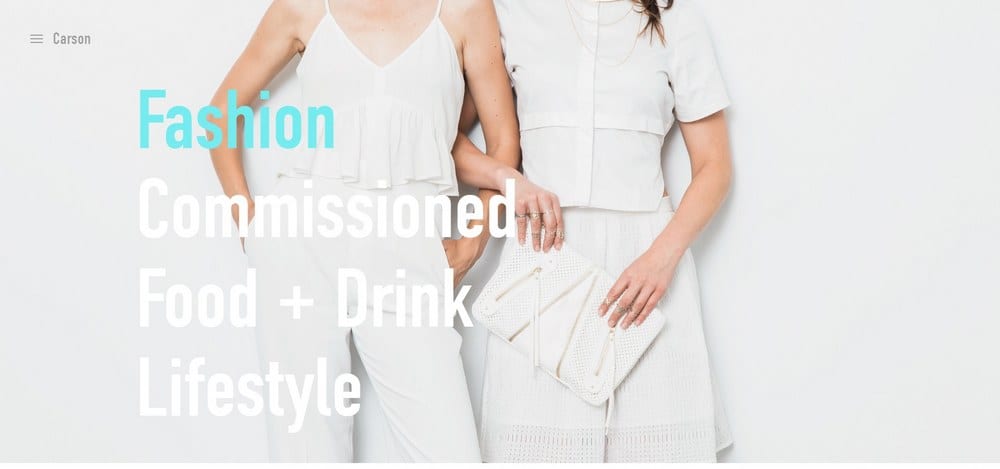
Carson -- Portfolio Squarespace Template
Carson is the most distinctive template on this list. Rather than a scrolling layout, it uses a static homepage where hovering over any link changes the full background image. Each link becomes a live preview of the work behind it. This interactive design reduces bounce rate -- visitors stay to explore rather than scroll past -- and gives the site a high-end gallery feel without complex development.
A hidden menu links to your standard pages (about, contact, services, portfolio). The template adapts well to different niches and is a particularly strong choice for artists whose work benefits from dramatic, full-bleed presentation.
Carson -- Highlights:
- Hover-to-preview homepage that turns navigation into a visual experience.
- Reduces bounce rate by making exploration feel like gallery browsing.
- Hidden menu keeps the design minimal.
- Highly adaptable for any artistic style or niche.
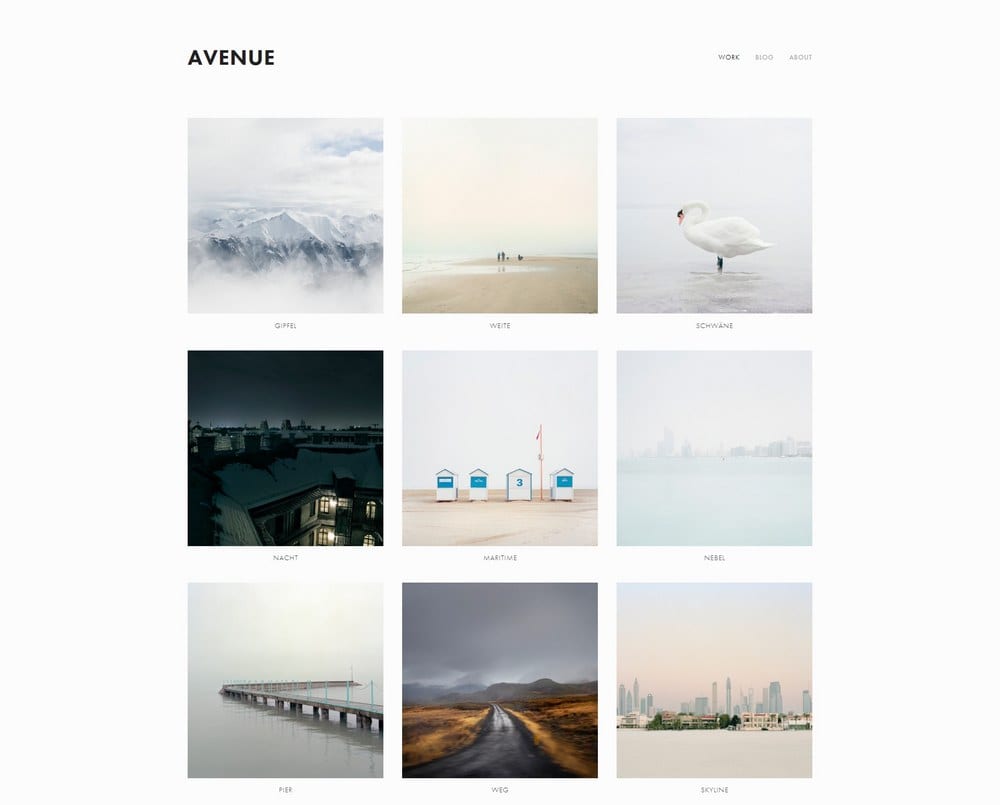
Avenue -- Portfolio Squarespace Template
Avenue is the best purely minimalist portfolio template on this list. The grid-based layout puts multiple pieces of work on screen simultaneously, which is ideal for painters, illustrators, or photographers with large bodies of work. Each item links to a dedicated page where you can add pricing, description, provenance, or a purchase enquiry form.
The stripped-back design means fast load times, which improves both user experience and search engine ranking. It's a practical choice for artists who want a clean online gallery without any design complexity.
Avenue -- Highlights:
- Grid-based layout for displaying large portfolios at a glance.
- Individual project pages for detailed descriptions and pricing.
- Fast load times due to minimal design overhead.
- Easy to maintain without ongoing design work.
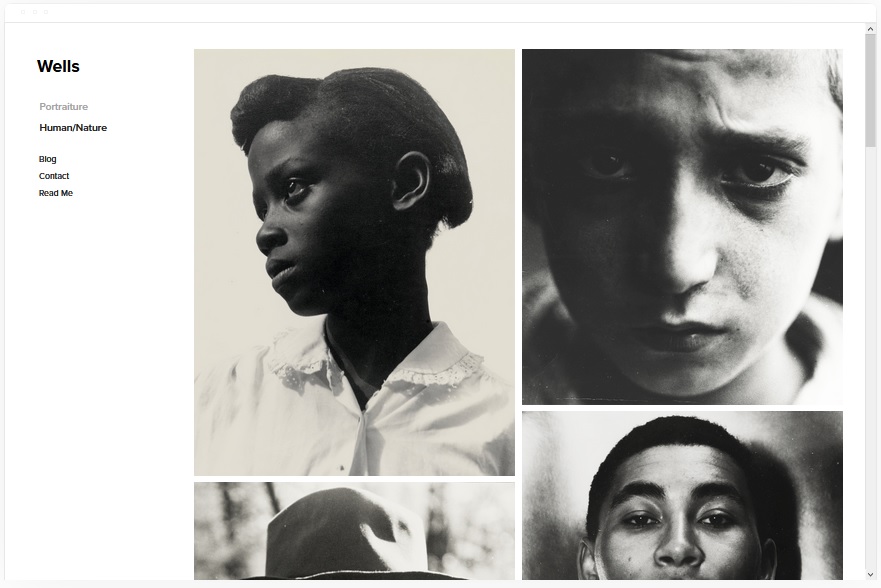
Wells
Wells is the strongest all-round Squarespace template for artists. It handles portfolio display, video embedding via URL, eCommerce for selling original work or prints, and event/exhibition ticketing -- all from one clean interface. You don't need to switch templates as your needs grow; Wells scales with you.
Video content is added by pasting a URL -- Squarespace handles the embed automatically. The same applies to images. Social media connections keep your audience updated across platforms. For most artists, Wells is the right starting point.
Wells -- Highlights:
- Best all-round template for artists: portfolio, video, shop, and events in one.
- Sell original artwork or prints directly from your site.
- Video embedding via URL with no coding required.
- Supports Unsplash image integration.
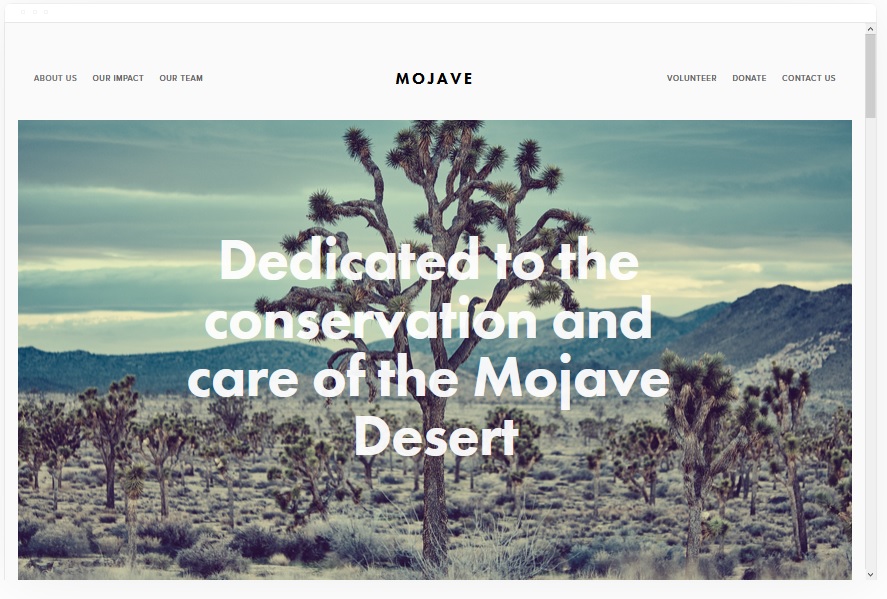
Mojave
Mojave combines a striking visual design with practical features for content-driven artist websites. The smooth scrolling layout and page banners support both images and videos, making every section of the site feel dynamic. Call-to-action placement is strong throughout -- visitors are consistently directed toward enquiry, purchase, or social sharing.
Artists with technical ability can add share buttons to gallery pages, blog posts, and product listings, extending reach through social media without paid promotion. The white background emphasises the artwork rather than competing with it.
Mojave -- Highlights:
- Bold visual design with smooth scrolling and banner support.
- Add video and images to banners on any page.
- Optional social share buttons on galleries and blog posts.
- Fast loading times support search engine ranking.
Kent
Kent is the best template on this list for mixed-media artists who work across video, photography, and static artwork. Portfolio pages handle all media types cleanly, and the template supports cover pages, blog posts, event listings, and album pages -- giving you flexible content architecture as your site grows. eCommerce functionality means you can sell work directly without a separate platform.
Kent -- Highlights:
- Best template for mixed-media artists (video, photography, static work).
- Supports cover, blog, event, and album page types.
- Sell artwork directly from your site.
- SEO-friendly structure with clean, indexable page architecture.
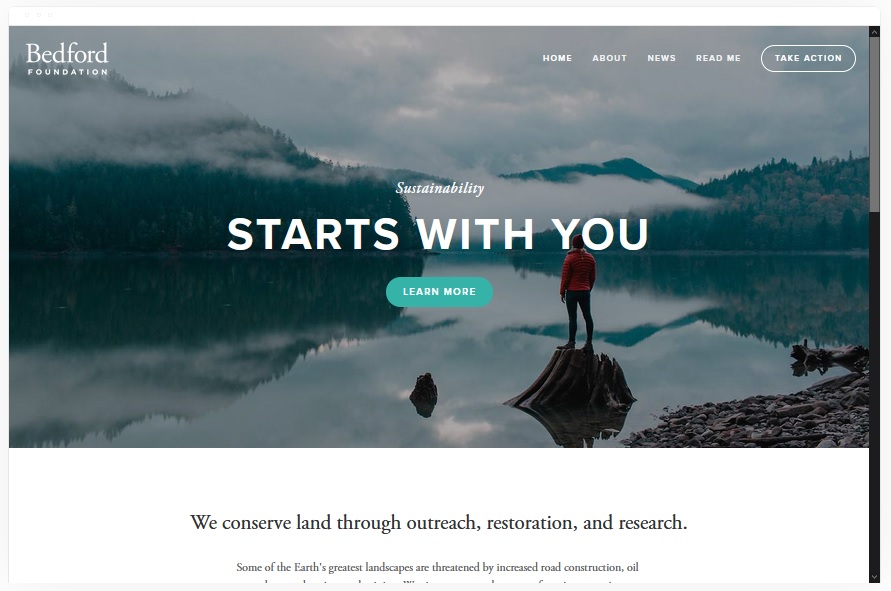
Bedford
Bedford is a strong choice for artists who need a structured, browsable site. The sidebar navigation and scrolling index page give visitors an immediate sense of your full body of work without having to click through multiple layers. Banners with images or video appear on any page with clear calls to action, which helps drive enquiries and sales without cluttered page design.
eCommerce is built in, giving you a direct revenue stream from original work, prints, or digital downloads.
Bedford -- Highlights:
- Sidebar navigation with scrolling index: visitors see the full site structure immediately.
- Video and image banners with CTA on any page.
- Built-in eCommerce for selling artwork.
- Clean structure that supports search engine indexing.
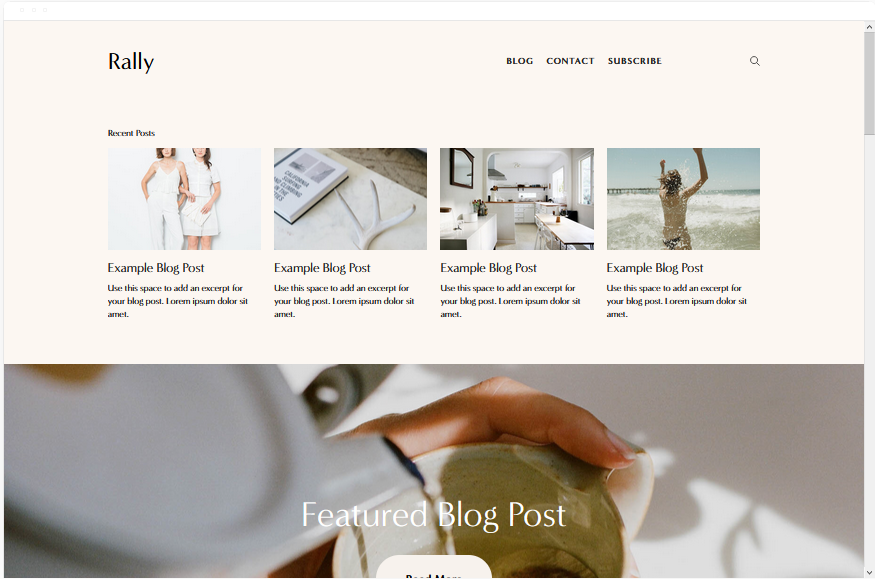
Rally
Rally suits artists who build their audience through regular content: studio updates, exhibition previews, and process documentation. Each blog post is anchored by a high-quality image that showcases your work in context. The simplified top-right menu and adjacent social media links keep the layout uncluttered, and smooth scrolling makes browsing feel natural rather than mechanical.
The template is fully mobile-optimised and loads quickly, which matters both for user experience and organic search performance.
Rally -- Highlights:
- Built for content-first artist sites with regular blog posts.
- Each post leads with a high-quality image of your work.
- Smooth scrolling with optimised speed across devices.
- Clean, minimal menu with integrated social links.
Best Squarespace Template by Artist Type
Not all artists have the same needs from a website. A painter selling originals has different priorities to a musician booking gigs or an illustrator pitching to clients. Here is the best Squarespace artist template for each creative discipline:
| Artist Type | Best Template | Why |
|---|---|---|
| Painters and fine artists | Avenue, Carson | Gallery-first layouts with full-bleed images and no clutter around the work |
| Photographers | Wells, Bedford | Handle high image volumes, load fast, and organise work by project or genre |
| Musicians and performers | Skye | Full-screen video header, audio embed support, and tour dates section |
| Illustrators and digital artists | Wells, Rally | Combine portfolio, blog, and eCommerce for prints or digital downloads |
| Freelance creatives taking commissions | Sofia Rey | Services section, client reviews, and resume area for building commission credibility |
| Mixed-media artists | Kent | Handles video, photography, and static artwork cleanly with event listings |
| Art bloggers and content creators | Skye, Rally | Image-led blog format designed for regular publishing |
| Jewelry designers | Wells, Bedford | eCommerce-forward with clean product image display for small, detail-focused pieces |
| Ceramic and sculpture artists | Avenue, Kent | Gallery-first grids handle 3D work well; Kent adds event listings for open studio days |
| Textile and fiber artists | Rally, Skye | Content-led formats support process posts and behind-the-scenes storytelling alongside portfolio display |
Squarespace vs. Wix for Artists: Which Is Better?
Most template roundups skip this comparison, but it is the question many artists are actually trying to answer when they land on a Squarespace template list. Here is the honest breakdown:
- Squarespace wins on design quality: Squarespace templates are more polished out of the box. The typography, spacing, and image handling are designed to make visual work look gallery-quality without any customisation.
- Wix wins on flexibility: Wix's drag-and-drop editor lets you place any element anywhere on the page. Squarespace is more structured. If you have a specific layout in mind that doesn't fit a template's design, Wix gives you more control.
- Squarespace wins on eCommerce for artists: Squarespace's built-in art sales features (digital downloads, print-on-demand integrations, and physical goods) are cleaner and require fewer third-party apps than Wix's equivalent setup.
- Wix wins on app availability: Wix has a larger app marketplace for adding custom functionality. If you need something Squarespace doesn't offer natively, Wix is more likely to have an app for it.
- Squarespace wins if branding matters most: For artists whose website is a primary commercial tool -- gallery submissions, client pitches, and commission enquiries -- Squarespace's more refined aesthetic tends to present better.
For most artists, Squarespace is the stronger choice if you prioritise how your work looks and sells. Wix is better if you need specific functionality not available in Squarespace's platform.
Common Mistakes Artists Make When Choosing a Squarespace Template
Competitors cover template lists but rarely address the errors artists make in selecting them. These are the most common ones:
- Choosing based on demo content, not structure: Demo content on a template always looks good. The question is whether the layout structure serves your work. A template that looks stunning with stock photography may not work as well with your specific image sizes and aspect ratios.
- Picking a text-heavy template for visual work: Some Squarespace templates are designed for writing-first content like blogs or service businesses. Using one for a portfolio forces your art to compete with text blocks for attention.
- Ignoring eCommerce until later: If you plan to sell work eventually, check that the template supports it from the start. Switching templates after building a full site is possible in Squarespace but requires rebuilding significant amounts of styling.
- Underestimating mobile visitors: Over 60% of Squarespace traffic comes from mobile devices for most artists. Test any template candidate on a phone before committing -- some templates that look strong on desktop display awkwardly on smaller screens.
- Not checking load speed: Templates with heavy animations or multiple full-bleed videos load slowly on mobile connections. Use Google PageSpeed Insights on any template you are considering before building your site on it.
Can You Switch Squarespace Templates After Building Your Site?
Yes -- Squarespace lets you switch templates at any time, and more content survives the switch than most artists expect. Here is what stays intact and what you will need to rebuild.
What carries over: All of your pages, blog posts, products, and uploaded images transfer to the new template automatically. Your text content, page structure, and any connected eCommerce or scheduling features remain in place. Domain settings and SEO configurations are unaffected.
What needs rework: Section styles, colour palettes, and font choices are template-specific. When you switch, Squarespace applies the new template's default styling to your existing content -- which means your carefully chosen colour scheme and typography will reset. Navigation menus may also need rebuilding, since some templates use sidebar navigation while others use top-bar menus. If you have added CSS customisations, those are likely to break or produce unexpected results in the new template's structure.
Images: Uploaded images stay in your media library and reattach correctly. However, the way they display (aspect ratio, cropping, gallery format) changes to match the new template's image handling -- so some pieces may display cropped differently than before.
When to switch vs. when to rebuild: Switching templates makes sense if you want a different layout style but have a lot of existing content worth keeping. If you are in the early stages of building (few pages, no products live yet), rebuilding from scratch in a new template is usually faster and produces a cleaner result. If you have done heavy CSS customisation, treat a template switch as a partial rebuild -- budget time to fix the styling rather than expecting it to transfer cleanly.
Tip: Use Squarespace's Preview mode to trial any new template before committing. You can switch to a template, see how your existing content looks inside it, and revert to your original template with no changes saved if it doesn't work. This lets you test without any risk to your live site.
How Much Does a Squarespace Artist Website Cost?
Squarespace pricing works on a plan tier system, and the right plan depends on whether you are building a portfolio only or selling work directly from your site.
Personal plan ($16/month, billed annually): Covers a full portfolio website with unlimited pages, SEO tools, SSL, and mobile responsiveness. It does not include eCommerce, so if you plan to sell originals, prints, or digital downloads, this plan is not enough. It suits artists who use their Squarespace site purely to show work and direct enquiries off-platform.
Business plan ($23/month, billed annually): Adds eCommerce capability, which means you can sell directly from the site. Note that Squarespace charges a 3% transaction fee on this plan unless you use Squarespace Payments as your processor. For most artists selling a moderate volume of work, the Business plan at annual billing is the practical starting point -- the monthly cost works out to roughly $16 when paid annually, making it close to the Personal plan price with significantly more capability.
Commerce Basic ($28/month, billed annually): Removes the transaction fee entirely across all payment processors and adds subscriptions, advanced shipping rules, and customer accounts. This tier makes sense once you are selling regularly and want to offer print subscriptions or recurring revenue options alongside one-off sales.
Additional costs to budget for:
- Domain registration: approximately $20 per year through Squarespace, or free for the first year on annual plans
- Templates: all Squarespace templates are included in every plan at no additional cost -- there is no premium template tier
- Squarespace Scheduling (if needed): sold as a separate add-on starting at $9/month for individual users, billed annually
Bottom line for most artists: A portfolio with a small shop runs on the Business plan at roughly $276 per year billed annually. If you only need to show work with no selling, the Personal plan at $192 per year covers everything. Annual billing saves around 30% compared to paying month-to-month on either plan.
Which Squarespace Template Should Artists Choose?
Start with Wells if you want one template that covers portfolio, video, and selling work -- it handles the most use cases without compromise. Choose Avenue or Carson if your priority is a gallery-first design with minimal surrounding text. Use Sofia Rey if you're building a freelance client base and need a full personal brand site with reviews and a resume section.
Whichever template you pick, explore the full Squarespace template library to compare layouts side by side before committing. And if you've spotted a Squarespace site you admire and want to know which template it uses, run it through the Squarespace template detector to find out instantly.
For a deeper look, see our complete guide to How to use Squarespace.