The best Squarespace template for video depends on your use case: videographers and filmmakers do best with portfolio-first templates like Avenue or Wells that spotlight visual work in full-screen gallery layouts. Content creators and YouTubers are better served by Forte or Skye, which are designed around media-rich blogging. Agencies and service businesses tend to choose Hayden or Harris for their professional structure with strong video block support.
Squarespace doesn't host video directly, videos are embedded via YouTube or Vimeo URLs and displayed using those platforms' servers, so your site speed isn't affected. Every template on this list supports this embedding natively.
What Makes a Good Squarespace Video Template?
Not every Squarespace template handles video the same way. Here's what to look for when choosing one:
- Full-screen or banner video support: The best Squarespace video templates allow you to set a video as a page banner or hero section, creating an immersive first impression. Check whether the template supports full-bleed video blocks in the section editor.
- Gallery pages with video support: Templates like Forte and Wells include dedicated gallery pages that display video thumbnails in a grid or carousel, making them ideal for videographers building a portfolio.
- Fast loading times: Since videos are embedded externally, template load speed comes down to CSS, fonts, and image weight. Minimalist templates like Avenue and Harris tend to load fastest.
- Portfolio or project pages: Videographers showing client work need templates that support per-project pages with embedded video, description text, and a contact or inquiry form. Avenue and Kent handle this natively.
- Mobile responsiveness: Video embeds must resize correctly on mobile devices. All Squarespace templates are mobile-responsive, but test your specific video placement across device sizes before launching.
Why do you Need to use Squarespace Templates for Video?
There are numerous reasons why you need one of the best Squarespace templates for video. Video is highly engaging, audiences spend more time on a website with video, and longer sessions increase conversion probability. The same information deliverable in 1,000 words can often be communicated in a 30-second clip.
Many Squarespace templates won't host the video on your website directly, videos are hosted on YouTube or Vimeo and displayed via embed. This means your website doesn't slow down from video file sizes, which would be a serious performance problem for a portfolio-heavy site.
Video is also particularly effective for eCommerce. Customers are significantly more likely to watch a product video than read product description text, and video has been shown to reduce cart abandonment by helping customers feel more confident in their purchase before checkout.
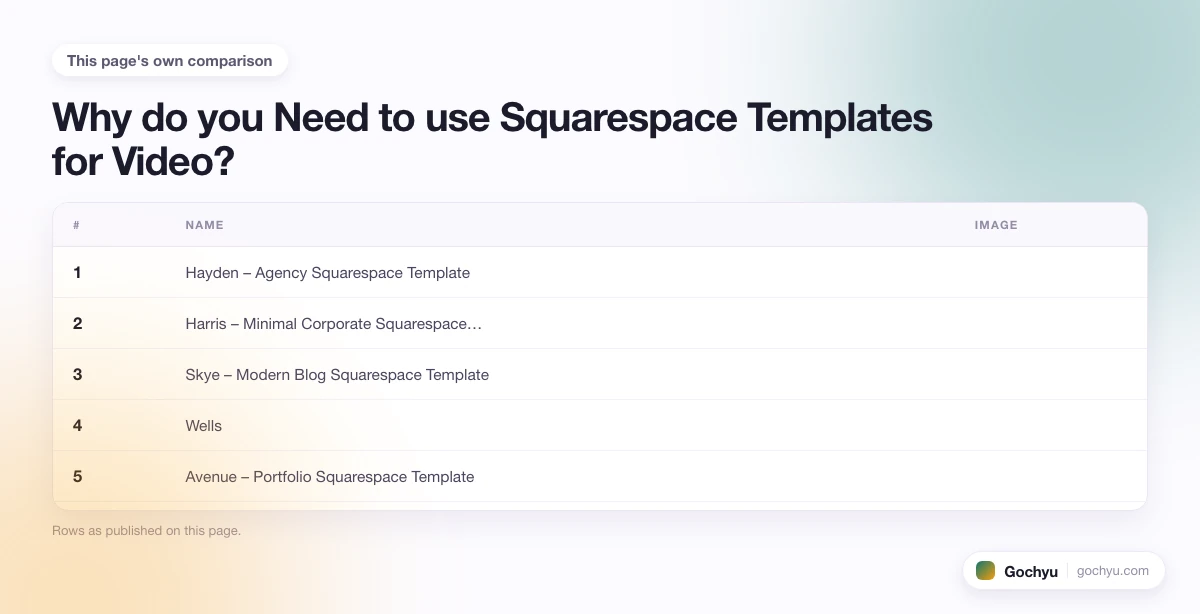
| # | Name | Image | |
|---|---|---|---|
| 1 |
|
More Info | |
| 2 |
|
More Info | |
| 3 |
|
More Info | |
| 4 |
|
More Info | |
| 5 |
|
More Info | |
| 6 |
|
More Info | |
| 7 |
|
More Info | |
| 8 |
|
More Info | |
| 9 |

|
More Info | |
| 10 |
|
More Info |
* read the rest of the post and open up an offer
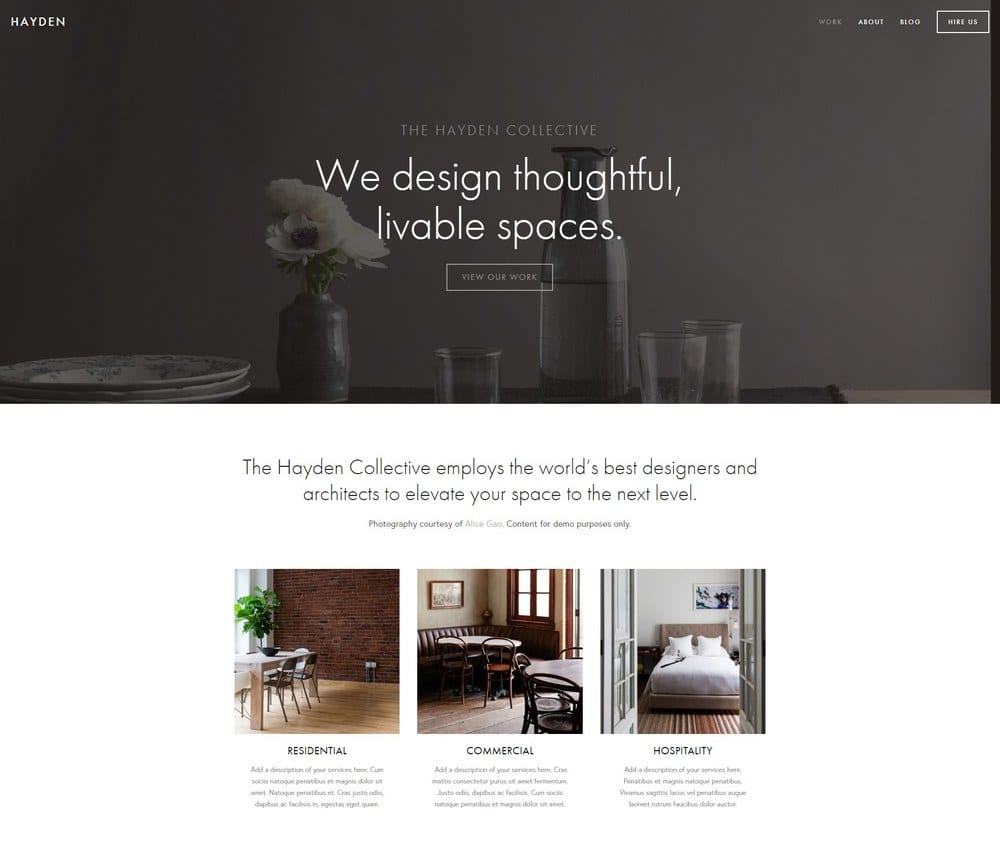
Hayden – Agency Squarespace Template
Hayden was created for design agencies and it can be used by many businesses looking to promote a professional image using an effective, modern and sleek template that can display videos with ease. There are many areas on this website that can be dedicated to different areas of your business including services, clients, portfolio and case studies. All of these can have videos embedded in them to provide more detail to visitors. When customers finish the video, you can direct them to a scheduling system for getting clients to book consultations.
The striking design of the template is enhanced by a menu that is located at the top right of the corner. This makes it easier for visitors to go around your store. The navigation bar is also sticky, which allows the customer to click on a menu item no matter how far they scroll without having to return to the top of the page. Therefore, you can expect fewer visitors to leave your page prematurely.
To help with engagement, you can also link your website to your social media links that are featured in the footer. There is also space for blogging, a further location where videos can be added to your website. With more than 15 blog posts per month, you can expect to see more traffic and better ranking on search engines like Google.
Hayden – Agency Squarespace Template Highlights:
- Use videos on every page to promote your brand, products, services and past work.
- A sticky navigation bar that will stay at the top of each page.
- Use a blog to promote your brand and advice on your website.
- An impressive template that will provide a professional image for your website.
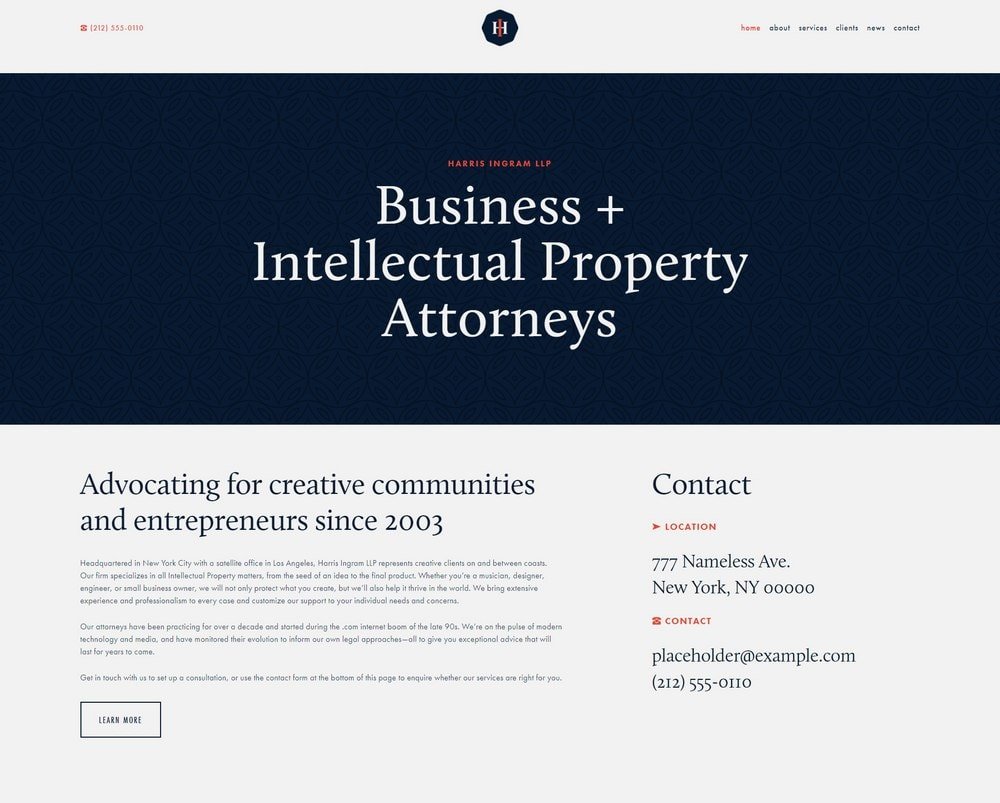
Harris – Minimal Corporate Squarespace Template
Harris is a minimalist Squarespace template that is perfect for numerous brands across dozens of niches. It was originally designed for corporate businesses and agencies, but it can be used by others without a problem. The homepage is the perfect design for videos due to the minimalist design that will draw the attention of the visitor to the content that you will put on your website, this can include a video hosted on YouTube or Vimeo. This can help you convert more visitors to your store.
There is a beautiful header on the template. It has been designed to allow you to customize the colors and more to brand the header to your own business. At the same time, you can utilize the excellent navigational options to make sure that you keep visitors from moving from page to page to find out more about your brand and perhaps contact you for more information/book a session.
To help build trust with your brand, you should be using the numerous inner page templates that can help you give more information about the brand, services, clients and more. These can all be enhanced using several features on Squarespace and videos.
Harris – Minimal Corporate Squarespace Template Highlights:
- This is a super-fast Squarespace theme that is designed for professionals.
- Has a perfect header for promoting your brand with customizations available.
- Includes the ability to have videos on your website.
- Excellent navigational options for your website.
Skye – Modern Blog Squarespace Template
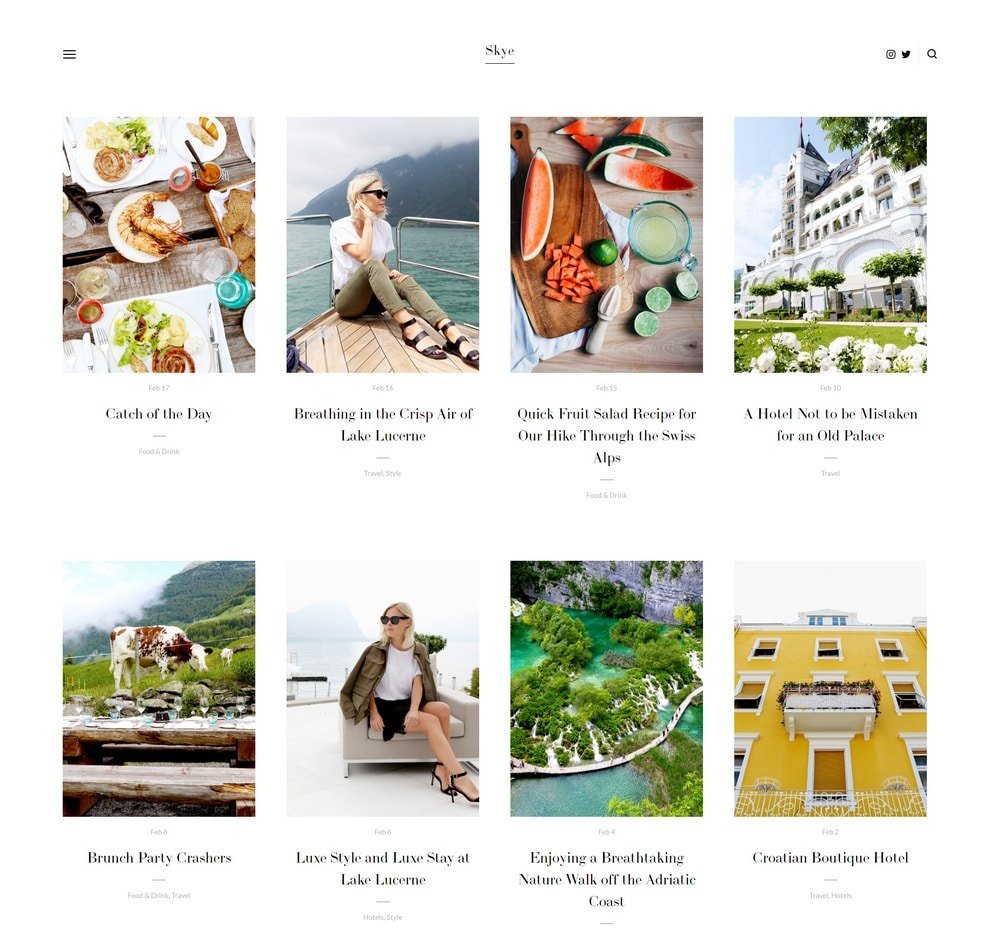
Skye is one of the top Squarespace templates that you can use if you want to promote a blog on your website. It is perfect for those that want to use a lot of media on their blog like images and videos. So it is the perfect option for travel and food bloggers, but it isn't limited to those niches. The visual aspects of this template are great for engaging audiences and making them feel as if you're got the talent/knowledge/experience that they're looking for.
There are numerous features that are also beneficial for your website. There is a full screen design that has grid-based content blocks. These can be used to host videos, images, text on your website. The website is also easy to maintain. Therefore, you can spend more time on your niche and creating content rather than managing your website's design.
The blog posts on Skye are designed with style. This makes it perfect for improving your user experience on your website and can lead to long term growth in your revenues. There is also a great navigation on your website, with a left-hand side slide-out menu that is perfect for most people.
Skye – Modern Blog Squarespace Template Highlights:
- A modern, grid-based design that can help you build a great website.
- A visually impressive template that allows you to showcase videos.
- Is great for displaying video and images.
- Can rank your website quickly.
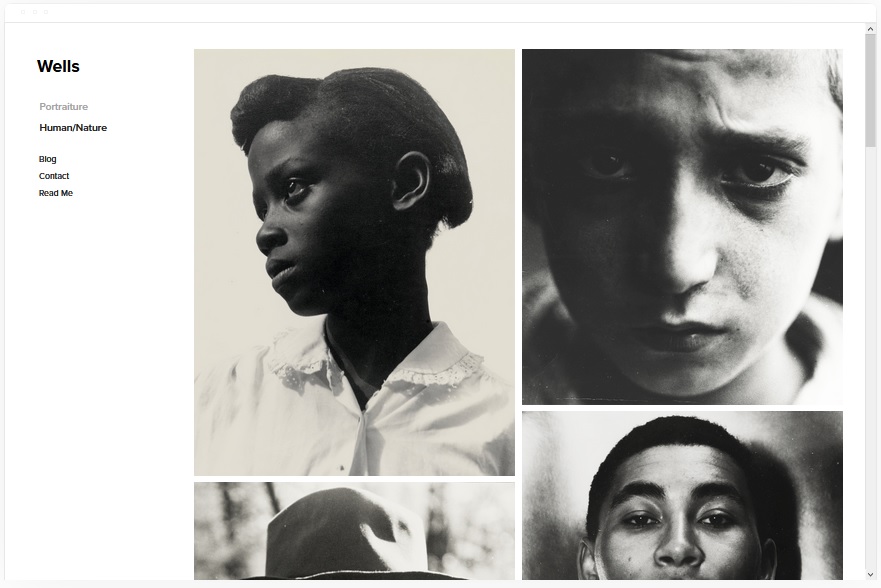
Wells
Wells has a great design that contains one of the most unique galleries available on Squarespace. It allows you to promote your work carefully with beautiful visuals that allow you to have an informative website with videos, images, artwork and portfolios that will impress guests. This template has eCommerce capabilities to help you sell products online. You can upload videos to your website via an embeddable URL. All you need to do is to copy the URL of the video you would like to share on your website from your video sharing website and then Squarespace will help you locate and format the video.
This template can also do the same for images from other sites. But be sure that you have the permissions to use that photo. Squarespace does offer a lot of photos for website owners via Unsplash.
The template allows users to connect social media accounts to share content directly from the website. This is a great way to engage the audience.
Wells Highlights:
- Great design for showcasing your portfolios.
- Has eCommerce capabilities to help you sell online.
- Upload videos with ease.
- Can use images with ease from Unsplash.
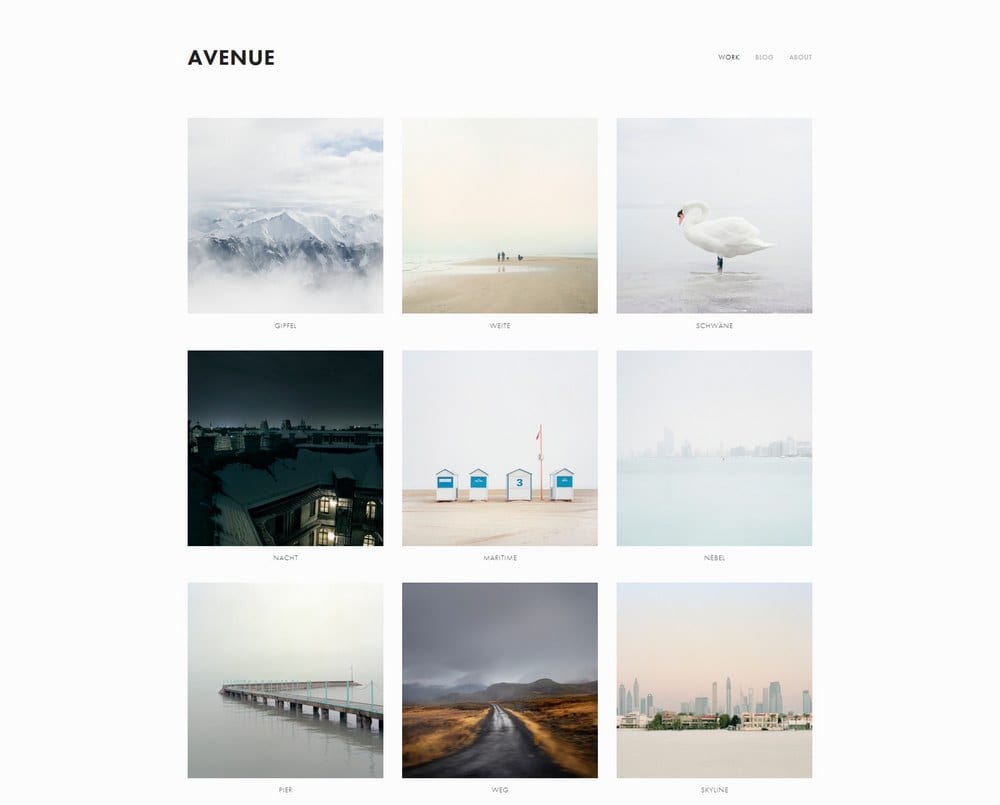
Avenue – Portfolio Squarespace Template
Minimalism is really good for websites because it offers you a great way to concentrate the attention of your audience while also having a fast website. The theme can host videos with ease, all you need to do is use the URL of the video from your video sharing website. The theme's design is grid-based allowing you to layout the perfect design and showcasing numerous items on the homepage.
For everything that is on your portfolio page, you can have single pages for all the projects/artwork/videos. And you can get your visitors to enquire more about each item on the page itself, offering you a nice way to monetize your website with ease.
The speed of this website is really good. It can help you rank highly on Google and other search engines. And because of the speed, visitors will be impressed on the performance of your website and this can improve revenue on your website.
Avenue – Portfolio Squarespace Template Highlights:
- This is a minimalist portfolio website that allows you to have a speedy website.
- Add videos to your portfolio with ease.
- Good for your search engine ranking and more.
- Easy to customize and use.
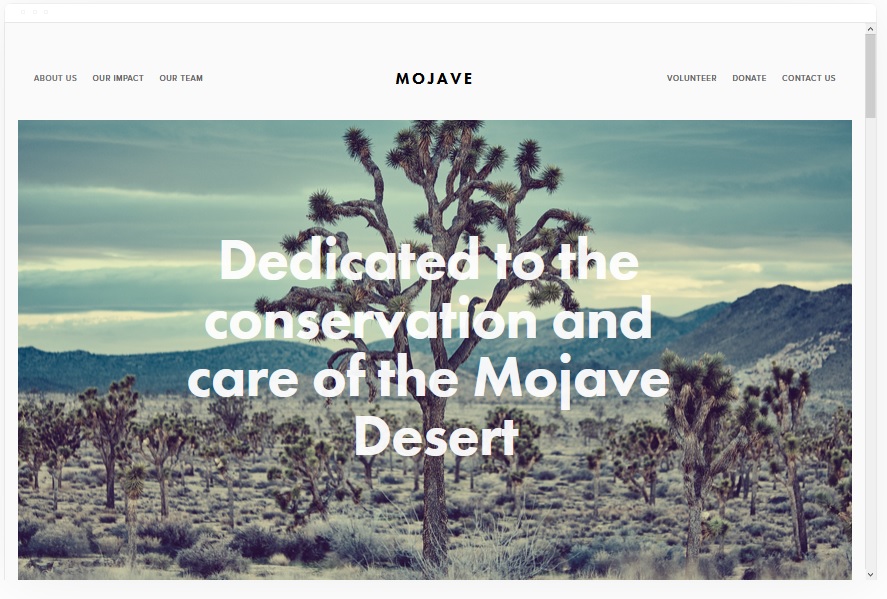
Mojave
Mojave is a great template that allows you to have a striking website that can host videos on your website with ease. There is a great scrolling effect on the website and call-to-actions that can help you engage your audiences on your website. The banner that can be added to your website pages can have images and videos added to them.
If you've got any technical skills, then you can add share buttons to your pages, which can include blog, events, gallery, cover, layout, index and product pages. This can help you share more about your website to audiences on social media.
Mojave has a striking appearance that is going to be great for any niche. The white background can be changed, but it really does allow the content to stand out on your website and draw attention to your website.
Mojave Highlights:
- Add share buttons to your content on your website.
- Add videos and images to your banners.
- Striking appearance.
- Is great for loading and search engine rankings.
Forte
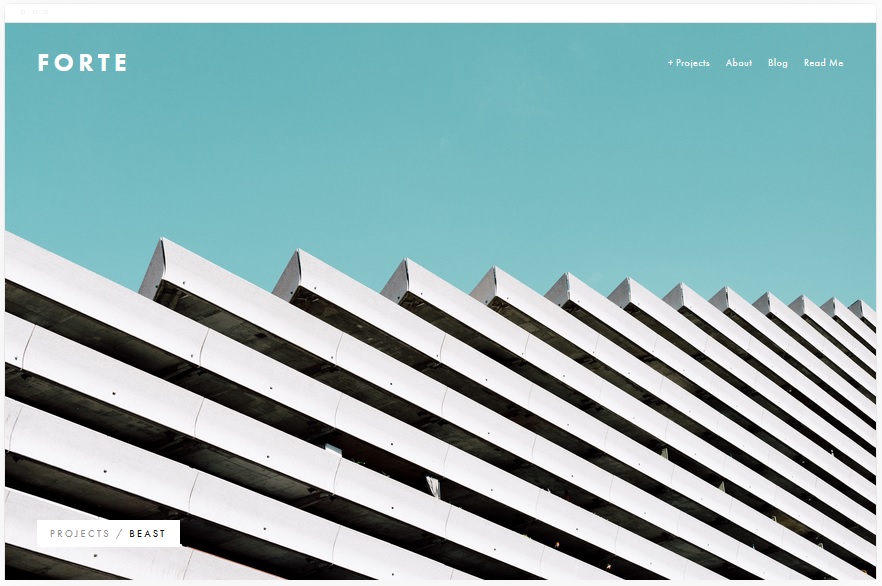
This website template has been created for those that want to create videos and share those videos online. It's perfect for bloggers, YouTubers, news sites and even magazines. The Squarespace template has a striking layout that can be very engaging and entertaining for audiences. There are also lots of different customization options to make your website look exactly how you would like it to.
There are several features that allow you to promote your content and share it across a portfolio to show the world what you're capable of. The beautiful, but simple, menu is excellently placed in the right corner of the screen. This allows users to navigate around your website with ease.
There are numerous pages that you can use on your Forte template. This includes blog pages, album and cover pages.
The gallery pages are beautiful and can display videos and images in a carousel. The template can also display captions below the media. You can also sell products/services from this template and collect the money through the Squarespace payment system.
Forte Highlights:
- Can sell products on your website with ease.
- Host videos on your portfolio websites.
- Easy to customize and create a striking website that will attract audiences.
- Improve your website's performance with ease to rank higher.
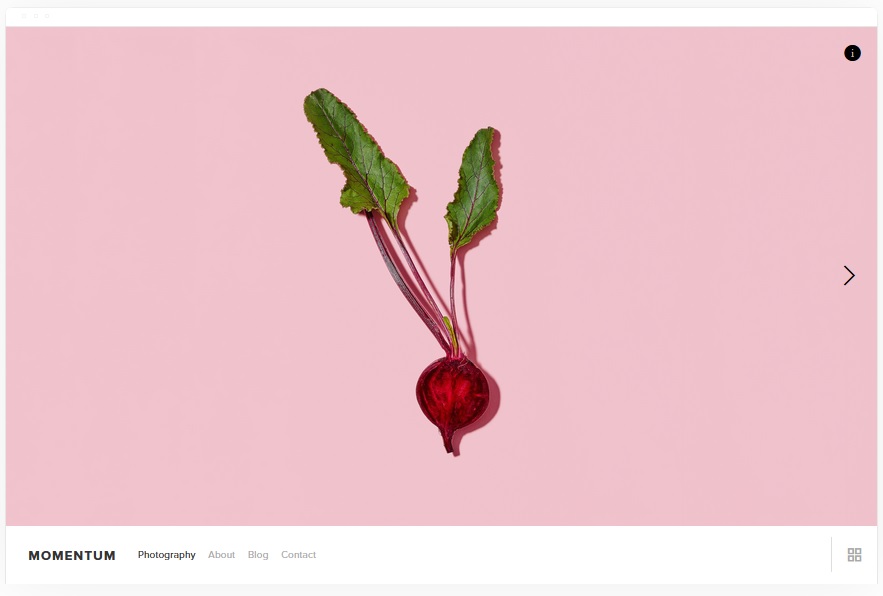
Momentum
This is one of the best templates for eCommerce that can also include videos and images that will help you generate a strong revenue on your website. This template enables users to create dazzling video portfolios with a slideshow interface and full-screen imagery on your website. This allows you to build a great website that can really entice your visitors to stick around and read more of your brand.
In addition to your videos on your website, you can build a blog that can allow your customers to find out more information about you. In addition, this is another great area for you to have videos on your website. All pages can have slideshows on there. The gallery pages are the best place. The slideshows have an automatic transition or the visitor can scroll through your gallery with ease.
This template is perfect for eCommerce, viewing on a mobile and ranking on search engines.
Momentum Highlights:
- Add videos to slideshows that have automatic transition.
- Fullscreen imagery on your website to promote your brand.
- Add products to your website for revenue.
- Striking website that is easy to edit and customization.
Kent
Kent is one of the best templates for your website for attractive and clean designs that can help you place a spotlight on your business' creative work. Website owners can use the portfolio pages with compelling headlines to grab the attention of the website visitors and sell products/ideas about your business. In addition, you can use the template to showcase your website's video content that can be hosted on YouTube or another video hosting site.
There are lots of different pages that you can host on your website. This includes album pages, cover, blog, events and more. You can also sell products on your website to help you monetize the website.
Kent Highlights:
- Kent is one of the best Squarespace templates for videos.
- Add videos to your portfolio.
- Sell products directly from your website.
- Rank your website on your Google and other search engines for more traffic.
Bedford
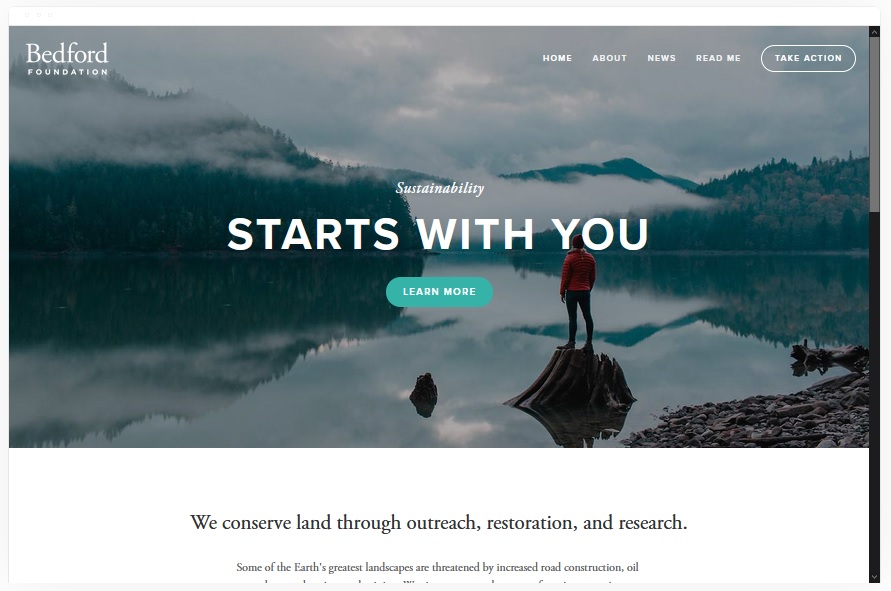
Bedford is a great option and one of the most popular website templates on Squarespace. The template works for all niches, including businesses, video production, eCommerce and more. There are lots of elements that can help you make the most of your website. Part of the process is that your website can have a sidebar navigation and a scrolling index page.
The template can also help with selling products online, giving you a clear revenue stream that can help you build a good business.
All the pages can have videos that can help promote your business. And you can also add full banners with images or videos. Each of these can have clear calls to action.
Bedford Highlights:
- Sell products on your website with ease.
- Add videos to promote your brand.
- Banners can help you sell your products/services.
- Improve your website's presence on Google or other search engines.
Best Squarespace Templates for Videographers
Videographers have specific requirements that differ from general video users: client-facing presentation, service pages, project portfolios organised by genre, and clear contact or booking flows. These templates work best for videographers building a professional client-acquisition site:
- Avenue , The cleanest client-portfolio layout on Squarespace. Its full-bleed image and video display lets showreel footage lead without competing page elements. The minimal navigation signals professionalism and works well for wedding, commercial, and documentary videographers.
- Hayden , The right choice for videography agencies or studios that need a structured site with clear service descriptions, a team section, and a prominent contact form. Video blocks sit alongside service pages without losing impact.
- Skye , Best for videographers who want a dramatic first impression. The full-screen video header plays a showreel on load, immediately showing rather than telling what you do. Below the fold, the blog section supports case studies and behind-the-scenes content that helps with organic search.
- Wells , The most versatile option if you shoot across multiple genres (weddings, commercial, events, music videos). Wells organises portfolio work by category and supports both video embeds and a separate selling channel if you offer digital products like LUTs or presets.
How to Set Up Video on Your Squarespace Site
Squarespace does not host video files directly , all video is embedded from YouTube or Vimeo. Here is how to set it up correctly so your video looks professional and loads fast:
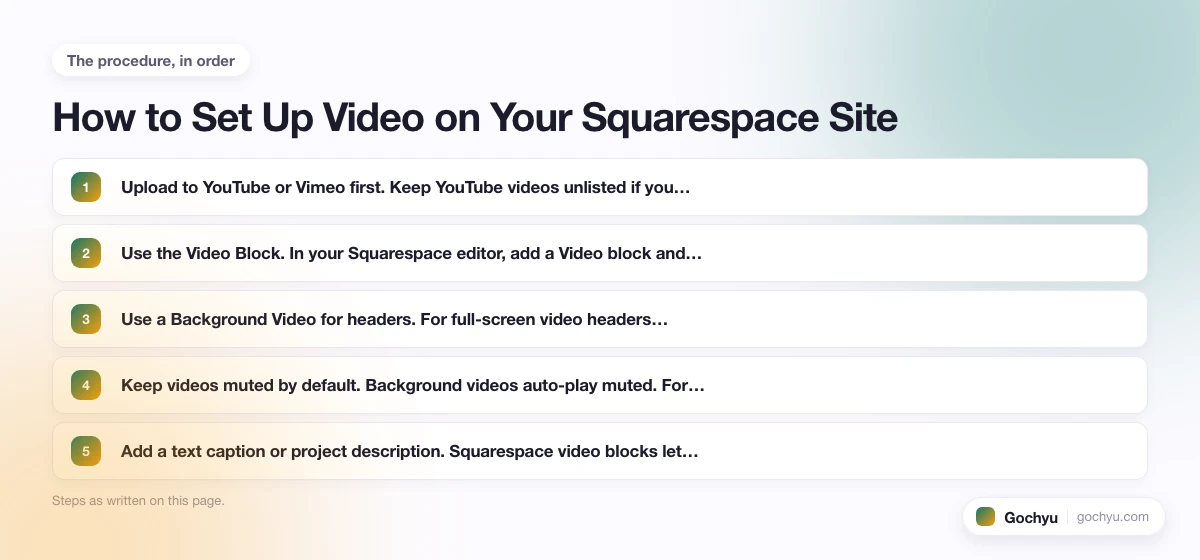
- Upload to YouTube or Vimeo first. Keep YouTube videos unlisted if you want them on your Squarespace site only, without showing in YouTube search results. Vimeo is the better option if you're showing client work and want cleaner playback without ads.
- Use the Video Block. In your Squarespace editor, add a Video block and paste the YouTube or Vimeo URL. Squarespace pulls the embed automatically , no manual iframe code required.
- Use a Background Video for headers. For full-screen video headers (available on Avenue, Skye, and Wells), go to Pages > Edit > Header > Background and set the video URL. Keep header videos short (15–30 seconds) and looping , these are atmosphere pieces, not full showreels.
- Keep videos muted by default. Background videos auto-play muted. For portfolio videos, consider adding a clear play button rather than auto-play with sound, which drives mobile visitors away.
- Add a text caption or project description. Squarespace video blocks let you add a title and description below or beside the embed. Use this space to name the client, project type, and your role , it helps with both SEO and client context.
Which Squarespace Template Is Best for Your Creator Type?
The right template depends on what kind of video work you do. Here's a quick-reference guide matching creator type to recommended template:
| Creator Type | Best Template(s) | Why |
|---|---|---|
| Videographer (client work, portfolio) | Avenue, Kent | Portfolio-first layouts with full-screen gallery pages. Client projects display with embedded video, project description, and inquiry form built in. |
| Filmmaker (narrative, documentary) | Wells, Bedford | Film-style layouts with strong visual hierarchy. Wells supports full-bleed video banners for chapter-style project showcases. |
| YouTuber or video blogger | Forte, Skye | Designed around editorial content with embedded video. Blog-first structure makes it easy to publish channel content as blog posts with embedded YouTube videos. |
| Corporate or agency (video production company) | Hayden, Harris | Professional multi-page structure. Strong navigation for showcasing services, a team, and a video reel on the homepage. |
| eCommerce seller using video | Momentum, Wells | Support for full-screen product video alongside shop pages. Good for brands using video to demonstrate or sell products. |
| Wedding videographer | Avenue, Kent | Clean, romantic layout. Per-project pages work perfectly for wedding highlight reels with venue, couple name, and style details. |
Final Word: The 10 Best Squarespace Templates for Video
If you're a videographer or filmmaker building a portfolio site, Avenue and Kent are the strongest starting points, their portfolio-first layouts are designed to foreground visual work without distraction. If you're a content creator or blogger embedding video into editorial content, Forte and Skye give you the best media-rich blogging experience on Squarespace.
For businesses using video to sell products or services, Momentum, Wells, and Bedford all support full-screen video placement alongside eCommerce functionality. Hayden and Harris are the right picks for agencies that need a professional structure with prominent video block support on service pages.
If you're looking to find out what template someone else is using on Squarespace, use this template detector for free.
For a deeper look, see our complete guide to How to use Squarespace.

