The best Shopify themes for clothing stores are the ones that put product photography first, handle size guides and colour swatches without bolt-on apps, and read like a fashion editorial on mobile. Most generic Shopify themes can be made to work for apparel, but the ten in this list are either purpose-built for clothing or have shipped enough fashion-store features that they save you a stack of customisation work.
This list mixes premium themes from themes.shopify.com (the ones large fashion brands actually use) with two free themes from Shopify that hold their own in the apparel space (see the full guide to how to get Shopify themes free for all 13 official options). Each pick is judged on how it handles the things clothing shoppers care about: quick-view modals, lookbook layouts, in-grid swatches, sticky add-to-cart, the size guide pattern, and how the product page reads on a phone where most fashion shoppers are. If you need help with the earlier decision of finding the right Shopify theme for your store type, that guide walks through the full evaluation process.
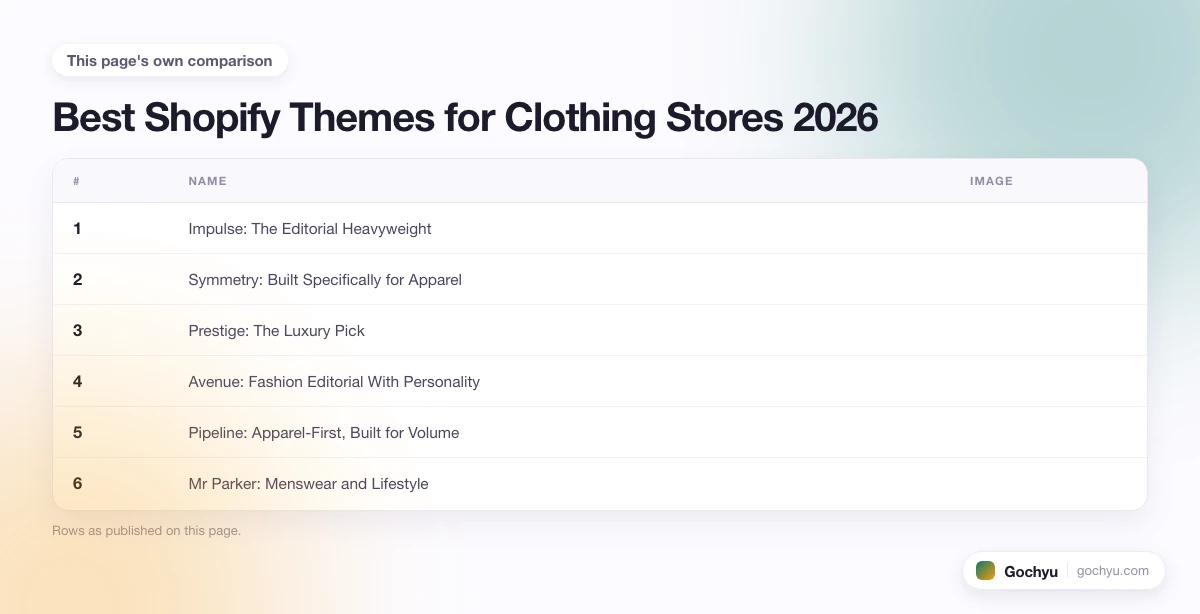
| # | Name | Image | |
|---|---|---|---|
| 1 |

|
More Info | |
| 2 |

|
More Info | |
| 3 |

|
More Info | |
| 4 |

|
More Info | |
| 5 |

|
More Info | |
| 6 |

|
More Info | |
| 7 |

|
More Info | |
| 8 |

|
More Info | |
| 9 |

|
More Info | |
| 10 |

|
More Info |
* read the rest of the post and open up an offer
What Makes a Good Shopify Theme for a Clothing Store?
Three things separate a fashion-ready theme from a generic ecommerce theme. First, the product page treats photography as the headline (large hero images, in-image hotspots or zoom, gallery thumbnails that don't crowd the buy box). Second, the theme handles variants gracefully: colour swatches in the product grid (so shoppers see options before clicking), size guides that open as a modal rather than redirecting away, and quick-view from the collection page. Third, the mobile build is fast and finger-friendly: sticky add-to-cart, swipeable image galleries, and a one-page or accordion checkout flow. If a theme handles those three jobs out of the box, you save four to six app subscriptions and a week of theme edits.
Best Shopify Themes for Clothing Stores - Our List
Impulse: The Editorial Heavyweight
Impulse, by Archetype Themes, is the theme you keep seeing on fashion stores with serious budgets and a clear visual identity. Open any Impulse demo and the first thing you notice is the typography: oversized display fonts, generous whitespace, and product photography that takes up most of the screen with almost no chrome competing for attention.
The product page is where Impulse earns its keep for clothing. Variant swatches sit directly under the price as click-to-swap colour chips, the size selector has a built-in "view size guide" link that opens a clean modal, and the description tabs (composition, care, shipping) collapse cleanly on mobile. The recommended products carousel pulls from the same collection rather than the whole catalogue, which is the right default for fashion where shoppers browse by capsule, not category.
Under the hood there's a promotion bar with countdown timer, a press-mention strip, a video hero option, an Instagram feed section, and a recently-viewed products bar that actually persists across sessions. The slide-out cart with a free-shipping progress bar is the small touch that lifts AOV without needing a separate app.
The one thing to watch for: Impulse is a heavier theme than Shopify's free options, so test your collection page load on a throttled connection before you commit. For most fashion stores that's a worthwhile trade.
3 Things Impulse Does Better Than Most
- Editorial product pages – the image stack puts photography front-and-centre with a sticky buy column that doesn't crowd it.
- In-grid swatches – shoppers see colour options before they click into a product, which cuts dead-end taps on mobile.
- Promotion bar with countdown – the urgency strip is built in, not stapled on with an app subscription.
Symmetry: Built Specifically for Apparel
Symmetry, by Clean Themes, was put together with apparel and accessories in mind, and you can feel it in the defaults. The collection page handles dozens of variants per product without breaking layout, the filter sidebar collapses to a slide-out drawer on mobile, and the product card hover-state shows a second image (back of the garment or worn shot) which is the single most-requested feature on fashion sites.
The product page balances density with breathing room: image gallery on the left, sticky buy box on the right, and an accordion below for fit, fabric, and care. Symmetry's lookbook section accepts shoppable hotspots, so an editorial image of a styled outfit can link directly to the three garments in the shot without the shopper hunting for them.
What sets Symmetry apart from heavier themes is restraint. The animations are subtle, the typography is workmanlike rather than showy, and the colour palette stays neutral so your photography does the talking. That makes it a strong fit for labels where the brand identity lives in the clothes, not in the chrome around them.
Why Apparel Brands Pick Symmetry
- Image-swap on hover – the back/worn shot appears as you mouse over a product card, which is exactly how fashion shoppers expect to browse.
- Shoppable lookbook hotspots – editorial photography can drive direct add-to-cart without forcing the shopper to search.
- Quiet design language – the theme stays out of the way so the clothes carry the brand.
Prestige: The Luxury Pick
Prestige, by Maestrooo, is the theme luxury and premium clothing brands gravitate toward, and the demo set tells you why. Every layout option leans toward editorial: full-bleed hero images, restrained typography, generous margins, and a slow, deliberate animation feel. Even the default product gallery treats each image as a magazine page rather than a thumbnail.
The product page is the centrepiece. A vertical image stack on desktop (one image per row, full width) with a sticky narrow buy column on the right gives photography the room it needs. On mobile, the same images stack and swipe naturally. The variant picker handles colour as named swatches with optional images, and the size guide opens in a side drawer rather than a modal so the shopper doesn't lose context.
Prestige's mega-menu is the strongest in the list for large clothing taxonomies. You can preview up to three columns of links plus an inline image (a hero look or a featured product), which means a multi-line, multi-category menswear or womenswear catalogue still loads fast and reads cleanly on mobile.
The trade-off is configurability density. Prestige has a lot of settings, and the first build can take longer than with simpler themes. For luxury brands, that depth pays back in the polish you can reach without custom code.
What Makes Prestige Feel Premium
- Magazine-style product pages – the image-per-row layout reads like a fashion editorial rather than a catalogue.
- Image-rich mega menu – the menu can preview categories with photography, which suits taxonomies that include collections and seasons.
- Side-drawer size guides – guides open without leaving the product page, which keeps the path to purchase short.
Avenue: Fashion Editorial With Personality
Avenue, also by Out of the Sandbox, is the more playful cousin of the editorial fashion themes. The default style leans bold: chunky typography, off-grid section placement, and section blocks that overlap the product images in a way that reads like a fashion magazine rather than an ecommerce store.
What makes Avenue right for clothing is the section variety. The "scrolling promotion bar" with announcement messages, the "press logos" strip, the "shoppable look" section with tagged product hotspots, and the "before and after" or split-screen image section all show up in fashion-store best practice and are built in. The product page has a generous gallery, in-grid swatches on the collection page, and a "complete the look" cross-sell block at the bottom that links related items by collection.
Avenue is the right pick for brands with a strong visual personality (streetwear, contemporary womenswear, indie fashion labels) where the store needs to feel like an extension of the brand's Instagram rather than a generic shop.
Where Avenue Wins
- Editorial section blocks – overlapping layouts and bold typography do the work that flat themes outsource to image-only sections.
- Complete-the-look cross-sells – tied to collections, so a top suggests a matching skirt rather than a random accessory.
- Press-strip and announcement bar – social proof and seasonal promotions are first-class sections, not afterthoughts.
Pipeline: Apparel-First, Built for Volume
Pipeline, by Groupthought, is the theme to reach for when the clothing range is too big for an editorial layout and you need the collection page to do most of the work. The grid handles thirty-plus products per page without feeling crowded, the filter sidebar supports size, colour, fit, and category at once, and the quick-view modal lets shoppers add to cart without leaving the grid.
The product page is workmanlike in the best sense. Image gallery on the left, sticky buy column on the right, variant swatches as inline chips, and a clear "Find your size" link to a fit guide. The recently-viewed bar at the bottom of the page is the small touch that keeps shoppers in the catalogue rather than bouncing back to the home page when they want to compare two options.
Pipeline's other strength is the sticky add-to-cart on mobile. As you scroll the product page on a phone, the buy button stays pinned to the bottom of the screen with the current variant summary, so the action is one tap away from any scroll position. For high-AOV apparel where shoppers read every paragraph of the description, that small move noticeably lifts conversion.
What Pipeline Gives a Volume Apparel Store
- Multi-attribute filters – shoppers can narrow by size, colour, fit and category in a single sidebar without jumping screens.
- Quick-view from the grid – an add-to-cart without leaving the collection, which is the right pattern for browsing-heavy shoppers.
- Mobile sticky buy bar – a fixed action button keeps the buy step one tap away during long product reads.
Mr Parker: Menswear and Lifestyle
Mr Parker, by Out of the Sandbox, leans heavily into the menswear and lifestyle aesthetic, and the visual language is unmistakable. Muted palette, serif accents, plenty of room for full-bleed photography, and a section style that handles editorial content as well as product grids. The Wardrobe demo style in particular is one of the cleaner menswear layouts on the marketplace.
The collection page balances product density with restraint. Image-first cards, light hover effects (image-swap and a "quick add" pill), and a filter sidebar that hides cleanly on mobile. The product page splits the layout into image stack on the left and a narrow buy column on the right, with the description set in a readable serif that suits long-form storytelling about a piece of clothing.
Mr Parker also handles content marketing better than most apparel themes. The blog section style matches the product pages, so brand stories, look-of-the-week posts, and journal entries don't feel like they live on a different site. For clothing brands that lean on content (editorial-led DTC, lifestyle apparel), that consistency is a quiet but real win.
Why Lifestyle Brands Pick Mr Parker
- Serif typography defaults – the type system suits long-form product stories and brand journals out of the box.
- Editorial blog section – the content layout matches the product pages so a journal post and a product page feel like the same site.
- Quick-add on hover – the small add-to-cart pill on collection cards reduces clicks for repeat browsers.
Broadcast: Versatile and Conversion-Tuned
Broadcast, by Invisible Themes, is the conversion-oriented theme that adapts well to clothing without being fashion-specific. The default style is clean and a touch corporate, but the section library is broad enough that you can take it in a fashion direction quickly: a hero-video section, a "shop by category" tile grid, a press-mention strip, and a testimonial block all ship by default.
What clothing stores get from Broadcast is the conversion infrastructure baked in. The cart drawer has a free-shipping progress bar and a cross-sell area; the product page has a recently-viewed strip, social proof badges (recent purchases, low stock warnings), and a comparison feature for stores with similar SKUs in different fits. None of that is fashion-specific, but for clothing where shoppers comparison-browse across three or four variants of a similar piece, those small features compound.
Broadcast's design system is its main caveat for fashion. Out of the box it feels closer to electronics or general retail than to apparel, so you'll spend an evening reining in section padding and swapping the default sans-serif for something with more character. Once that's done, it's a strong workhorse.
What Broadcast Brings to a Clothing Store
- Free-shipping progress bar – the AOV nudge is built into the cart drawer, no app needed.
- Recently-viewed strip – keeps shoppers comparing pieces rather than bouncing to a different store.
- Social proof badges – low-stock and recent-purchase nudges are first-party rather than third-party app pop-ups.
Streamline: Lifestyle Fashion With Speed
Streamline, by Pixel Union, is the theme that quietly powers a lot of mid-size lifestyle and fashion stores. The defaults skew clean and modern (think a 2020s minimalist DTC look) and the section library covers the major fashion patterns without piling on options you don't need.
The product page is the part that earns its place on a clothing list. The image gallery supports both a side-stack and a row layout, the variant picker accepts colour swatches with images, and the recommended products carousel groups by collection rather than by random affinity. There's also a "you may also like" section that fashion shoppers actually use because the suggestions come from the same capsule or season.
Streamline's speed is the other reason it earns a slot here. Shopify's own performance dashboard tends to score Streamline-built stores well, which matters more for fashion than for most categories because mobile-first browsing is the default and a slow gallery is the first thing a shopper drops out of.
Streamline's Quiet Wins
- Image-with-text product cards – the cards mix product photography with brand context (a tagline, a category label) for a richer collection page.
- Speed-tuned layouts – Shopify performance scores tend to rank Streamline highly, which matters on a mobile-first apparel store.
- Capsule-aware recommendations – the "you may also like" pulls from the same collection rather than random affinity.
Dawn: The Best Free Theme for Clothing
Dawn is Shopify's free flagship and the default starting point for any new store, but for clothing specifically it does more than the price suggests. The default layout is image-heavy enough to suit apparel, the section library covers the major fashion patterns (image with text, multi-column collection, featured product, image banner with overlay), and the variant picker supports inline colour swatches in the product grid without extra setup.
The trade-offs against the paid options are real but not deal-breaking. Dawn does not ship with built-in size guides, shoppable lookbook hotspots, or a sticky add-to-cart on mobile, so for a clothing store at any scale you will end up bolting on one or two small apps. The default typography is competent rather than distinctive, so brands with a strong visual identity will want to swap the font stack early.
Where Dawn earns its place on this list: a clothing store testing the market, a small label with a single capsule of pieces, or a brand bootstrapping before committing to a $300 theme can launch a credible apparel site on Dawn in a weekend. The fact that it stays free as you grow (versus a theme upgrade fee later) is the real saving.
Why Dawn Punches Above Its Price
- In-grid colour swatches – the variant picker on the collection page works without paid theme features.
- Section variety – the default library covers most of the fashion-store patterns small brands need.
- Free with no upgrade fee – the theme stays free as the store grows, which is the saving paid themes can't match.
Sense: Visual-First and Also Free
Sense, also free from Shopify, is the visual-first of the free themes and the more interesting pick for fashion brands that want a defined aesthetic without paying for a premium theme. The default style is bright, image-led, and uses generous whitespace and a soft colour palette that suits beauty, lifestyle, and contemporary clothing brands.
The product page is more elegant than Dawn's. A vertical image stack with overlapping text accents, a tabbed description that handles fit, fabric, and care without crowding, and a recommended products carousel that animates in cleanly. The collection page card supports image-swap on hover (the back-of-garment shot) which Dawn does not, so the browsing experience reads more like a paid theme out of the box.
The downside is the same as Dawn's: no native size guide, no shoppable lookbook hotspots, and the section library is narrower than premium themes. For a small clothing brand or a wellness-adjacent apparel label, Sense is a credible free start that won't feel cheap. For high-AOV fashion with a deep catalogue, the paid options earn their cost.
Sense at a Glance
- Hover image-swap – the second-shot reveal on collection cards is rare in free themes and core to fashion browsing.
- Soft-palette defaults – the colour and typography choices suit lifestyle and contemporary apparel without restyling.
- Free and frequently updated – Shopify maintains Sense as a first-party theme, so future Shopify features arrive without you waiting for a vendor.
Key Features to Look for in a Shopify Theme for Clothing
Colour Swatches in the Collection Grid
Shoppers expect to see colour options before clicking into a product. Themes that put colour swatches directly on the collection card (Symmetry, Pipeline, Sense, Dawn) cut dead-end taps on mobile and let users browse by colour as quickly as by category. If a theme makes you click into a product to see what colours exist, that's an early disqualifier for any apparel store with more than a handful of SKUs.
Size Guide That Opens In-Page
A size guide that redirects to a separate page is a conversion leak. The best clothing themes (Impulse, Prestige, Pipeline) open the guide as a modal or side drawer over the product page, so the shopper never loses their place. If your chosen theme doesn't ship this, a small app can patch it, but it's worth checking before you commit.
Sticky Add-to-Cart on Mobile
Fashion product pages run long: gallery, description, fit notes, fabric, care, reviews. On mobile that means a lot of scrolling, and a buy button that stays pinned to the bottom of the screen (Pipeline does this best, Broadcast and Impulse both support it) keeps the purchase one tap away from any scroll position. The conversion lift on this pattern is small per shopper but compounds across the catalogue.
Shoppable Lookbook or Editorial Sections
Brands with strong photography benefit from a section that lets the editorial work double as a shop. Symmetry, Avenue, and Prestige all ship shoppable image hotspots, so a styled outfit shot can link directly to the three garments in the photo without forcing the shopper to search. For lifestyle and contemporary brands this is where the brand voice and the conversion path meet.
Speed on Mobile
Fashion browsing is mobile-first, and a slow product gallery is the first thing shoppers drop out of. Lightweight themes like Streamline, Dawn, and Sense score well on Shopify's performance dashboard out of the box; heavier editorial themes (Impulse, Prestige) need a careful build to keep performance scores high. Always test on a throttled connection before you launch.
How to Choose the Right Theme for Your Clothing Store
Match the theme to the store, not the other way round. A luxury or premium label needs Prestige's editorial polish even at the cost of build time. A streetwear or contemporary brand with a strong visual identity gets the most out of Avenue or Impulse. A high-volume apparel store with deep filtering needs Pipeline or Symmetry. A menswear or lifestyle brand with a strong content arm fits Mr Parker. A general apparel store that wants conversion features baked in does well with Broadcast. A brand testing the market or running a small capsule should start on Dawn or Sense for free and upgrade only when the catalogue or the design ambitions grow past the free theme's limits.
One more practical filter: if you already know a competitor whose Shopify store you admire, use our guide on how to detect what Shopify theme a store uses to find out what they built on. That's often the fastest route from "I want my site to feel like that one" to a confident theme pick.
If you are still weighing whether to build on Shopify or a design-led platform like Webflow, our roundup of the best Webflow templates covers the strongest fashion-focused picks (Bella, Apparel X) on the Webflow side for comparison.
Conclusion: Best Shopify Themes for Clothing Stores
The right Shopify theme for a clothing store is the one that gets out of the way of the photography, handles variants and sizes without bolt-on apps, and stays fast on mobile where most of your shoppers will be. The ten themes above cover the price range from free (Dawn, Sense) through mid-tier ($180-$300 from Out of the Sandbox) up to luxury ($350+ Prestige), and each one is strong in a specific lane rather than trying to be everything.
If you want a wider view across all categories (not just clothing), see our pick of the 11 best Shopify themes for your website. For the free side of the market specifically, our roundup of the best free Shopify themes covers Dawn, Sense and the rest of Shopify's first-party set in more depth. Once you've chosen a theme, you'll also want a clear plan for the business itself: our step-by-step guide to how to start an online clothing business from home covers sourcing, legal setup, pricing, and photography for clothing stores. If you sell custom or personalized apparel, our comparison of the best Shopify themes for custom products goes deeper on variant display and personalization field support. And if your store centers on a single hero product rather than a full apparel range, see our picks of the best Shopify themes for one product stores.

